First, check your internet connection’s upload speed and the Wi-Fi connection at your workstation separately: a repeater can only pass on a usable incoming signal. If you have a usable LAN connection between floors, a wired access point or a repeater in access point mode is a suitable alternative to a wireless link. Without a cable, the connection at the installation point and router compatibility matter more than the advertised Wi-Fi data rate alone.
Who is this solution for?
People uploading design files from a fixed workstation
If you regularly upload large work files from a particular spot, check whether your internet connection or Wi-Fi link is limiting the upload. The Federal Network Agency offers a test to measure your connection speed.
People using multiple floors
If you need a usable connection on different floors, ceilings and the position of your router and intermediate devices can affect the wireless link. devolo lists ceilings and other obstacles as possible sources of interference.
Buyers looking to expand an existing mesh network
If you want to add to an existing router, check the specific router model and device generation against the mesh system you’re considering before you buy. General Wi-Fi compatibility doesn’t automatically mean mesh compatibility.
What should you look for when choosing?
First, test your internet connection and Wi-Fi separately. Then, check whether you have a LAN connection between floors to decide between a wired connection and wireless; mesh compatibility matters most when using several nodes.
Wireless single repeater
A good fit if: a usable connection to the router reaches the potential installation point and you need to cover a distant workspace.
Consider: ceilings and other obstacles remain part of the wireless link; a repeater won’t fix a slow internet connection.
Access point or LAN bridge
A good fit if: you have a usable network connection to the other floor.
Consider: you’ll need a LAN cable for this connection and a device with a suitable operating mode.
Several mesh nodes without a LAN connection between floors
A good fit if: you need to cover several areas, there’s no LAN connection between floors, and your router and nodes support the mesh system you want to use.
Consider: each additional node needs a location with a good connection to the device before it; a mesh label alone doesn’t guarantee compatibility.
The figures below relate to consumers choosing a connection solution for uploading files across multiple floors. These considerations can help you identify the most important point to check in each case.
| Priority |
What to check before buying |
Who it matters most to |
| Upload speed at the workstation |
Test your internet upload speed near the router and your Wi-Fi connection at the workstation separately. |
If I upload large design files from a fixed spot, I want to know which part of the connection is slowing things down. Around 36% of consumers prioritise a reliable upload at their workstation. |
| Coverage across multiple floors |
For wireless use, find a location with a usable incoming signal; check whether existing LAN cabling offers a wired alternative. |
If I need reception on several floors, the connection in each place I need to use matters to me. Around 29% of consumers prioritise coverage across floors. |
| Router integration |
Check the router model, repeater version and support for the mesh system you want to use. |
If I want to add to my existing home network, I want to know in advance whether the devices support the mesh setup I want to use together. Around 21% of consumers prioritise integration with their existing router. |
| Easy expansion |
Check your existing connections and suitable locations before planning to add wireless nodes. |
If I want to extend my Wi-Fi as easily as possible, I want to avoid unnecessary extra devices. Around 14% of consumers prioritise this. |
Avoid common buying mistakes
-
Assuming the advertised Wi-Fi data rate guarantees a particular upload speed
Device specifications describe Wi-Fi performance, not the speed of your internet connection or the actual connection you can expect across multiple floors.
Check your internet upload speed and the connection at your workstation separately before choosing a device based on a higher data rate.
-
Placing the repeater directly in a Wi-Fi dead zone
A repeater placed too far away may only receive a weak signal itself; ceilings and other obstacles can further affect the wireless link.
Look for a location with a usable incoming signal. If there’s no suitable wireless connection there, consider a LAN connection.
-
Assuming every device labelled as mesh-compatible will work with your system
A device may work as a standard repeater without forming the mesh system you want with your router.
Check the router model, device generation and supported mesh features before you buy.
Key brands to consider
FRITZ!
FRITZ!Repeaters are one option for extending a FRITZ! network. The right model for you depends on whether you’re planning a wireless or wired connection between floors.
- FRITZ! lists Wi-Fi 6 and Gigabit LAN for the 1200 AX; the 6000 is listed with three wireless units and a 2.5-gigabit LAN port.
- These are manufacturer specifications, not measured upload speeds. A higher nominal Wi-Fi data rate won’t fix a slow internet upload speed.
TP-Link
The RE705X is designed to extend the range of Wi-Fi routers; EasyMesh requires a compatible router.
- Gigabit Ethernet and access point mode are useful if you already have a network connection between floors.
- For mesh, check compatibility with your specific router and device version; general router compatibility doesn’t guarantee an EasyMesh connection.
devolo
According to devolo, the WiFi 6 Repeater 3000 and 5400 are designed for both wireless extension and use as access points with existing network cabling.
- Access point mode can make use of a wired connection between floors.
- This mode requires a LAN cable. A data rate quoted by the manufacturer doesn’t guarantee file upload performance across multiple floors.
Deutsche Telekom
Speed Home WLAN is aimed particularly at buyers with a compatible Speedport router.
- Telekom lists Wi-Fi 6 and the option to use several extenders with one Speedport.
- Check your specific Speedport and Speed Home generations against Telekom’s model-specific compatibility guide.
Joybuy products for Wi-Fi extension and access points
This selection includes wireless Wi-Fi extenders and a wired access point. Before buying, check the documentation for the specific version. The Federal Network Agency lists CE marking, manufacturer details, instructions in German and a declaration of conformity among the points to check.
 No image available
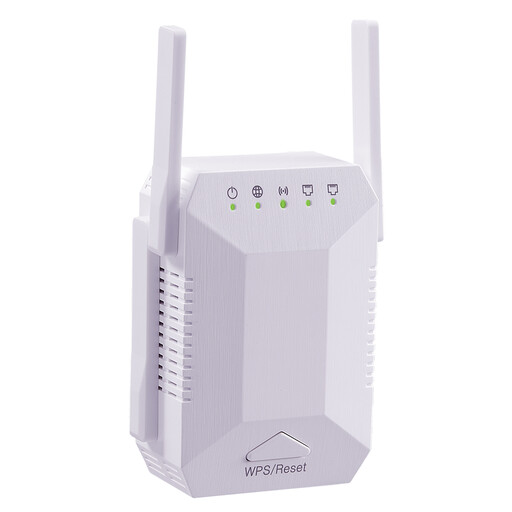
Dual-band Wi-Fi repeater, 1200 Mbit/s, 5G, 4 adjustable antennas
For extending your home Wi-Fi wirelessly; a location with a usable incoming signal is still important.
The product description lists two 10/100-Mbit/s LAN ports. Bear this in mind if you want to connect wired devices.
View at Joybuy
 No image available
Ubiquiti UniFi U6+ Wi-Fi 6 access point
For a wired connection to another floor, provided there’s a suitable network connection there.
Described as a dual-band device with Gigabit Ethernet and PoE. It requires an Ethernet connection and PoE power; the UniFi application is listed for configuration.
View at Joybuy
 No image available
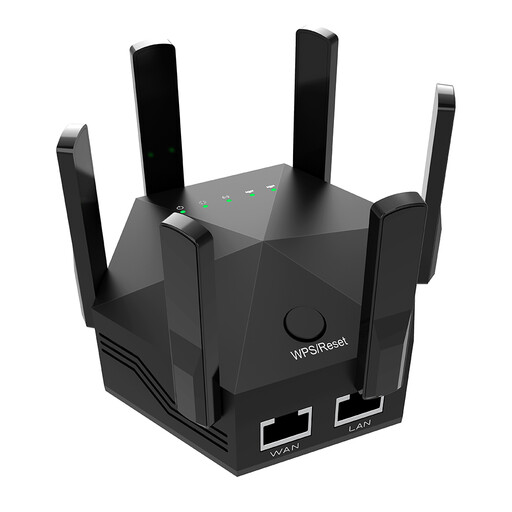
Dual-band Wi-Fi signal booster, 1200 Mbit/s, 6 adjustable antennas
For extending your home Wi-Fi wirelessly; the connection at the planned installation point matters when using it as a repeater.
The product description lists two 10/100-Mbit/s LAN ports for wired connections.
View at Joybuy
 No image available
Compact Wi-Fi booster
For extending an existing Wi-Fi signal wirelessly in different rooms; across multiple floors, you’ll need a suitable location with a usable connection.
The description lists a compact design and plug-and-play setup.
View at Joybuy
 No image available
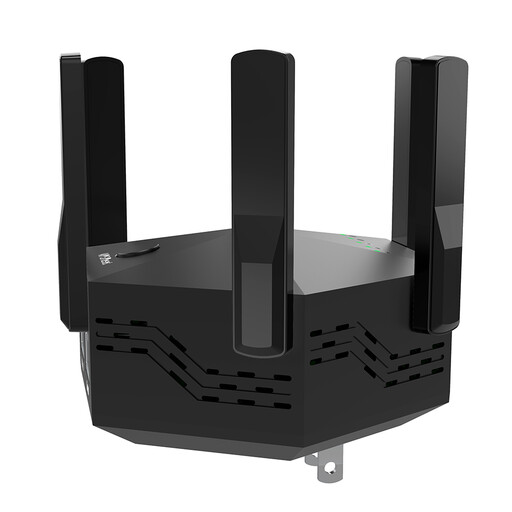
Dual-band Wi-Fi booster, 1200 Mbit/s, 6 adjustable antennas
For extending your home Wi-Fi wirelessly; check whether a usable incoming signal reaches the planned location.
The product description lists two 10/100-Mbit/s LAN ports for wired devices.
View at Joybuy
Frequently asked questions
How can I tell whether a repeater could improve my slow file uploads?
Compare your internet upload speed near the router with the result at your workstation. If the connection itself is already slow, a repeater won’t improve the upload speed included in your service; if performance only drops at the distant location, check the Wi-Fi link and possible repeater locations. The Federal Network Agency offers tests to measure connection speed.
Can I connect a repeater on another floor using a network socket?
Yes, provided there’s a continuous, usable LAN connection and the device you choose supports a suitable access point or LAN bridge mode. The access point mode described by devolo requires a LAN cable.
What should I check to make sure a Wi-Fi repeater complies with requirements in Germany?
For radio equipment, the Federal Network Agency lists correct CE marking, manufacturer details, instructions in German and a declaration of conformity among the points to check. These criteria aren’t official certification of every individual online listing, so check the documentation for the specific version on offer.


