Learners with a Wi-Fi dead spot
If your teaching room has poor coverage, you’ll need to place the repeater somewhere it can still receive a usable signal from the router. TP-Link Germany explains how to check whether a location is suitable.


A wireless Wi-Fi repeater may be suitable if there’s a spot between your router and teaching room with good reception. If obstacles make the wireless link too weak, a repeater with LAN or access point mode connected to an existing network cable is a straightforward alternative. For mesh, compatibility depends on the specific devices.
If your teaching room has poor coverage, you’ll need to place the repeater somewhere it can still receive a usable signal from the router. TP-Link Germany explains how to check whether a location is suitable.
If other video calls are happening during your language lesson, what matters is how the connection performs when it’s shared—not just the advertised maximum Wi-Fi speed.
If you want to extend an existing mesh network or use a network cable to connect an access point near your teaching space, make sure your router, repeater and supported operating mode are compatible.
| What you need | What to check before buying | Who it matters most to |
|---|---|---|
| Wireless link to the teaching room | Check reception at the planned location and the connection on your teaching device. Bear obstacles and sources of interference in mind. | If you teach in a room with poor coverage, the repeater needs to be somewhere it can receive a good signal from the router. Around 25 % of consumers put coverage in the teaching room first. |
| Streaming and calls at the same time | Consider the teaching service, calling software and number of devices in use at the same time. Check your broadband connection separately from the connection where you’ll be teaching. | If you make other video calls during lessons, you’ll want to use both applications at once. Around 25 % of consumers prioritise this kind of simultaneous use. |
| Compatibility with your router and mesh network | Check the router and repeater models, device generations and supported mesh modes. | If you want to extend an existing mesh network, you’ll need a compatible router and repeater. Around 19 % of consumers prioritise mesh compatibility. |
| Wired connection to the router | Check whether you can access a LAN connection and whether the specific model supports access point or LAN bridge mode. | If the wireless link is weak, a network cable running close to your teaching space could make all the difference. Around 19 % of consumers are mainly looking for a LAN-based solution. |
| How much coverage you need | Check what’s causing the problem, as well as how many devices you need, the cable route and the requirements of the specific model. | If you only need to cover one room, choose an extension that addresses the actual problem. Around 12 % of consumers focus on finding a solution that’s good enough and what it costs. |
If the repeater can’t get a usable signal from the router where it’s placed, its connection to the router will be weak too.
Check reception where you plan to put it. If the wireless link isn’t suitable, consider connecting it via LAN and using access point mode.
A product’s stated speed doesn’t tell you how much of your broadband speed will be available or how good the connection will be in your teaching room. Upload speed matters for video calls too.
Check your broadband and wireless connection where you’ll be teaching, and bear in mind which applications you’ll actually use at the same time.
General Wi-Fi compatibility doesn’t automatically mean a repeater will work with your router’s mesh management system. For example, EasyMesh on the TP-Link RE700X requires a compatible router.
Check the router model, repeater generation and mesh mode you want before buying.
The FRITZ!Repeater 1200 AX may be worth considering as a compact Wi-Fi 6 extender if you have an existing FRITZ! mesh network or need a Gigabit LAN connection.
The RE700X is a dual-band Wi-Fi 6 repeater that can also be used in access point mode, depending on your existing cabling.
The WiFi 6 Repeater 3000 is an option if you’re looking for a plug-in repeater with the alternative of access point mode.
Speed Home WLAN may suit households looking to extend coverage from an existing Speedport router.
The EAX15 is a Wi-Fi 6 mesh repeater you could consider for extending an existing Wi-Fi network.
This selection features Wi-Fi repeaters for extending coverage in your teaching room.
 No image available
For extending Wi-Fi coverage to a room further away. Check that the planned location still receives a usable signal from the router.
Dual-band operation; repeater and access point modes; two RJ45 ports at 10/100 Mbit/s.
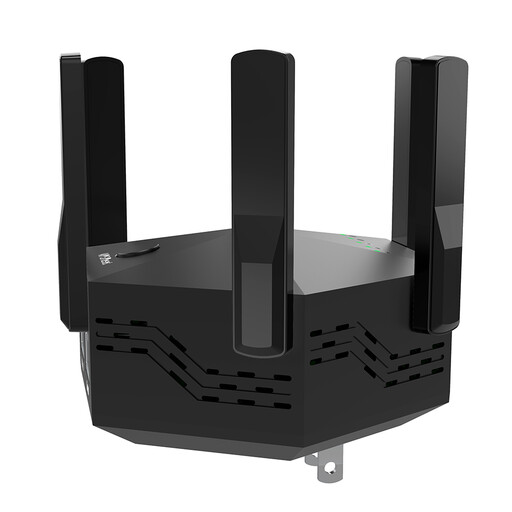 No image available
For extending Wi-Fi coverage in a room. Finding a suitable location with a usable signal from the router is still essential.
Supports 2.4 and 5 GHz bands; two LAN ports at 10/100 Mbit/s.
 No image available
For extending an existing Wi-Fi network. A signal strength indicator can help you find a suitable location.
Dual-band operation; set-up via WPS.
 No image available
For a room further away, provided the repeater can still get a usable connection to the router there or you can use LAN for access point mode.
Dual-band: 574 Mbit/s at 2.4 GHz and 2402 Mbit/s at 5 GHz; Gigabit LAN; access point mode.
 No image available
For extending an existing Wi-Fi network. If mesh integration matters to you, check whether your router supports EasyMesh too.
Dual-band operation; 2.5-Gigabit Ethernet port; MLO; EasyMesh-compatible.
First, compare the speed of your broadband connection with the connection where you’ll be teaching. The Bundesnetzagentur offers a broadband speed test for your connection. A repeater can’t make an already slow broadband connection faster.
Choose a spot where the router’s signal is still strong and from which the teaching room is within reach. Obstacles and sources of interference can affect the wireless link. If a usable wireless connection isn’t possible, consider using an access point over Ethernet.
It depends on the software and settings. For example, Zoom recommends 2.6 Mbit/s upload and 1.8 Mbit/s download for a group call with 720p HD video. This is Zoom’s guidance for that set-up, not a general benchmark for every lesson stream or additional calls happening at the same time.
Test how everything works when you’re using your devices at the same time in your teaching space, and keep the firmware up to date. Deutsche Telekom warns that missing firmware updates on its Speed Home devices can cause malfunctions and security vulnerabilities.
For a wireless device sold in the German market, look for the CE marking, the EU Declaration of Conformity and the required accompanying documents, including instructions and safety information in German. The Bundesnetzagentur lists these documents in connection with market surveillance. A CE marking doesn’t prove a particular level of Wi-Fi performance.