Streaming with a weak signal on one floor
If you mainly need to connect a TV or another streaming device, a single repeater may do the job – provided it is positioned where it can still get a good signal from the router.


A single Wi-Fi repeater can provide coverage on a floor with a weak signal, as long as it is positioned somewhere that still gets good reception from the router. If the wireless signal is already weak across the floors, a wired access point is a better starting point. For several separate areas, you may want to consider multiple mesh nodes. What matters is the connection at your TV or streaming device, not the maximum Wi-Fi speed advertised.
If you mainly need to connect a TV or another streaming device, a single repeater may do the job – provided it is positioned where it can still get a good signal from the router.
If the router’s Wi-Fi is already weak on the way to the floor you want to reach, a network socket there could allow you to use an access point connected by Ethernet.
If you want to cover several floors or separate rooms, weigh up the locations, router compatibility and effort involved in setting up multiple access points.
Best for: When there is a spot on the way to the floor with poor coverage that gets a good signal from the router, and you mainly want to reach one additional area.
Things to consider: The repeater extends the existing wireless connection, so poor reception where it is placed will remain a bottleneck.
Best for: When there is an Ethernet cable to the floor you want to reach, or you can install one – particularly if the wireless signal between floors is weak.
Things to consider: You avoid the wireless connection to the router, but you will need a suitable Ethernet connection and may need to carry out additional installation work.
Best for: When you need to cover several separate rooms or floors and one additional wireless access point is not enough.
Things to consider: More devices mean more set-up, and the connections between the nodes need to work well too.
| Priority | What to check when buying | Who it matters most to |
|---|---|---|
| Reception where you stream | Check the signal where you plan to place the repeater and the speed at your TV. Netflix recommends a stable connection of at least 5 Mbit/s for Full HD or 15 Mbit/s for 4K for its service. | I want my streaming device to connect reliably to my home network on the floor I’m using. Around 36 % of consumers prioritise reception where they watch. |
| Connection between floors | Check whether the device supports wired bridge or access point mode, and whether there is a usable network socket where you need it. | If the ceiling significantly weakens the Wi-Fi signal, I want to connect the floors using an Ethernet cable if possible. Around 29 % of consumers prioritise a reliable connection between floors. |
| Several areas to cover | Decide where to place the devices and check that they will work with the mesh base you plan to use. | I want to cover several separate rooms or floors, so I need suitable access points. Around 21 % of consumers prioritise covering several areas. |
| Router compatibility | Check the exact router model against the device manufacturer’s mesh requirements. Wi-Fi compatibility alone does not guarantee that all mesh features will be available. | I want to add the system to my existing router network without finding out the hard way that the combination of models does not support the mesh features I need. Around 14 % of consumers prioritise straightforward integration with a compatible router. |
A repeater extends the signal it receives where it is positioned. If the connection to the router is already weak there, placing the repeater in the dead zone will not overcome that bottleneck.
First, try a midway location where the router’s Wi-Fi signal is still good. If there is no suitable spot, consider running an Ethernet connection to the access point.
Advertised wireless speeds do not automatically tell you how fast the connection will be at your TV after passing through walls and ceilings.
Test the connection on the streaming device you actually use and compare the result with the requirements of your streaming service.
A device may work as a standard repeater without supporting all the mesh features of your existing router. TP-Link says that the OneMesh features it describes require a OneMesh router. Telekom specifies a Speed Home WLAN connected by Ethernet as the mesh base for the Speedport Smart and Smart 2.
Check your exact router model against the device manufacturer’s stated mesh requirements.
FRITZ!Repeaters are one option for an existing FRITZ! network.
According to TP-Link, the RE605X combines Wi-Fi 6 repeater functionality with Gigabit LAN and access point mode.
The WiFi 6 Repeater 5400 is a desktop model. devolo describes both repeater and access point modes.
According to Telekom, Speed Home WLAN is designed for compatible Speedport mesh networks.
According to NETGEAR, the EAX15 is a Wi-Fi 6 plug-in wall repeater with a Gigabit Ethernet port.
The products below include wireless repeaters and wired access point solutions for one or several areas. Before choosing, check the mode you need, the connection where you plan to use the device, and the power and router connection requirements.
 No image available
For an area you want to cover wirelessly, the product description lists range extender and access point modes, as well as a signal strength indicator.
The product name specifies AX3000 Dual Band, with 574 Mbps at 2.4GHz and 2402 Mbps at 5GHz. A Gigabit port and app control are also listed.
 No image available
For wireless coverage, the product description lists a Wi-Fi 7 range extender with EasyMesh compatibility and Smart Roaming.
A 2.5G Multi-Gigabit Ethernet port is listed. For wireless repeater mode, the device must be placed within range of your existing Wi-Fi network.
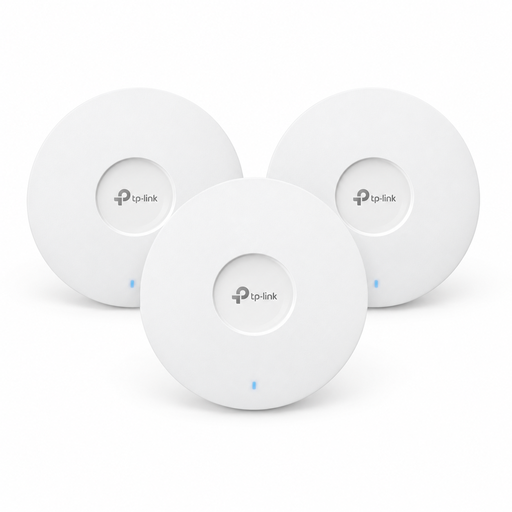 No image available
For multiple access points in separate areas, the product comes as a 3-pack and includes Omada mesh functionality.
PoE+ is listed as the power supply. The product description says the alternative 12 V adapter is sold separately, so check the power and cabling you will need.
 No image available
For multiple access points, the product description lists a 5-pack with central management through UniFi Network.
Wi-Fi 7, a 2.5 Gigabit uplink and PoE+ are listed. The system requires a suitable PoE+ power supply and compatible network infrastructure.
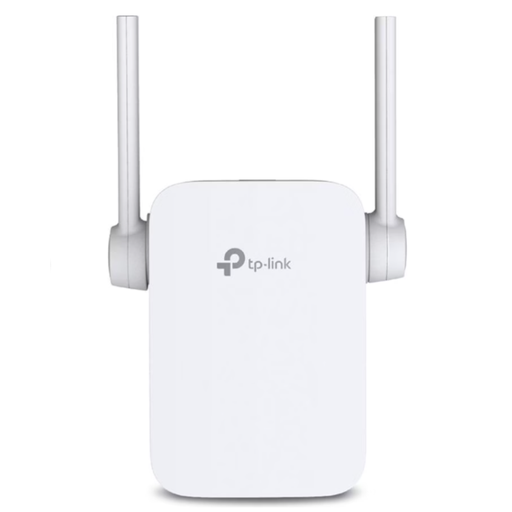 No image available
For an additional Wi-Fi area, the description lists range extender and access point modes, as well as a signal strength indicator.
An Ethernet port is listed. The product name specifies a UK plug; check that it is suitable for the socket you plan to use.
Don’t put it in the dead zone: it needs to receive a good Wi-Fi signal from the router where it is placed. Then check the connection on the streaming device you actually use.
Yes, if there is a suitable network socket and the device you choose supports access point or wired bridge mode. This lets you set up a Wi-Fi access point beyond the router’s wireless range.
It depends on the streaming service and picture quality. Netflix recommends a stable connection of at least 5 Mbit/s for Full HD or 15 Mbit/s for 4K for its service. Check the connection on your playback device, not just at the router.
Radio equipment covered by the relevant EU harmonisation legislation and placed on the market in Germany must carry the CE mark. The Federal Network Agency also lists product identification, manufacturer details, instructions in German and the declaration of conformity as things to check.