Film fans with a Wi-Fi dead spot
If you watch on a fixed screen behind thick internal walls, check whether a potential intermediate location still gets a good signal from your router. FRITZ! points out that walls can affect your Wi-Fi connection.


A wireless repeater may be suitable if it can still receive a good signal from your router at an intermediate location. If that isn’t possible, a wired access point can bypass the thick wall between the router and the room you want to reach – provided you can run a network cable to that room. What matters is the signal at the actual installation point, compatibility with your router and playback on your screen – not just the advertised Wi-Fi data rate.
If you watch on a fixed screen behind thick internal walls, check whether a potential intermediate location still gets a good signal from your router. FRITZ! points out that walls can affect your Wi-Fi connection.
If you can run a network cable to the room you want to reach, you can bypass the wall along the route between your router and the access point. devolo describes wired access point mode as one way to do this.
If you want to add a repeater to your existing network, check the mesh features available for your exact router model. General Wi-Fi compatibility alone doesn’t tell you which mesh features are supported.
| Buying criterion | What to look for | Who will find it especially important |
|---|---|---|
| Stable connection | Check the router signal at potential intermediate locations, then test playback on your screen after setup. | If I want to watch a film on a fixed screen behind thick walls, the repeater needs to receive a usable signal at the intermediate location. Around 43% of consumers put a stable connection first. |
| LAN as an alternative | Check whether a network cable is already available in the room you want to reach or can be installed, and whether the device supports access point or LAN bridge mode. | If I want to avoid a wireless connection through a thick wall, I could run a LAN cable to the room. Around 29% of consumers prioritise a wired connection to the router. |
| Mesh compatibility with your router | Compare the repeater’s mesh specifications with your exact router model, and check which features the combination supports. | If I want to keep using my existing mesh network, I need to know whether it’s compatible with my router. Around 14% of consumers prioritise compatibility with their existing router. |
| Playback on your screen | Test the connection on your playback device and check the requirements of your streaming service. Netflix recommends at least 5 Mbit/s for Full HD and 15 Mbit/s for 4K UHD; these are the service’s recommendations, not minimum repeater speeds. | If a particular film resolution matters to me, I want to check the connection right where I’ll be watching. Around 14% of consumers put actual playback quality first. |
A wireless repeater still needs to receive a usable signal from your router. Thick walls can weaken this wireless connection too.
Check potential intermediate locations before you buy and test the signal there. If you can’t find a suitable spot, look into a LAN connection to the room you want to reach.
An advertised maximum speed doesn’t show you how fast the connection will be at your screen. Your internet connection and the device’s location also matter.
Test playback on the device you’ll use and check the requirements of your chosen streaming service.
Mesh features can depend on the combination of repeater and router. TP-Link specifies that EasyMesh requires a compatible router; FRITZ! describes mesh integration with FRITZ! devices.
Before choosing, compare your exact router model with the repeater’s listed features for that router.
Powerline sends data over your home’s electrical wiring. devolo points out that electrical devices can affect the transmission.
Test the connection using the intended pair of sockets and check film playback in the room you want to reach.
A relevant option for households looking to pair a repeater with a FRITZ! home network.
The RE705X range may be suitable for extending Wi-Fi or, with the right LAN connection, for use as an access point.
The WiFi 6 Repeater 3000 and 5400 are described as repeaters or wired access points; Powerline is a different approach.
Speed Home WLAN is particularly relevant for households with a compatible Speedport router.
The products below include wireless Wi-Fi repeaters and wired access points. Choose the connection method based on whether your router’s signal reaches an intermediate location or you can run a LAN cable to the room you want to reach.
 No image available
For a potential wireless intermediate location, provided the device can still receive an existing Wi-Fi signal there.
Dual-band Wi-Fi; 2 RJ45 ports; repeater, access point and router modes.
 No image available
An option for an intermediate location where the device can still receive your existing router’s Wi-Fi signal.
Dual-band Wi-Fi; 2 RJ45 ports; WPS setup. The product description recommends setting it up near the router.
 No image available
May be suitable as an access point if there’s a LAN connection to the room you want to reach; the signal strength indicator is designed to help you choose where to place it.
Gigabit LAN port; access point and repeater modes. In access point mode, the LAN port must be connected to your router or home network.
 No image available
For a wireless intermediate location that’s still within range of your existing router.
2.5G multi-gigabit port; MLO; EasyMesh compatibility. Check that EasyMesh is compatible with your router.
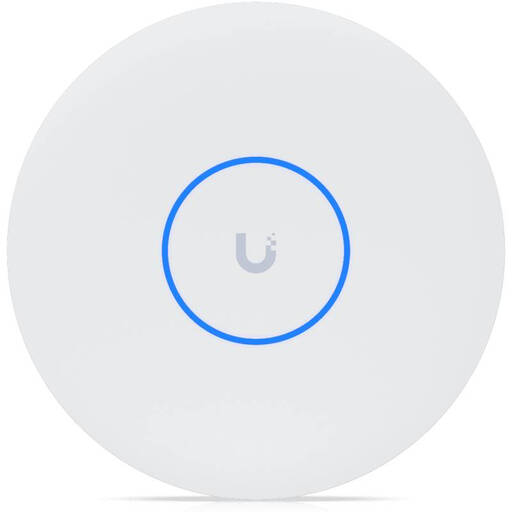 No image available
A wired access point for a room you want to reach, provided there’s a LAN connection in that room.
Tri-band Wi-Fi 7; 10GbE; PoE+. A PoE+ switch or injector is required; according to the description, it isn’t included.
Place it somewhere that still gets a good signal from your router and can provide coverage to the area you want to reach. Check potential locations, then test playback on your screen; the socket right next to your screen won’t necessarily be in a suitable spot.
Yes, if the specific model supports this mode and there’s a LAN connection to your router or home network. devolo lists this option for its WiFi 6 Repeater 3000 and 5400; TP-Link lists it for the RE705X.
Netflix recommends a stable internet speed of at least 15 Mbit/s for 4K UHD and at least 5 Mbit/s for Full HD. Check your streaming service’s requirements too, and test the connection directly on your playback device. These recommendations don’t guarantee a repeater’s performance.
An additional device needs power; a LAN connection may also mean extra cabling or installation work. Check the details for the specific offer too, including delivery, returns, warranty and updates, as terms may vary from one offer to another.