A photo-upload spot beyond thick walls
If you regularly upload photos from a distant room, the key question is whether you can get a reliable connection between that spot and your home network.


First, use an Ethernet connection to check whether your internet connection has enough upload speed. If the connection is slow, a new Wi-Fi router won’t solve the problem. If the main issue is a room beyond thick walls, you could try repositioning a single router or adding mesh points. A wired Ethernet backhaul can replace the wireless link between mesh points, but you’ll need compatible ports and a cable.
If you regularly upload photos from a distant room, the key question is whether you can get a reliable connection between that spot and your home network.
If uploads take a long time, find out whether your internet connection’s upload speed or the Wi-Fi at your usual spot is the bottleneck before replacing your router.
If you want to add Wi-Fi or replace your router, make sure the mesh system is suitable for your existing DSL, cable or fibre broadband connection.
A good fit if: An Ethernet test at the router already shows a low upload speed, or the Wi-Fi connection is good enough after you move the router to a better position near your upload spot.
Trade-off: You avoid buying a new router too soon, but it won’t make a slow internet connection faster.
A good fit if: A centrally positioned access point can reach the rooms in question and the router is compatible with your existing internet connection.
Trade-off: One device could save you from installing extra cabling, but thick walls may still mean you need another access point.
A good fit if: A single router can’t reach the distant room, but a usable wireless connection is possible between the mesh points.
Trade-off: Additional mesh points extend coverage around your home, but the connection between them needs to remain strong enough.
A good fit if: The wireless connection through the walls is poor and you can use or run an Ethernet cable between the locations.
Trade-off: The backhaul then runs over a wired connection. You’ll need compatible ports and, for devices from different brands, explicit support for compatible backhaul features.
| What you need | What to check before buying | Who it matters to most |
|---|---|---|
| Coverage at your upload spot | Check possible locations for the access points and make sure they can maintain a usable connection with each other. If the wireless link is poor, consider Ethernet backhaul. F.A.Z. Kaufkompass points out that the wireless connection between mesh stations needs to remain strong enough. | If I upload photos from a distant room, the connection needs to reach it; around 36% of consumers prioritise coverage in that spot. |
| Internet upload speed | First, measure the connection directly from the router over Ethernet, then compare it with the Wi-Fi in your usual upload spot. Germany’s Federal Network Agency specifies wired measurements for its official verification process. | If an album is also slow to upload over Wi-Fi, I want to rule out the internet connection first; around 29% of consumers pay particular attention to the available internet upload speed. |
| Connection type and existing equipment | Check whether you have DSL, cable or fibre, along with any existing modem or ONT, and make sure the router has the WAN connection you need. According to the manufacturer, the FRITZ!Box 7690 has a DSL modem and can be used behind a fibre ONT. | If I need to connect a router to my existing equipment, I want to know what hardware I already have before buying; around 21% of consumers prioritise compatibility with their internet connection. |
| Secure operation | Check which updates and Wi-Fi encryption are available for the specific model. During setup, change the device and Wi-Fi passwords. The Verbraucherzentrale recommends installing available router updates. | If my home network is in constant use, I want to plan for updates and secure login details during setup; around 14% of consumers pay particular attention to maintenance and secure operation. |
A stated Wi-Fi data rate doesn’t automatically tell you how fast your internet connection can upload. Replacing your router won’t help if the connection itself is the bottleneck.
Before buying, compare a direct Ethernet test at the router with the Wi-Fi connection in your usual upload spot.
An unnecessary replacement means extra setup if your internet connection’s upload speed is the real limitation.
With wireless backhaul, the additional mesh point also needs a strong enough connection to the rest of the network. A poor location may therefore do nothing to improve the connection to your upload spot.
Plan for the connection between the points, too. If the wireless link is poor, consider a suitable Ethernet backhaul.
Depending on your floor plan, you may need another location, a cable or an additional suitable access point.
A mesh main unit with an Ethernet connection isn’t automatically a modem for DSL, cable or fibre. Without a suitable device in front of it, it may not provide the function you need for your internet connection.
Check your connection type and any existing equipment, such as a modem or ONT, before choosing the main unit.
TP-Link’s German product page lists the Deco BE25 as a BE3600 dual-band system, while a US product page gives different speed and product descriptions for the model with the same name.
Check the German model variant and pack size rather than applying specifications from overseas versions with the same model name.
For buyers considering a router with a DSL modem and the option to use Ethernet WAN.
For buyers considering a multi-unit Deco mesh system or a separate EasyMesh extender.
For buyers considering a single router that can be expanded using AiMesh.
The Joybuy products below include mesh kits, a mesh extender and individual routers for home Wi-Fi. Before choosing, check that you have a suitable modem or ONT and consider what type of connection is possible between the access points.
 No image available
This two-unit kit is an option if you want to extend Wi-Fi to several areas of your home.
Two units; dual-band; Gigabit WAN/LAN ports; router and access point modes.
 No image available
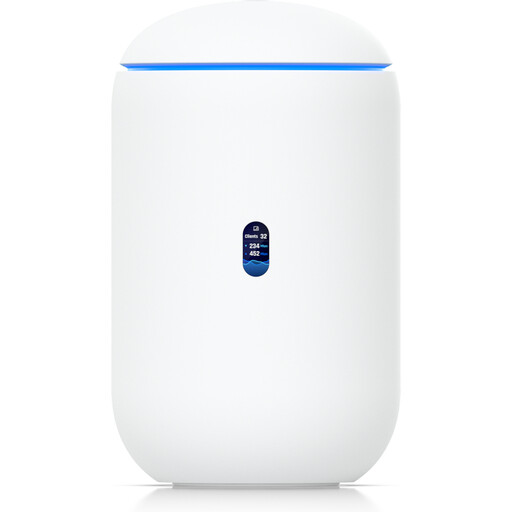
This gateway with built-in Wi-Fi is worth considering if you’re looking at an all-in-one solution for your home network.
Wi-Fi 7; 10G SFP+ and 2.5 GbE PoE are listed in the product name.
Check that the WAN connection is compatible with your existing internet service.
 No image available
According to the product description, this single unit can work as a router on its own or extend a Deco network.
Dual-band; Gigabit ports; Ethernet backhaul support.
The product description states that a modem is needed for an internet connection.
 No image available
This router is an option if you want to connect DSL directly and extend your home Wi-Fi with compatible FRITZ! repeaters.
VDSL Supervectoring 35b up to 300 Mbps; Wi-Fi up to 2400 Mbps; dual-band; four Gigabit LAN ports; mesh master function.
 No image available
This two-unit kit is an option if you want to extend mesh Wi-Fi to different areas of your home.
Wi-Fi 6; dual-band; two Gigabit Ethernet ports per unit.
According to the product description, you connect one Deco unit to a modem to get online.
First, measure your connection directly from the router over Ethernet, then compare it with the Wi-Fi in your usual upload spot. According to Germany’s Federal Network Agency, only wired measurements are permitted for the official broadband measurement verification process; a Wi-Fi test isn’t a substitute.
Only if it can still get a strong enough wireless connection to the rest of the network. With wireless backhaul, the mesh point needs a usable wireless link too. If not, try a different location or, with compatible devices, use an Ethernet connection for the backhaul.
Check whether you have DSL, cable or fibre, and whether you already have a modem or ONT. A mesh system without a suitable built-in modem may need a compatible device connected in front of it.
Set secure device and Wi-Fi passwords, and install any available router updates. The Verbraucherzentrale recommends installing updates when they’re available. If your mesh system uses a cable connection, also check that it actually shows the backhaul as an Ethernet connection.
No. Germany’s Federal Network Agency confirms that you’re free to choose your own terminal equipment at the network termination point, including on passive fibre networks. That doesn’t mean every device is technically compatible with every connection, so check the modem, WAN connection and requirements of your service before buying.