What should you look for when buying?
Work through the checks in order: test your connection while it’s being used as it typically would be, then check the signal where you study. Only then decide whether you need a compatible connection device, a wired LAN connection or a Wi-Fi extender.
| What you need |
What to check |
Especially important if |
| Capacity for simultaneous calls |
Check upload and download speeds while several people are online at once. For 720p HD group calls in the web app, Zoom recommends 2.6 Mbit/s upload and 1.8 Mbit/s download per call. |
When several people in my household are studying and on video calls at the same time, I want to know whether our connection can handle the combined upload demand. For around 28% of consumers, having enough capacity for simultaneous calls is the main priority. |
| Connection compatibility |
Check your connection type in your contract or at the socket. Make sure the device’s built-in DSL or cable modem, or its Ethernet WAN port, is compatible with your existing modem. |
If I use DSL, cable or fibre, the device needs to work with my connection and any existing modem. For around 22% of consumers, connection compatibility is the top priority. |
| Reception where you study |
Compare the connection at your desk with a wired speed test next to the router. If the problem is with the local Wi-Fi signal, check your options for a wired connection, a different router position or a suitable extender. |
If the connection works by the router but keeps dropping at my desk, I want to improve the Wi-Fi signal where the problem occurs. Around 22% of consumers prioritise Wi-Fi coverage in the room where they study. |
| Updates and support |
Check whether updates are provided, whether they can be installed automatically and who is responsible for support if you buy or rent the device. |
If I want to use my router for a long time, access to firmware updates and clear responsibility for support are important. Around 17% of consumers prioritise updates and ongoing support. |
| Only the features you need |
Check whether the bottleneck is the router, your connection or Wi-Fi coverage. Take your existing modem and possible LAN or access point solutions into account. |
If my connection works, I only want to add the technology that will solve the specific problem. Around 11% of consumers prioritise paying only for the features they actually need. |
Routers at Joybuy
This selection includes routers designed to work with a compatible modem or ONT, as well as DSL routers with a built-in modem. Check your connection type and the signal where you study against your actual needs.
 No image available
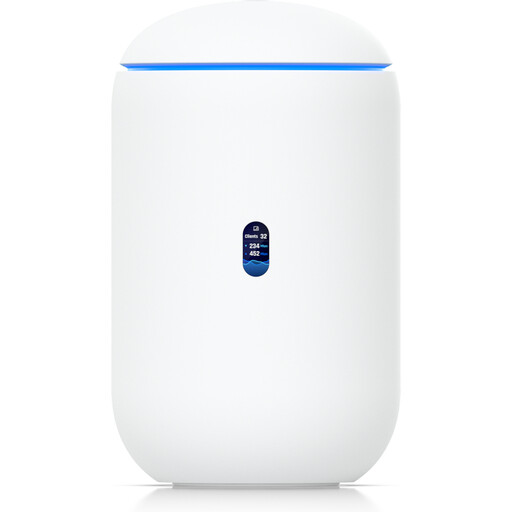
Ubiquiti UniFi Dream Router 7
For use with a compatible modem or fibre ONT if you’re looking for a gateway with Wi-Fi 7 and several Ethernet ports.
Features include Wi-Fi 7, 2.5 GbE ports and a 10G SFP+ port. According to the product description, management requires an active internet connection and UniFi Network version 9.0.108 or later.
View at Joybuy
 No image available
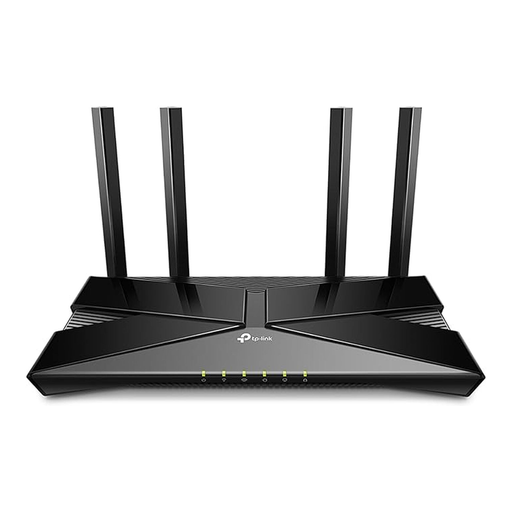
TP-Link Archer AX23 AX1800 Dual-Band Wi-Fi 6 Router
For use with a compatible modem if you can connect your study space via Ethernet.
Features include Wi-Fi 6, four Gigabit LAN ports and QoS. This model does not support DSL.
View at Joybuy
 No image available
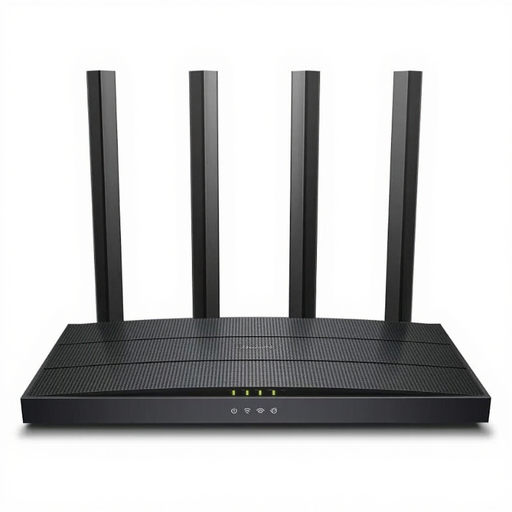
TP-Link Archer C6 V3.2
For use with an existing modem or to extend an existing network in access point mode.
The product description lists dual-band Wi-Fi, a four-port Gigabit Ethernet switch and access point mode. It doesn’t have a built-in modem.
View at Joybuy
 No image available
FRITZ!Box 7530 AX
For a direct DSL connection if you’re looking for a router with a built-in DSL modem.
Features include Wi-Fi 6, VDSL Supervectoring 35b, mesh and four Gigabit LAN ports.
View at Joybuy
 No image available
FRITZ!Box 7590 AX
For a DSL connection if you need a built-in DSL modem and wired connections for your study space.
Features include Wi-Fi 6, VDSL Supervectoring 35b, mesh and four Gigabit LAN ports.
View at Joybuy
Frequently asked questions
Is fast Wi-Fi enough for several video calls at once?
No. The advertised Wi-Fi speed doesn’t tell you how much upload speed your internet connection actually provides. Check the connection at the router and at each study space. For a 720p group call in the web app, Zoom recommends 2.6 Mbit/s upload and 1.8 Mbit/s download. Other platforms and settings may vary.
How can I tell whether the problem is my connection or my Wi-Fi before buying a router?
Compare a speed test at the connection point, ideally using a wired connection, with the connection where you study. Take into account other people using the internet at the same time. Germany’s Federal Network Agency broadband test can help you compare your actual connection speed with the speed agreed in your contract. Weak Wi-Fi in a distant room needs to be checked separately.
What should I consider when adding a mesh system?
Check the operating mode, compatibility and connection between the devices. TP-Link describes an access point mode for Deco that extends an existing network, as well as Ethernet backhaul. Some advanced Deco features aren’t available in access point mode.
What should I know about security updates and support?
Germany’s Federal Office for Information Security recommends changing default passwords and keeping your router’s firmware up to date. If you rent a device or get one from your provider, check who is responsible for updates and compare the relevant support terms.
Can I use my own router with a fibre connection in Germany?
Yes. On 22 January 2025, Germany’s Federal Network Agency confirmed that the right to choose your own end device at the network termination point also applies to passive optical fibre networks. That doesn’t mean every device is technically compatible with every connection, so check the connection type and set-up first.


