First, check whether your internet connection provides enough upload speed for everyone to make calls at the same time, and whether the connection is stable where you work. A new router won’t fix a bottleneck in your internet connection. If you need to replace your main router anyway, choose a model that suits your DSL, cable or modem setup, and check for traffic prioritisation if several devices are competing for bandwidth. If Wi-Fi is weak in your home office, a wired LAN connection or a suitable mesh system may matter more than a higher advertised Wi-Fi speed.
Who needs to think carefully about their router?
Households with several people on calls
If several people make video calls at the same time or use other data-intensive applications, the available upload speed and how the connection is shared both matter. The Zoom Technical Library explains that bandwidth requirements depend on the service and how it is used.
People working in rooms further away
If calls work better near the router than at your desk, check the connection where you actually work and consider whether you can run an Ethernet cable. The German Federal Office for Information Security distinguishes between wired LAN and wireless Wi-Fi connections.
Anyone buying a replacement router
If you’re replacing your main router, first check whether your home uses DSL, cable or a separate modem. FRITZ! describes the 7690 as suitable for compatible DSL connections or use with a fibre-optic modem, and the 6690 Cable for compatible cable connections; ASUS lists Ethernet WAN for the RT-AX58U.
What should you look for when buying?
Check your existing router and connection
A good option if: video calls also stutter over LAN, or you’re unsure whether your upload speed can support simultaneous calls.
Bear in mind: testing your connection can reveal a bottleneck, but it won’t improve a weak Wi-Fi signal in a distant room.
Choose the right main router
A good option if: you’re replacing your main router and competing data traffic is affecting calls. The connection type and device prioritisation need to suit the specific model.
Bear in mind: prioritisation shares your existing capacity; it doesn’t provide extra internet upload speed. An Ethernet WAN router needs a suitable device in front of it for DSL or cable.
Connect your workspace by LAN or extend your Wi-Fi
A good option if: your internet connection is adequate, but the Wi-Fi signal is weak in your home office.
Bear in mind: LAN needs a cable run. Mesh devices need a suitable connection to the main router, and advertised coverage doesn’t guarantee a signal where you need it.
| What to consider |
What to look for |
Who should pay particular attention? |
| Upload speed and simultaneous calls |
Compare your available upload and download speeds with the video quality you want and the number of calls happening at once; check the prioritisation features of the specific router. |
If several people are on calls at once while other devices are using the network, I care more about the connection available to me than a high Wi-Fi speed rating. Around 34% of consumers put simultaneous calls first. |
| Connection compatibility |
Find out what type of connection you have and whether you already have a modem; then choose a compatible DSL modem, DOCSIS cable modem or Ethernet WAN router. |
When replacing my main router, I want to avoid choosing a device with the wrong type of modem. Around 33% of consumers prioritise compatibility with their internet connection. |
| Connection where you work |
Check the connection in your home office and, if possible, compare it with a LAN connection; if you’re using mesh, consider the connection to the main router. |
If calls are worse in a home office further away, the connection right there is what matters to me. Around 20% of consumers prioritise Wi-Fi where they work. |
| Security and ongoing costs |
Check the model’s firmware update support and Wi-Fi encryption options; read the terms for any optional services. |
When choosing a router, I want to be able to set up security features and avoid overlooking optional ongoing services. Around 13% of consumers put security and ongoing costs first. |
Common mistakes when buying a router
-
Confusing advertised Wi-Fi speed with internet upload speed
The bandwidth available for several video calls also depends on your internet connection. A router’s maximum Wi-Fi speeds don’t tell you how much upload speed your internet connection provides.
Before you buy, check your connection speed and the signal where you work. The German Federal Network Agency offers a broadband speed test to compare actual data rates with those agreed in your contract.
Depending on your connection, you may also need a suitable modem or find yourself having to replace the router again.
-
Assuming advertised mesh coverage guarantees a signal
A manufacturer’s coverage figures don’t show how good the Wi-Fi signal will be in your home office.
Check the connection where you actually work, and consider LAN if you can run a cable. With mesh, make sure the connection between the devices is suitable for your home’s layout.
Key brands at a glance
FRITZ!
The models considered here support different connection types. According to FRITZ!, the FRITZ!Box 7690 is designed for compatible DSL connections or use with a fibre-optic modem, while the 6690 Cable is designed for compatible cable connections using DOCSIS 3.1.
- FRITZ! lists a prioritisation feature for the 7690.
- Prioritisation can’t guarantee uninterrupted video calls under every level of connection traffic. DSL and cable models aren’t interchangeable.
TP-Link
According to TP-Link Germany, the Archer AX55 is a Wi-Fi 6 router for use with a compatible internet connection device.
- TP-Link lists OFDMA and Gigabit ports among the AX55’s features.
- The manufacturer’s claims about video chats aren’t an independent test of simultaneous calls in a particular household.
ASUS
According to ASUS Germany, the RT-AX58U is designed to be set up behind a compatible network termination point.
- The specification sheet lists Ethernet WAN, LAN ports, AiMesh and Adaptive QoS.
- The specification sheet distinguishes between hardware versions V1 and V2. No built-in DSL or cable modem is listed, so check the version and connection setup before buying.
NETGEAR
According to NETGEAR Germany, the Orbi RBK763S is a tri-band mesh set with a router and two satellites, for households that need several Wi-Fi access points.
- NETGEAR lists a dedicated connection between the router and satellites.
- This feature doesn’t guarantee a signal in every home. NETGEAR describes the included Armor service as a paid subscription after the first year; check the terms for Germany before renewing.
Routers and mesh systems at Joybuy
This selection at Joybuy includes Wi-Fi routers and mesh systems where the connection type, existing modem or signal where you work are important considerations when buying.
 No image available
TP-Link Deco BE22, 2-pack
This two-device mesh system could be a good option if you need Wi-Fi in several areas; the product description lists router and access point modes.
Wi-Fi 7, dual-band and Gigabit Ethernet are listed in the product name.
View at Joybuy
 No image available
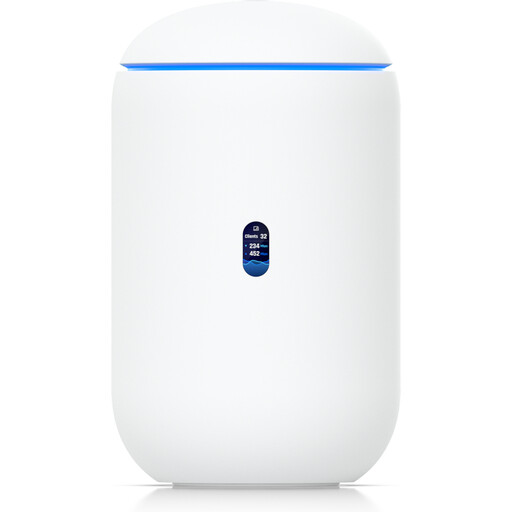
Ubiquiti UniFi Dream Router 7
For a setup where Wi-Fi 7 and the wired connections listed in the product name matter; check that the WAN connection suits your existing network termination point.
The product name lists Wi-Fi 7, 10G SFP+, 2.5 GbE PoE and 64GB microSD.
View at Joybuy
 No image available
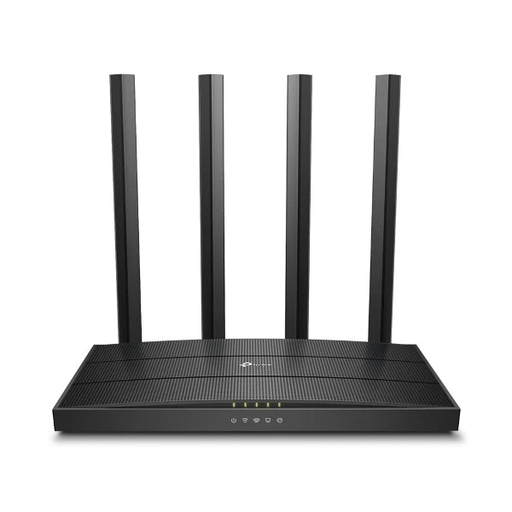
TP-Link Archer C80
An option for households with an existing modem that are looking for a standalone router.
The product title lists 1900 Mbps. According to the product details, the device has no built-in modem and doesn’t support DSL.
View at Joybuy
 No image available
TP-Link Deco M4, 3-pack
This mesh system could be worth considering if you need Wi-Fi in several rooms; the product description lists router and access point modes.
The product name lists AC1200, dual-band and Gigabit ports.
View at Joybuy
 No image available
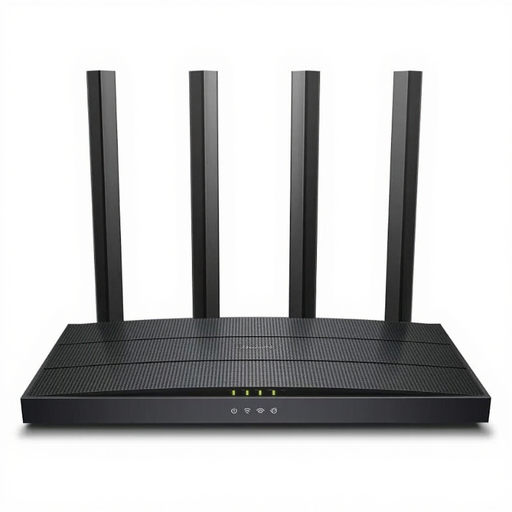
TP-Link Archer C6 V3.2
For a home network with several Wi-Fi devices if you’re looking for a router without a built-in modem.
The product title lists a 4-port switch. According to the product details, there’s no built-in modem.
View at Joybuy
Frequently asked questions about routers for simultaneous video calls
How can I tell whether my internet connection, rather than my router, is limiting video calls?
Compare your actual upload and download speeds with the video service’s requirements and the number of calls happening at once. The German Federal Network Agency provides a broadband speed test for fixed-line connections; the Zoom Technical Library notes that bandwidth requirements depend on the resolution and how the service is used.
Do I need Wi-Fi 7 for uninterrupted video calls?
There’s no general requirement for Wi-Fi 7 to make simultaneous video calls. First check your internet upload speed, the connection where you work and compatibility with your connection type. An advertised Wi-Fi speed isn’t a measure of video call quality.
What should I do to secure my router after setting it up?
The German Federal Office for Information Security recommends changing default passwords, keeping the firmware up to date and using appropriate Wi-Fi encryption. The devices you use must also support WPA3.
Can I choose my own device instead of my provider’s router in Germany?
The German Federal Network Agency confirms that you can choose your own device at the network termination point, including for passive optical fibre networks, VDSL and cable. Your device still needs to be technically compatible with your specific connection.
What extra costs or service terms should I check?
For optional security and support services, check the subscription period and the terms for Germany. NETGEAR describes Armor on the RBK763S as a subscription that includes the first year; this doesn’t tell you what it will cost in Germany after that.


