People working with simultaneous uploads and calls
If you’re transferring large files while one or more video calls are in progress, check how your connection performs under load.


First, measure the upload speed your internet connection actually delivers and check whether video calls become sluggish while you’re uploading files at the same time. Faster Wi-Fi won’t fix a bottleneck with your internet connection. Then choose a router that suits your connection type and where you work. If you experience delays when your connection is under load, configurable traffic management may help, but it won’t increase your connection’s bandwidth and may reduce peak throughput.
If you’re transferring large files while one or more video calls are in progress, check how your connection performs under load.
If your work device isn’t right next to the router, the connection where you actually work matters just as much as your internet upload speed.
If you’re looking to replace your router, first check whether your connection requires a router with a built-in modem or a router connected to your existing connection device.
A good fit if: you want to replace a compatible DSL router and modem and have both functions in one device.
Consider: For a standard Ethernet connection, a built-in DSL modem isn’t the main advantage.
A good fit if: your modem or fibre terminal provides a suitable Ethernet connection to the router.
Consider: You’ll still need the connection device; check that the router has the WAN port you need.
A good fit if: your tests show delays when your connection is busy and you’re prepared to configure traffic management and test it again.
Consider: Support depends on the specific model and firmware. Enabling SQM may reduce peak throughput.
| Priority | What to check when buying | Who is this particularly important to? |
|---|---|---|
| Response times during uploads | Where possible, test upload speed and latency over a wired LAN connection, both with and without a file upload running at the same time. If considering SQM, check firmware support and gateway mode. | If I need calls to run smoothly while uploading large files, I look at response times under load. Around 40% of consumers with this as their main priority say the same. |
| Connection compatibility | Check your connection type, existing modem or Ethernet hand-off, and the WAN port you need. | If you want to replace your router without buying an incompatible device, check your connection first. Around 23% of consumers with this as their main priority do so. |
| Wi-Fi at your workspace | Test the connection where you actually work. If you’re adding access points, check mesh compatibility and whether they can be connected via LAN. | If my desk is further from the router, the connection right there matters to me. Around 22% of consumers with this as their main priority agree. |
| Updates and support | Check the update options and firmware for the specific model, along with the warranty terms and any additional features you need. | If you prioritise long-term support and clear responsibilities over other buying considerations, pay particular attention to these points. Around 15% of consumers with this as their main priority do so. |
Wi-Fi data rates describe your local wireless network, not necessarily the transfer speed of your internet connection. Germany’s Federal Network Agency provides a tool for checking the upload and download speeds you actually receive.
Before buying, measure your connection’s upload speed, then check the connection where you work.
A new router may leave a problem with your internet connection unresolved.
The features and how you configure them vary by router. GL.iNet documents limitations for its SQM implementation, including supported firmware, operating mode and simultaneous use of QoS.
Only enable traffic management if you’ve noticed delays under load, and check the results with repeated tests.
Setup can take time, and SQM may also reduce peak throughput.
Routers vary in whether they have a built-in DSL modem or use an Ethernet WAN connection to connect to a separate device.
Before choosing, note your connection type and where the connection is handed over to your router.
If a router doesn’t have a suitable built-in modem, you may still need an additional connection device.
The FRITZ!Box 7690 is one all-in-one option for a compatible DSL connection. According to FRITZ!, it can also work as a router behind a cable or fibre modem.
The RT-AX86U Pro is an option for an existing Ethernet connection if configurable traffic management and AiMesh are important to you.
The Archer AX55 Pro is an Ethernet WAN option with Wi-Fi 6, a configurable 2.5 Gbit/s port and EasyMesh.
The Flint 2 (GL-MT6000) is aimed at buyers who want to use a router behind a compatible connection device and adjust their network settings.
This selection at Joybuy includes Ethernet routers and mesh systems for existing modems or fibre connections, as well as a DSL router with a built-in modem. Before choosing, check that the connection type and Wi-Fi coverage suit your workspace.
 No product image available
A good fit if your connection device provides Ethernet and you want to extend Wi-Fi across several rooms.
The set includes two units and supports mesh roaming. Router and access point modes, along with Gigabit WAN/LAN ports, are listed.
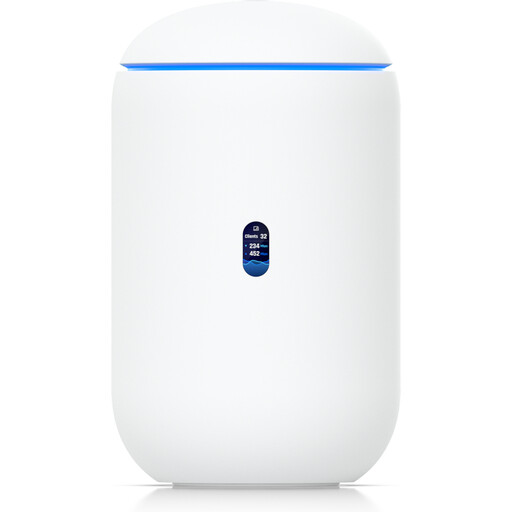 No product image available
A good fit if you want built-in Wi-Fi alongside a compatible Ethernet or SFP+ WAN connection.
Described as a cloud gateway with built-in tri-band Wi-Fi 7. Listed features include 10G SFP+ and 2.5 GbE RJ45 WAN options, as well as 64 GB microSD. Operation on the 6 GHz band depends on local regulatory availability.
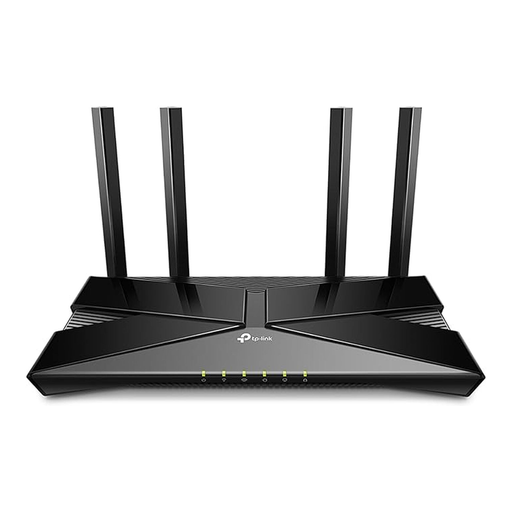 No product image available
A good fit if your modem provides Ethernet and you’re looking for a router without built-in DSL.
The product title lists speeds of up to 1,201 Mbit/s on 5 GHz and 574 Mbit/s on 2.4 GHz, as well as four Gigabit LAN ports. A Gigabit WAN port and QoS are also listed; this doesn’t guarantee a particular effect on video calls.
No DSL functionality; a modem with an Ethernet connection is needed for the setup described.
 No product image available
A good fit if you’re considering a three-unit mesh system for a workspace in another room.
Gigabit ports, QoS, and router and access point modes are listed. Setup involves connecting one Deco unit to a modem via Ethernet; QoS doesn’t guarantee better video calls.
 No product image available
A good fit if you have a compatible ADSL or VDSL connection and need a built-in modem.
ADSL/VDSL compatibility and VDSL Supervectoring 35b at speeds of up to 300 Mbit/s are listed. The model supports mesh and has four Gigabit LAN ports.
Not just by offering a higher Wi-Fi data rate. First, compare the upload and download speeds your connection actually delivers with the speeds you agreed to; Germany’s Federal Network Agency provides a procedure for documenting this. If the main issue is response time under load, configurable queue management may help, but it won’t increase your connection’s bandwidth.
If limited bandwidth is affecting your call, Zoom recommends turning off HD video, among other things. Testing over a wired LAN connection can also help you tell the difference between problems with your internet connection and a weak Wi-Fi signal where you work.
Germany’s Federal Office for Information Security recommends changing default passwords and updating your router’s firmware regularly, or using automatic updates if available. This is a security recommendation, not a statement that buyers are legally required to update their router.
Yes. According to Germany’s Federal Network Agency, consumers can choose a commercially available router that is suitable for their internet connection; the provider must supply the necessary access details. In 2025, the Federal Network Agency also confirmed that no exception to the legal principle of end-device choice is justified for passive optical fibre networks. You’ll still need to check that the router is suitable for your specific connection.
Your statutory rights apply against the seller; a guarantee is an additional voluntary service, subject to its own terms. If a product is faulty, you should first ask the seller to put things right. Germany’s consumer advice centre explains the difference between statutory rights and a guarantee.