
Lieferung heute & morgen

Qualitätsgarantie
App herunterladen
Kategorien
Selecting a Wi-Fi security camera requires an analysis of technical specifications to find a solution tailored to the security needs of private property or business premises. The decision depends on factors such as the location (indoor or outdoor), desired image quality, and necessary smart features. This article highlights the essential criteria and presents a selection of models with different feature sets.
The functionality of an IP camera with recording is determined by a range of parameters. An objective assessment of these features is fundamental to making an informed purchasing decision.
The intended installation site is the primary decision-making criterion.
The resolution, measured in megapixels (MP), determines the level of detail in the recordings. A higher resolution makes it possible to identify faces or license plates more clearly, even with digital zoom.
The Field of View (FoV) defines the area the camera can cover without moving.
For effective 24/7 surveillance, powerful night vision is essential.
Modern Wi-Fi cameras offer more than just passive recording.
Video recordings can be stored in two ways:
Based on the technical criteria above, we present three models from the Jooan camera brand that cover different requirement profiles.
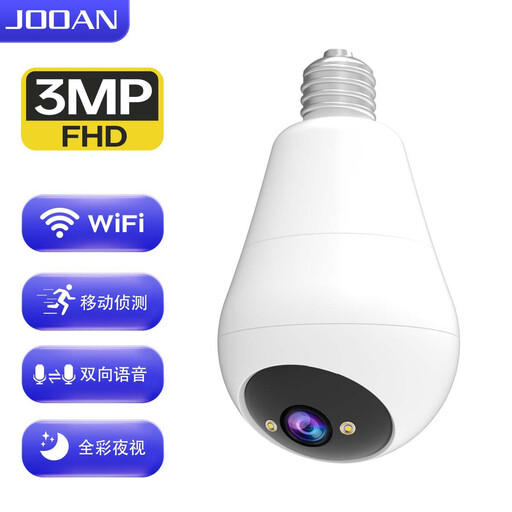
Why we recommend this product: This model combines a security camera with an LED light in a housing that screws into a standard E27 light socket. The installation requires no additional wiring, making it a discreet and easy-to-implement solution for porches, verandas, or driveways.
Pros:
Best for: Users looking for a discreet outdoor security camera or indoor camera without complex installation, who appreciate the dual function of light and surveillance.
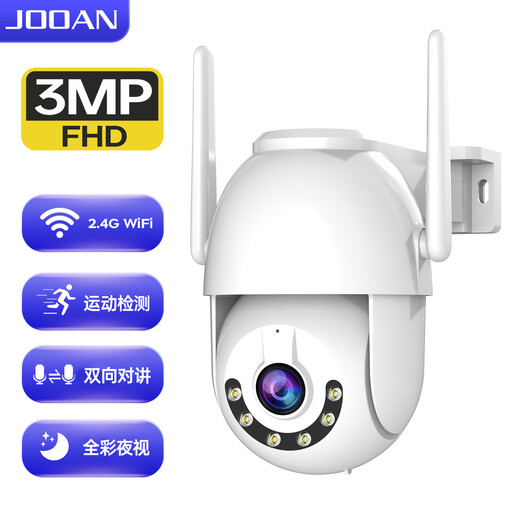
Why we recommend this product: This model is designed as a robust, dedicated outdoor camera. With its IP66 certification, it is built for continuous use in adverse weather conditions. The combination of wired and Wi-Fi connectivity offers flexibility during installation.
Pros:
Best for: Homeowners and small business owners who need a durable and feature-rich solution for monitoring gardens, yards, car parks, or company premises.

Why we recommend this product: This indoor security camera stands out for two key features: an integrated 2.8-inch display and support for 5 GHz Wi-Fi. The one-touch call function and two-way video intercom make it a communication device, ideal for monitoring children, the elderly, or pets.
Pros:
Best for: Families and individuals who want an indoor camera not just for surveillance, but also for easy communication with loved ones or for keeping an eye on pets.
If the models presented do not exactly meet your requirements, the market offers a variety of other specialised solutions. You can find a wider selection of devices for different security needs, from simple sensors to complete alarm systems, in our Home Security category.
1. What should I consider when buying a Wi-Fi security camera? Pay attention to compatibility with your Wi-Fi network (usually 2.4 GHz, less commonly 5 GHz), the signal strength at the installation site, the resolution (at least Full HD), the night vision quality, and your preferred storage options (SD card or cloud). For outdoor use, an appropriate IP protection rating (e.g., IP66) is required.
2. How does a security camera with an app work? After installation and connection to your Wi-Fi, the camera is set up via the manufacturer's app on a smartphone or tablet. Through the app, you can view the live stream, control PTZ functions, access recordings, and configure settings like motion detection. In case of an alarm event, the camera sends a notification to the app.
3. Does a Wi-Fi camera need a constant internet connection? A constant internet connection is required for remote access (viewing the live feed from anywhere), push notifications, and cloud storage. If the camera is only set to record locally to an SD card, it can continue to record without an active internet connection after the initial setup. However, access to the recordings would then only be possible on the local network or by removing the SD card.