
Lieferung heute & morgen

Qualitätsgarantie

Willkommens-Angebote freischalten: KOSTENLOSE Lieferung | Bis zu 80 % RABATT | Kostenlose 30-Tage-JoyPlus-Testphase
App herunterladen
A Wi-Fi security camera lets you check on your entrance, living room, garden, baby’s room or pet from an app. Before you buy, though, it’s worth taking a closer look at the specifications. A high resolution alone doesn’t tell you whether a camera will work reliably where you plan to put it.
Three common causes of disappointment are:
For everyday monitoring indoors, a 1080p indoor camera is often enough. A 2K security camera or a 3 MP model can capture more detail, which can be useful in larger rooms or when monitoring an entrance from further away. However, the resolution should suit the field of view: a camera with 360° pan and tilt can cover a wide area, but it won’t capture every position at the same level of detail at once.
For a security camera with night vision, the range and technology used both matter. Infrared footage is usually in black and white. Colour night vision generally needs enough ambient light or built-in lighting. Claims such as ‘up to 9 metres’ or ‘up to 30 metres’ should be treated as manufacturer specifications; actual performance depends on the surroundings, installation height and obstacles.
An outdoor camera should have a stated IP rating, such as IP65 or IP66. The first digit indicates protection against dust, while the second indicates protection against water. An IP66 rating does not mean the camera can be kept underwater. Cable connections, power supplies and plugs also need to be protected from moisture.
A solar-powered security camera can make it easier to install a camera somewhere without a nearby power socket. Even so, check that the solar panel will get enough sunlight and consider how extended periods of poor weather could affect the battery. Models with a mains power supply need a protected power connection and aren’t automatically wireless in the sense of being completely independent of mains power.
A security camera with an app should be compatible with your smartphone’s operating system and offer straightforward settings for notifications, activity zones and user access. Check which app the camera uses: some models only work with a specific app.
For recording without ongoing fees, microSD storage is a practical option. Supported capacities vary by model, for example 128 GB or 256 GB. With 24/7 recording, footage is overwritten sooner than with motion-triggered clips. Cloud storage can provide an additional backup, but product details show that it costs extra for various models.
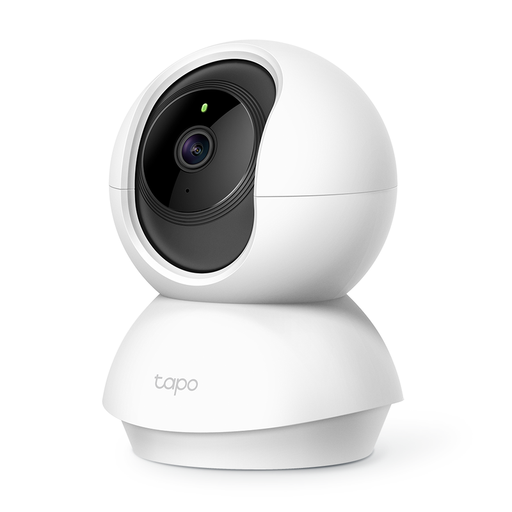
Why it suits this profile: This indoor camera offers essential features for flats, children’s bedrooms and pets, without the need for outdoor installation.
The product details specify 1080p, 360° horizontal and 114° vertical movement, plus microSD storage up to 128 GB. This makes its key ongoing features clear.
Night vision up to 9 m, two-way audio and app access; product details state that it’s designed for indoor use.
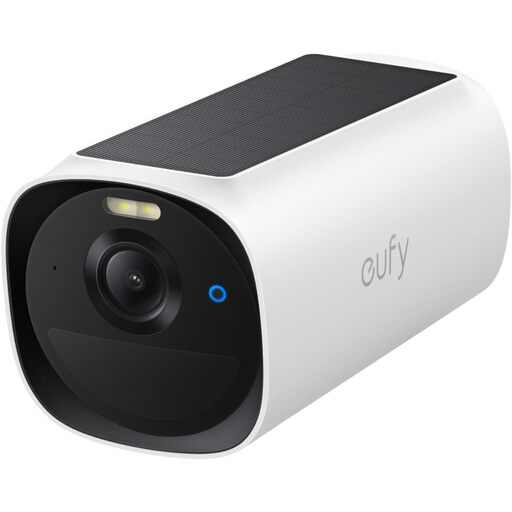
Why it suits this profile: A battery-powered camera with a solar panel is a good option for gardens, driveways or less accessible outdoor areas.
The product specifications list IP66, an integrated solar panel and 2K resolution. Please note: as an add-on camera, it requires a HomeBase S380 or HomeBase 2, which is not included.
2K resolution, two-way audio, PIR motion detection and support for Apple HomeKit, Alexa and Google Assistant, according to the product description.
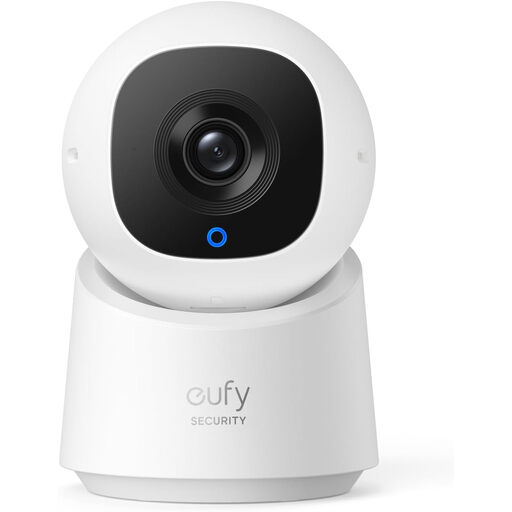
Why it suits this profile: For use as a baby monitor or pet camera indoors, it combines high resolution with wide room coverage.
The product details explicitly state that it supports local recording up to 128 GB with no monthly fee. The model also has a privacy mode.
2K resolution, 360° pan and tilt, plus integrated AI person detection and person tracking, according to the manufacturer’s specifications.
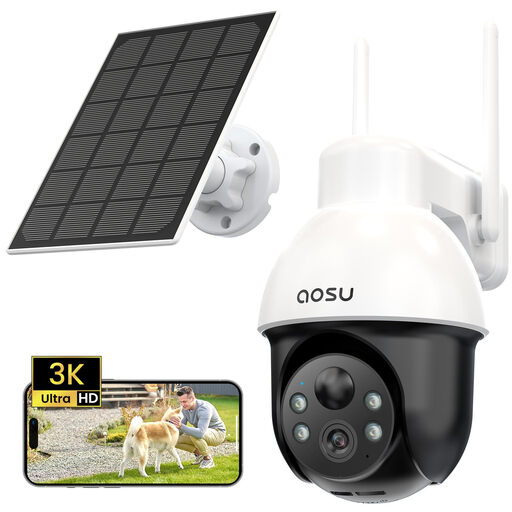
Why it suits this profile: For gardens, yards and driveways, solar power can make installation independent of a nearby power socket.
The product details specify IP65, a solar panel and a microSD slot supporting cards up to 128 GB. Even so, check the amount of sunlight at the installation site before fitting it.
3K resolution, 360° coverage, PIR detection, two-way audio and local or cloud storage, according to the product description.
We’ve put together a complete, regularly updated list of products that meet these strict selection criteria and fully comply with the safety regulations in force in the EU.
Only point a camera at areas you’re responsible for. Neighbours’ property, public paths and shared spaces must not be recorded continuously without good reason. If you live in a shared building, check the rules that apply. An indoor camera should also have an easily accessible privacy mode or a cover for times when private activities are taking place.
Position the device so that the power supply and cables won’t create a trip or pulling hazard. For outdoor models, keep connection points properly sealed. Change the default password after setup, install available security updates and use a well-protected Wi-Fi network.
Live viewing and remote access normally require a network connection. Some models can save footage locally to a microSD card. If the internet goes down, local recording and certain detection features may still be available, depending on the device. Check the instructions for details of any limitations.
Not necessarily. Cameras with microSD storage can save footage locally. However, cloud storage, longer retention periods or additional analysis features may come with a fee. Before you buy, check which features are available without a subscription.
Its lifespan depends on factors including how long it’s used for, where it’s installed, moisture, temperature, firmware maintenance and mechanical wear. An outdoor camera with the right IP rating, a protected power supply and a clean lens can work reliably for longer when used as intended. For battery-powered models, you should also take battery ageing into account.