Music lovers with multiple listening spots
If you listen in an open-plan living room and kitchen, you can choose between one device, a stereo pair or several speakers, depending on where you want to listen.


First, check that the speaker works with the music service you use. Then consider how many listening spots you want to cover: one speaker may be enough for one spot, while stereo or multiroom playback requires suitable additional devices and space. Also decide whether you’d rather control your music by voice or through an app. When buying Wi-Fi and Bluetooth speakers in Germany, check the CE marking and the manufacturer’s details for the specific version; the Federal Network Agency lists these among the points it checks during market surveillance.
If you listen in an open-plan living room and kitchen, you can choose between one device, a stereo pair or several speakers, depending on where you want to listen.
If you want to keep using your playlists and music service, check which apps and playback methods the speaker supports.
If you want to listen to music over a network but don’t want voice control on the speaker, a model without a built-in voice microphone could be a good choice.
First, check how you want to play your existing music library. Then decide which listening spots matter to you and how you’d like to control your music.
| What matters | What to check before buying | Who it matters most to |
|---|---|---|
| Music in the places you listen | Decide where you want to listen and check whether the specific model supports a suitable stereo pair or speaker group. | If my living room and kitchen are separate listening spots, I want to know whether one device will do or if I need a stereo pair or multiroom setup. Around 31% of consumers prioritise covering their listening spots. |
| Access to your music service | Check whether your library is available through a supported app, direct service integration, AirPlay or another explicitly stated playback method. | If I want to keep using my existing online library, the specific way I can access it matters more than the speaker brand. Around 31% of consumers prioritise compatibility with their music service. |
| Voice control and privacy | Know the difference between muting a microphone and choosing a model without a built-in voice microphone, and check the settings for the service you use. | Whether I want to start music hands-free or avoid voice control on the device, the way it’s controlled matters. Around 23% of consumers consider controls or privacy their top concern. |
| Overall cost | Factor in the number of devices you plan to buy, any accessories you’ll need and the terms of your music subscription. | If I’m planning to add another device or buy accessories, I want to consider everything I’ll need, not just the cost of a single speaker. Around 15% of consumers put overall cost first. |
A supported playback method doesn’t automatically mean you can use every feature of your music service with voice commands.
Before choosing, check how you’ll control your specific music library and which accounts or devices you’ll need.
A stereo pair and multiroom audio serve different purposes: stereo spreads playback across one listening spot, while multiroom can cover several areas. Neither guarantees even sound throughout an open-plan space.
Plan around the places you want to listen and check that the specific models support pairing, rather than relying on a general room-size claim.
Covering another listening spot may require an additional device and more space.
A speaker without built-in voice control can still use Wi-Fi and apps.
Decide separately whether you want a voice microphone and which apps and network services you’ll use.
Sonos lists an adapter for the Era 100’s input.
Check whether you actually plan to use this input before budgeting for the accessories you’ll need.
According to Sonos, you need an adapter to use the Era 100 input with a wired connection.
The Era 100 range is an option for connected listening, with several ways to play music.
The HomePod (2nd generation) may suit households that use Apple Music, AirPlay and compatible Apple devices.
The Authentics 200 is one Wi-Fi speaker to consider if you need a choice of playback methods.
These Joybuy products may suit anyone who uses AirPlay and wants to explore stereo or multiroom playback. The Federal Network Agency lists CE marking, product identification and manufacturer details among the points it checks during market surveillance. Check these details for the specific version you’re considering.
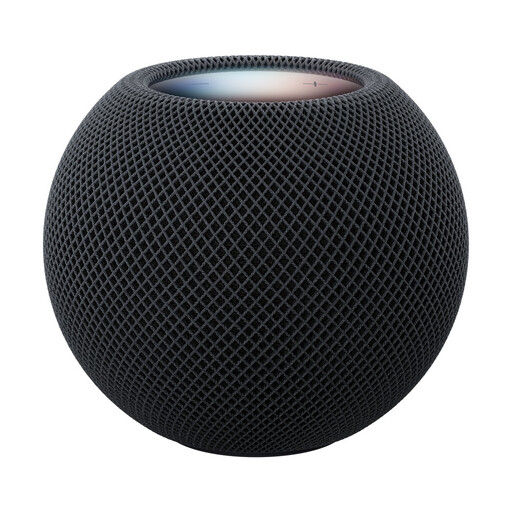 No image available
An option to consider if you use AirPlay and want to explore stereo or multiroom setups.
The product details list Siri control and touch controls, as well as AirPlay, multiroom playback and stereo pairing.
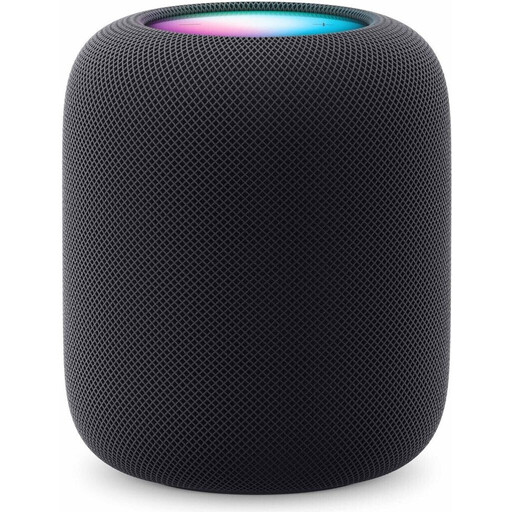 No image available
An option to consider if you want to explore AirPlay, stereo or multiroom playback for your listening spots.
The product details list Siri voice control, AirPlay, multiroom audio and stereo pairing. Setup requires a compatible iPhone or iPad with up-to-date software, as well as Wi-Fi and internet access.
You can’t tell for sure from the layout alone. Decide where you want to listen and try positioning one device first. If you want two listening zones or a wider stereo setup, compare the pairing and multiroom features that the specific models explicitly support.
First, check whether your music service is supported directly or whether you can stream through a compatible app or AirPlay. Sonos explains how to set up the Era 100 using the Sonos app over Wi-Fi; Apple lists specific iPhone or iPad requirements for setting up HomePod.
No. According to Sonos, the Era 100 SL doesn’t have built-in voice control, but it still uses Wi-Fi and supported apps. The Federal Commissioner for Data Protection and Freedom of Information explains that, when enabled, voice commands are sent over the internet to the manufacturer’s servers and processed there. So it’s also worth checking the settings for the services you actually use.
A voluntary commercial warranty doesn’t replace your statutory rights against the seller if goods are faulty. The European Union’s consumer information explains that purchases of goods in the EU are generally covered by a statutory guarantee of at least two years. Check the terms of any additional warranty before deciding whether it’s right for you.
Relevant EU requirements apply to radio equipment covered by the rules. The Federal Network Agency lists CE marking, product identification and manufacturer details among the points it checks during market surveillance. This doesn’t automatically confirm that an unverified individual listing complies; check the details for the specific device version.