Homes with Wi-Fi dead spots between floors
If the connection is weak at your TV or in rooms further away, the position of your Wi-Fi nodes and how they connect to one another are key.


First, check the connection directly at your TV: a faster router won’t fix a slow internet connection. If the Wi-Fi signal is too weak on more distant floors, additional nodes in the right places can help; existing Ethernet cables can connect them. Replacing your router makes most sense when your connection type or the features you need aren’t compatible with your current device.
If the connection is weak at your TV or in rooms further away, the position of your Wi-Fi nodes and how they connect to one another are key.
Existing network cables can connect additional access points, replacing the wireless link between floors.
If you’d like to keep your router, first check that your connection type, router model and planned upgrade are compatible.
Test the connection where you watch, then decide whether a new router, additional nodes or a cable to your TV’s location is the right option.
Best if: the connection at your TV is reliable, or you haven’t yet identified the cause of any dropouts.
Trade-off: This avoids replacing your router too soon, but won’t fix a confirmed Wi-Fi dead spot on another floor.
Best if: your current router isn’t suitable for your connection type or the features you need, and its Wi-Fi coverage is sufficient.
Trade-off: A new router on its own won’t necessarily solve range problems caused by long distances or floors that block the signal.
Best if: there are Wi-Fi dead spots on more distant floors and you can position nodes where they’ll have a good connection to the router or the next node.
Trade-off: Wireless nodes need to be positioned carefully; floors and walls can also affect the signal between them.
Best if: network cables are already available, or can be installed, where you want Wi-Fi coverage.
Trade-off: The connection between nodes won’t use any Wi-Fi bandwidth, but cabling and, where necessary, power supplies add to the installation work.
| What you need | What to check before buying | Who this matters most to |
|---|---|---|
| Wi-Fi at the TV | Check the signal where you actually watch and consider where nodes could be placed. | If I stream on another floor, reliable Wi-Fi at the TV is my main priority. Around 40% of consumers put coverage across floors first. |
| Connection between nodes | Check for existing Ethernet cables and ports; for a wireless connection, test the signal where you plan to put the node. | If the connection between floors is weak, I want to be able to connect nodes by cable. Roughly 30% of consumers prioritise a stable connection between nodes. |
| Connection type and existing network | Check your connection type, modem or ONT, router model and mesh compatibility. | If I want to keep my router, the upgrade needs to work with my connection and device. Around 20% of consumers prioritise compatibility. |
| Cause of the dropouts | Test the connection on your playback device and assess internet speed separately from Wi-Fi coverage. | If streaming keeps buffering, I want to identify the cause first and only add the devices I need. Around 10% of consumers put troubleshooting and cost control first. |
A stated maximum Wi-Fi data rate tells you neither the speed of your internet connection nor how well the signal passes through several floors.
Test the connection where you watch, and distinguish internet speed from Wi-Fi coverage.
An additional node still needs a usable connection to the router or another node.
Check the signal where you plan to position it; existing network cables may allow you to use Ethernet backhaul.
If there’s no suitable place to position it, you may need another node.
An access point extends your Wi-Fi, but doesn’t automatically replace a modem or main router if you need one.
Before buying, decide what each device will do and check the connection type, operating mode and power supply.
Depending on your set-up, you may need an additional modem, PoE power or other network equipment.
A Wi-Fi connection between devices doesn’t automatically mean their mesh features will work together.
Check that your specific router model is compatible with the planned upgrade.
Worth considering for DSL routers and extensions to an existing FRITZ! mesh network.
The Deco X50 is worth considering if you need several Wi-Fi coverage points or the option of wired connections between units.
Speed Home WLAN is an option for extending a compatible Speedport set-up.
AiMesh-compatible routers and nodes are worth considering if you want to expand an existing system or connect it by cable.
UniFi access points such as the U6+ are an option for planned, wired Wi-Fi coverage across several floors.
The range includes wired access points, a DSL router and mesh kits. The right option depends on your connection type, existing cabling and the Wi-Fi coverage points you need.
 No image available
For adding a Wi-Fi coverage point with an Ethernet connection and suitable PoE power.
Wi-Fi 6; Gigabit Ethernet uplink; PoE. An access point, not a replacement for a modem or main router if you need one.
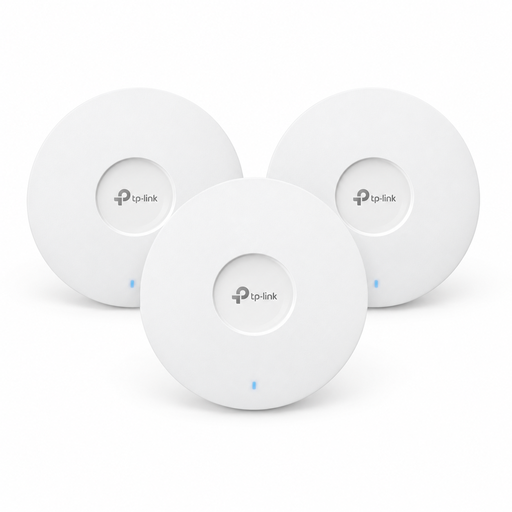 No image available
For several additional Wi-Fi coverage points; the pack includes three access points.
Wi-Fi 6; AX3000; ceiling-mounted.
 No image available
For a compatible ADSL or VDSL connection if you need a DSL router with mesh functionality.
Built-in ADSL/VDSL modem; four Gigabit LAN ports. Suitability depends on your existing connection type.
 No image available
For adding Wi-Fi coverage points with two mesh units, each with wired connections.
Wi-Fi 6; AX3000; three Gigabit ports per unit.
 No image available
For adding Wi-Fi coverage points with two mesh units, each with wired connections.
Wi-Fi 7; BE3600; three Gigabit ports per unit.
No. Picture resolution alone doesn’t call for a particular Wi-Fi standard. Netflix recommends a stable internet connection of at least 15 Mbit/s for 4K UHD playback. Check the connection on your playback device and the requirements of the streaming service you actually use.
Don’t place it where there’s already no usable signal: the node also needs a connection to the router or another node. Check the signal at the planned location; if you have usable LAN cables, Ethernet backhaul may be an option.
Yes, if a suitable router is already providing your internet connection and you can connect and power the access point appropriately. Ubiquiti says the UniFi U6+ needs an Ethernet uplink and PoE; it doesn’t replace a DSL modem if you need one.
In general, yes: the Bundesnetzagentur describes the right to choose a router that’s suitable for your connection, and says providers must supply the necessary access details. It has also confirmed the right to choose your own end device for passive optical fibre networks. However, whether a device is technically suitable for your specific connection is a separate matter.
For 5945–6425 MHz, the relevant regulation is the Bundesnetzagentur’s general allocation, Verfügung 76/2025; it replaced the earlier Verfügung 12/2025. If you’re using a device with 6 GHz Wi-Fi, make sure it’s the version intended for Germany and follow the conditions of the current allocation. A 6 GHz device isn’t required for the streaming described here.