Teams with workspaces behind thick walls
If the connection drops between rooms, the location and connection method of an additional access point are crucial.


When thick walls disrupt the connection to your workspace, an additional access point connected via LAN is often a more targeted solution than a router that simply promises a higher advertised Wi-Fi data rate. TP-Link describes Ethernet backhaul for Deco systems, while FRITZ! explains how to use a repeater as an additional access point via LAN. If you can’t run a cable, mesh may be a good fit as long as there’s still a usable connection where you place the additional node. For large project files, you’ll also need to consider the ports and where your files are stored.
If the connection drops between rooms, the location and connection method of an additional access point are crucial.
For shared project files, LAN ports and the route to your storage matter just as much as Wi-Fi coverage.
If you want to keep the router that suits your connection, check whether an additional access point can provide coverage in more distant rooms.
First, find out whether you can run a LAN cable to the more distant workspace. Then decide whether a wired access point, wireless mesh or a new router is the best fit for your internet connection and storage setup.
| What to consider | What to check before buying | Who should consider it? |
|---|---|---|
| Coverage at your workspace | Check possible locations, power supply and signal reception at the mesh node. If you can run a cable, plan the LAN route. | If I need to work behind a thick wall and share files, I need a usable connection at my workspace. Around 36 % of consumers put coverage in this location first. |
| File transfers and storage | Check whether files are stored on computers, a separate network storage device or a USB drive connected to the router. Make sure the exact model has the ports and file-sharing features you need. | If I regularly work with large project files, I want to check the entire route between my computer and shared storage, not just the Wi-Fi specification. Around 29 % of consumers prioritise file transfers. |
| Compatible connection and router | Find out whether you have DSL, cable or a fibre modem. Also check whether the device is intended to work as a router or an access point. | If I want to keep using my existing internet connection, the new device needs to suit my setup or complement my current router. Around 21 % of consumers put compatibility with their existing network first. |
| Security and ongoing maintenance | Check how firmware is maintained and how access to shared files is managed. Also consider the setup involved in adding extra nodes and cables. | If you share project files, you’ll want to manage access and be able to look after additional devices day to day. Around 14 % of consumers prioritise security and ongoing maintenance. |
The connection to a more distant room also depends on the route it takes and where the equipment is placed. Advertised combined wireless rates don’t guarantee a particular file transfer speed in your home.
Plan the location first and check whether a LAN backhaul is possible, rather than choosing equipment solely on the basis of the highest combined data rate.
Depending on your setup, you may need an additional access point or a cable run.
The product variant and number of units determine how many nodes you actually get.
Check the exact model variant and what’s included in the box before you buy.
An international speed or band specification on its own doesn’t tell you whether the signal will reach a more distant workspace.
Check that the device version and operating conditions are suitable for Germany, and that coverage will reach your planned location.
Depending on your connection setup, the FRITZ!Box 7690 and a separate FRITZ!Repeater are options worth considering individually.
Deco systems are a mesh option that can connect nodes wirelessly or via Ethernet, depending on your setup.
The RT-AX88U Pro is an option for buyers considering a separate router and a wired connection to a computer or network storage device.
Orbi systems offer another mesh option. The features of the specific system you choose are what matter.
The products below are mesh systems or access points designed to provide coverage across multiple rooms. For each model, check that its wireless or Ethernet connection suits your setup.
 No image available
For coverage across multiple rooms if you’re considering a mesh system with two units.
Wi-Fi 7, dual-band and two Gigabit WAN/LAN ports per unit. Router or access point mode is supported.
 No image available
For buyers considering an additional access point with wireless mesh support.
Described as an indoor/outdoor access point, with 6 spatial streams and a PoE adapter included. Gigabit Ethernet uplink is specified.
 No image available
For coverage across multiple rooms if you’re comparing a three-unit mesh kit that can also be used as an access point.
Dual-band Wi-Fi and two Gigabit LAN/WAN ports per unit are specified.
 No image available
For coverage across multiple rooms with two mesh units and wired Ethernet ports.
Wi-Fi 6, dual-band and two Gigabit Ethernet ports per unit are specified.
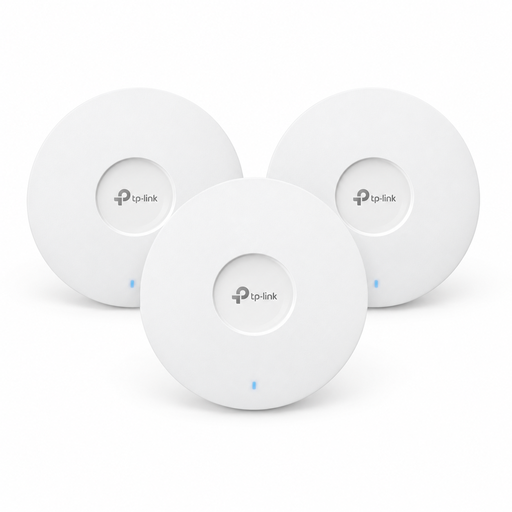 No image available
For buyers considering several Wi-Fi 6 access points with mesh functionality.
Ceiling-mounted; three devices included. Requires 802.3at PoE+ or a 12 V DC adapter, sold separately, for power.
If your existing router is compatible with your connection, an additional access point may be a more targeted solution for a distant workspace. Consider changing your router if you also need to change the connection type, ports or file-sharing features. A new router won’t automatically overcome the signal-blocking effects of your building.
TP-Link describes an access point mode and recommends setting up the Deco units on the same network first. Then check in the Deco app that the Ethernet backhaul you want is active. The permitted cabling differs from the Deco router mode.
For the FRITZ!Box 7690, the manufacturer describes connected USB storage as a central storage location on your home network. Decide in advance which devices and users need access; the described sharing feature doesn’t guarantee a particular transfer speed.
On 22 January 2025, Germany’s Federal Network Agency confirmed the right to choose your own terminal equipment at the passive network termination point of a fibre connection, as well as for VDSL and cable. This right doesn’t mean every model is technically suitable, so check the connection type and setup requirements.
Check whether your setup needs another mesh node, a network cable or separate storage. If you’re considering a new router just to improve coverage, also look at whether you can add an access point to your existing router instead.