Families watching videos in a distant room
If you want to watch videos in a room beyond thick internal walls, start by checking the connection all the way to that room.


A new standalone router won’t reliably solve a weak Wi-Fi signal through thick internal walls. If you can run an Ethernet cable, adding an access point on the other side of the wall is a straightforward option. A wireless mesh system may work if there’s still a usable connection where you plan to place the extra node. Plan video storage separately, and if you replace your router, check that it’s compatible with your internet connection.
If you want to watch videos in a room beyond thick internal walls, start by checking the connection all the way to that room.
If several devices need access to the same family videos, include storage location and access permissions in your plans, alongside Wi-Fi.
If your current router is doing its job, check whether a compatible extension will be enough before replacing the main router.
A good choice if: You can run an Ethernet cable to the distant room or node location and want to keep your current router.
Bear in mind: You’ll need a suitable route for the cable, and the devices’ ports and operating modes must be compatible.
A good choice if: You can’t run a cable, but there’s still a usable wireless connection to the main router where you plan to place the node.
Bear in mind: Wall construction and placement still affect the connection between nodes. Adding a node doesn’t guarantee video playback in the room you’re trying to reach.
A good choice if: You need a new router anyway and a suitable position can provide coverage to the rooms in question.
Bear in mind: The connection type and the storage or LAN ports you need must be supported. Replacing your router won’t automatically fix a weak Wi-Fi signal through walls.
A good choice if: There’s no suitable Ethernet cable route or reliable wireless connection between the rooms.
Bear in mind: The connection runs over your electrical wiring. Electrical interference can affect transmission at individual sockets, as devolo explains.
| Priority | What to check before buying | Who is this important to? |
|---|---|---|
| Connection through internal walls | Check the connection in the viewing room and at any potential node location. If you can run a cable, compare Ethernet backhaul options and compatible ports. | If I want to watch family videos in a room beyond thick walls, I need to know whether the Wi-Fi signal will reach or whether I can run a cable. Around 36% of consumers put a connection through or around internal walls first. |
| Shared video storage | Check the storage location, connection, supported sharing options and user permissions for the devices you plan to use. | If several devices need to access the same family videos, I want to know where the files are stored and who can access them. Around 29% of consumers prioritise sharing video access. |
| Extend the existing router | Check for access point mode, mesh compatibility, the number of units you need, LAN ports and a suitable cable route. | If I want to keep using my main router, I’d like to extend the coverage without changing my internet connection unnecessarily. Around 21% of consumers prioritise an extension that works with their router. |
| Replace the main router | Check the connection type, the LAN and storage ports you need, and whether security updates are available. | If I need to replace my main router, it’s important that the device is compatible with my internet connection. Around 14% of consumers focus on finding a suitable replacement for their main router. |
Manufacturers’ specifications don’t tell you what connection you’ll get in a particular room, through your walls. The connection between mesh nodes also needs to work well.
First, check the connection in the room you want to reach and at the planned node location. Then decide whether replacing or extending your router is the right choice for your home.
Mesh extends your network connection, but doesn’t automatically provide shared storage or the right access permissions.
Plan your storage location and sharing separately. FRITZ! describes USB storage sharing for the FRITZ!Box 7690; you’ll need a user account with a password to access it.
Devolo points out that electrical interference can affect data transmission over your wiring at individual sockets.
Test the sockets you plan to use and compare the connection with a possible LAN or wireless setup.
TP-Link lists Deco app features that aren’t available in access point mode, even though Ethernet backhaul is supported.
Before buying, check which operating mode you plan to use and whether the features you need are available in it.
For households looking to combine a main router with mesh and shared storage.
The Deco X50 can extend a mesh network; make sure its operating mode and the connection between units suit your existing router.
ZenWiFi AX (XT8) and AiMesh are options for households that want to connect mesh nodes by cable.
Magic Powerline can connect to a room where you need coverage if there’s no Ethernet cable or usable wireless connection between mesh nodes.
These products include Wi-Fi access points and mesh extensions for an existing router, as well as DSL routers if you’re considering a replacement. Before buying, check the cable route, the power supply you need and compatibility with your connection.
 No image available
An option if you’re looking for a wired Wi-Fi access point rather than another wireless connection.
The product title specifies Wi-Fi 6 and Gigabit PoE. You’ll need a compatible PoE switch or injector for the PoE power supply; 802.3af is specified.
 No image available
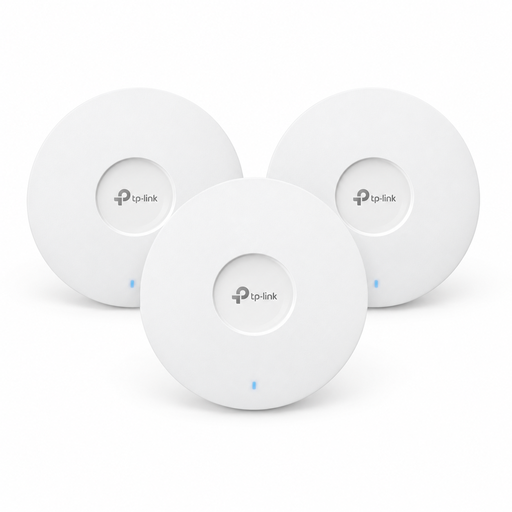
This three-pack may suit you if you’re planning to install several access points. Check that the specific Omada setup is compatible with your existing network.
The product title specifies Wi-Fi 6 and three devices. PoE+ is listed for power; an alternative 12 V power supply is available separately.
 No image available
A single Deco unit may work for extending a mesh network if there’s a suitable connection to your existing network.
The product title specifies dual-band Wi-Fi and Gigabit ports. This is a 1-pack; you’ll need additional devices to use multiple Deco units.
 No image available
A possible replacement for an existing DSL router if the connection type and location suit your needs.
The product title specifies VDSL Supervectoring 35b at up to 300 Mbit/s, dual-band Wi-Fi and four Gigabit LAN ports. Check that it’s suitable for your specific connection.
 No image available
This may suit you if you’re looking for a DSL router with mesh functionality and your DSL connection is compatible.
The product title specifies VDSL Supervectoring 35b, FRITZ!Mesh and four Gigabit LAN ports. The product description states that a WAN port is provided for use with an external fibre or cable modem.
No, not for that reason alone. First, check the wireless connection in the room where you watch videos and, if you’re planning a wireless mesh system, where you’d place the node. If you can run a cable, you can extend your existing router with a suitable access point or Ethernet backhaul.
TP-Link says Ethernet backhaul is supported in access point mode. Check the cabling and operating mode you’ll use with your network; some advanced Deco features aren’t available in access point mode.
Mesh extends your network connection, but doesn’t automatically provide storage. FRITZ! describes sharing connected USB storage with user permissions on the FRITZ!Box 7690; you’ll need to arrange the storage device separately.
Powerline can connect rooms using your electrical wiring, but it can’t guarantee a particular connection speed. Devolo points out that electrical interference can affect the connection at individual sockets, so test the sockets you plan to use in your home.
The German Federal Office for Information Security recommends keeping your firmware up to date, changing your router’s admin password and using a long, complex Wi-Fi password. These are security recommendations, not a statement that buyers are legally required to install updates.