Who should consider this decision?

Readers in a room with poor signal

If the Wi-Fi is weak where you read, the router’s position and the connection to an additional Wi-Fi access point are important factors when choosing a solution. Deutsche Telekom recommends placing the router as centrally as possible in your home.

Households considering a router upgrade

If you want to replace your main router, check your internet connection and whether you’ll need a separate modem. The Verbraucherzentrale also points out that if you use your own router, you may be responsible for installing updates yourself.

Households with a usable LAN cable

If Ethernet reaches into or close to the room with poor signal, a Wi-Fi access point there could be an option instead of another wireless link. TP-Link and ASUS describe Ethernet as one way to connect mesh units.

What should you look for when buying?

Keep your existing router or move it

Suitable if: You can place the router in a more open position, closer to where you read, or your existing device still meets your connection and update requirements.

Things to weigh up: Moving the router doesn’t initially cost anything in extra networking equipment, but it may not help if the wireless signal to the room is still heavily blocked.

New standalone router

Suitable if: A change is also needed because of connection compatibility, missing updates or specific router features.

Things to weigh up: Check whether the router has a compatible modem built in or will work with your existing modem. A high advertised Wi-Fi speed doesn’t guarantee reception through your walls.

Mesh with a wireless connection

Suitable if: There’s a spot between the router and where you read that still gets a usable signal for an additional unit, and you don’t have a LAN cable.

Things to weigh up: Walls and placement can also affect the connection between mesh units. Check whether the system will work with your existing router, too.

Wi-Fi access point with LAN backhaul

Suitable if: An Ethernet cable reaches, or can be run to, the room with poor signal or somewhere nearby.

Things to weigh up: The router and Wi-Fi access point can connect via cable, but you’ll need suitable wiring and a compatible operating mode.

Powerline with Wi-Fi at the destination

Suitable if: Neither a LAN connection nor a usable spot for a wireless mesh unit is possible, and you can test the sockets you plan to use.

Things to weigh up: The connection uses your home’s electrical wiring. devolo notes that electrical appliances and certain VDSL configurations can affect performance.

Buying priority What to look for when buying Who particularly values this?
Signal where you read Check the signal at your destination and at a potential spot for a mesh unit. Consider using existing LAN cabling for a wired backhaul. If I want to download magazines in a room with poor signal, a usable connection where I read matters most. Around 36% of consumers put signal strength there first.
Compatible connection Check whether you have DSL, cable or fibre, whether there’s an external modem already in place, and which router or access point mode is required. If I’m changing my main router or adding another system, I want to be sure it’s compatible with my connection and home network. Around 29% of consumers prioritise connection compatibility.
Setup effort and extra devices Start by checking the router’s position. Then decide whether you need an additional access point and whether the backhaul will use Wi-Fi, Ethernet or your electrical wiring. If I want to set up as few new devices or run as few cables as possible, the effort involved is what matters most to me. Around 21% of consumers are particularly keen to keep the cost and effort of buying and setting up equipment low.
Updates and support Before changing routers, check update availability, encryption options, and who is responsible for support and firmware. If I use my own device, I want to know how updates and ongoing support are handled. Around 14% of consumers put security and device maintenance first.

Common buying mistakes

  • Assuming a high advertised Wi-Fi speed means good coverage through thick walls

    Wireless signals can be weakened by building materials and the router’s position. An advertised data rate therefore doesn’t tell you what kind of signal will reach a room with poor reception.

    Check the connection where you read, then choose between a standalone router, an additional wireless access point and a LAN backhaul. Adding another Wi-Fi access point or running new cables may involve extra effort.

  • Buying a router without checking your internet connection

    A router without a built-in modem won’t automatically replace the device that connects to your DSL, cable or fibre service.

    Before choosing, check your connection type, whether you already have a suitable modem, and what your provider requires. Depending on your connection, you may need a separate modem or a different router model.

  • Assuming Powerline is a guaranteed, interference-free alternative to Wi-Fi

    Electrical appliances can affect data transmission over your home’s wiring. devolo also describes potential interference with certain VDSL configurations.

    Test Powerline using the sockets you actually plan to use. If you have VDSL problems, check the potential causes of interference described by devolo.

Key brands at a glance

FRITZ!

FRITZ! offers routers for different types of connection, as well as extensions for FRITZ! Mesh.

  • According to FRITZ!, the FRITZ!Box 5690 Pro is designed for DSL and fibre.
  • Connection options don’t guarantee reception in a room with poor signal. Placement and, where necessary, an additional Wi-Fi access point remain important.

TP-Link

TP-Link describes the Deco X50 as a mesh system that can connect wirelessly or use an optional Ethernet backhaul.

  • According to TP-Link, each unit has three Gigabit ports.
  • Manufacturers’ coverage figures don’t guarantee performance in a home with thick walls.

ASUS

ASUS describes the ZenWiFi XD5 as suitable for mesh set-ups with wireless or Ethernet connections between units.

  • According to ASUS, the XD5 supports Ethernet backhaul and access point mode.
  • Coverage and total Wi-Fi speed figures don’t replace checking your layout, cabling and devices.

devolo

devolo offers Magic Powerline systems with Wi-Fi at the destination as an alternative when a wireless connection between access points isn’t practical.

  • The adapters connect over your home’s electrical wiring.
  • devolo notes that electrical appliances and certain VDSL profiles may cause interference. Test performance using the sockets you plan to use.

Telekom

Speed Home WLAN is an add-on for compatible existing routers and mesh set-ups.

  • Telekom provides set-up instructions for compatible routers.
  • According to Telekom, Speed Home WLAN can connect to a router that doesn’t support mesh as a repeater. Check which operating mode you need before buying.

Wi-Fi access points for Ethernet connections

This Joybuy selection features Wi-Fi access points for a wired Ethernet uplink near where you read. Before buying, check that Ethernet and the required power supply are available at the installation point.
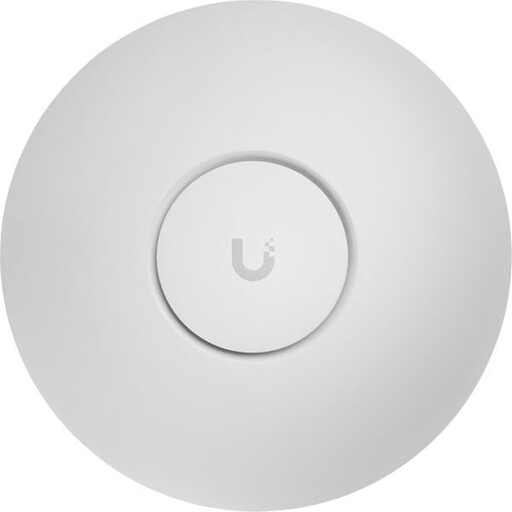
Ubiquiti UniFi U7 Pro WiFi 7 Access Point

Ubiquiti UniFi U7 Pro WiFi 7 Access Point, Tri-Band, 2.5GbE, PoE+, White

For Wi-Fi where you read, provided there’s a wired uplink and the required PoE+ power supply at the installation point.

Tri-band; supports 2.4, 5 and 6 GHz. The Ethernet uplink is listed as 2.5 GbE; PoE+ (802.3at) is required for power.

Joybuy

Ubiquiti UniFi U7 Lite WiFi 7 Access Point

Ubiquiti UniFi U7 Lite WiFi 7 Access Point, Dual-Band, 2.5GbE, PoE+, White

For a Wi-Fi access point where you read, provided there’s an Ethernet uplink and the required PoE power supply.

Dual-band with 2.4 and 5 GHz; 2.5 GbE Ethernet port. The product title specifies PoE+; installation is described as using Ethernet and PoE.

Joybuy

Ubiquiti UniFi U6+ WiFi 6 Access Point

Ubiquiti UniFi U6+ WiFi 6 Access Point, Dual-Band, Gigabit PoE, White

For Wi-Fi where you read, provided there’s an Ethernet uplink and PoE at the intended installation point.

Wi-Fi 6 with 2.4 and 5 GHz bands; Gigabit Ethernet and PoE are specified. The described installation requires Ethernet and PoE.

Joybuy
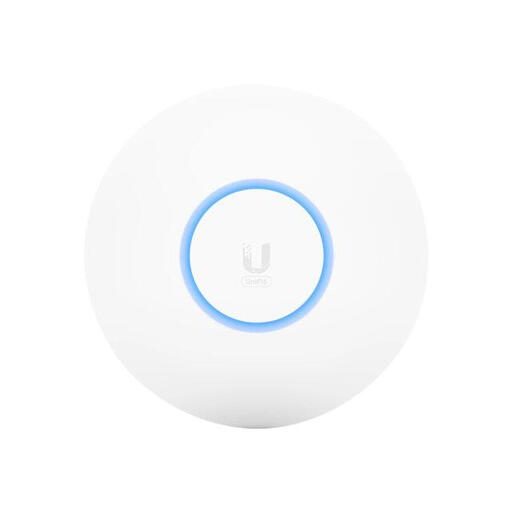
Ubiquiti U6-PRO Wi-Fi access point

Ubiquiti U6-PRO Wi-Fi access point, 4.800 Mbit/s, PoE

For extending Wi-Fi where you read, provided Ethernet and PoE are available at the installation point.

Wi-Fi 6; PoE is specified as the power supply. The product title lists 4.800 Mbit/s.

Joybuy

Ubiquiti U7 Mesh Wi-Fi access point

Ubiquiti U7 Mesh Wi-Fi access point, 5.000 Mbit/s, PoE

For a wired Wi-Fi access point where you read, provided an Ethernet uplink and PoE are available at the intended location.

Wi-Fi 7 with 2.4 and 5 GHz bands; 2.5 GbE Ethernet uplink. Table, wall and pole mounting are described.

Joybuy

Frequently asked questions

How can I tell whether the problem is with my internet connection or my Wi-Fi?

Compare the connection near the router with the one where you read. If you want to check your internet service’s performance, the Verbraucherzentrale describes testing with a device connected directly via LAN to rule out Wi-Fi as the cause. Buying a new router won’t fix a slow connection from your provider.

Does the mesh unit need to be in the room with poor reception?

If it connects wirelessly, the unit itself needs a usable signal from the router. So first try placing it somewhere between the router and where you read. If you have Ethernet, a LAN backhaul can connect the Wi-Fi access point by cable instead.

Is 2.4 or 5 GHz better for a reading spot behind walls?

According to FRITZ!’s documentation, 2.4 GHz can reach further and pass through obstacles more easily, while 5 GHz may offer higher data rates close to the router. Test both bands where you actually read rather than assuming the advertised speed reflects your download speed there.

What ongoing costs and responsibilities come with your own router?

You’ll need to set up your own router and keep it updated. According to the Verbraucherzentrale, you’re responsible for installing updates yourself. Compare buying and renting based on your contract, without assuming there’s a saving that applies to everyone.

Can I choose my own internet router in Germany?

In general, you’re free to choose your own end device in Germany. The Bundesnetzagentur confirms that this also applies to passive optical fibre networks, but your chosen device must still be technically compatible with your specific connection.