If your internet works near the router but audiobook downloads keep stalling in a room with poor signal, first check your Wi-Fi connection and possible locations for an extra access point. A well-placed wireless repeater or mesh node may be enough, provided it still has a good connection to the router. With walls that significantly weaken the signal, an access point connected via Ethernet may be a better option. A new router is worth considering mainly if there are other reasons to replace your current device or if it is not compatible with your connection. A high Wi-Fi speed alone does not guarantee reception through walls.
Which solution is right for you?
Audiobook listeners in Wi-Fi dead zones
If you want to download audiobooks in a room shielded by thick walls, start by checking the router’s location. Then weigh up a wireless mesh node against a wired access point. FRITZ!/AVM and NETGEAR explain the importance of the connection between the router, additional node and end device.
Households with an existing router
If your internet and Wi-Fi work near the router but coverage is poor in one particular room, it may make sense to keep your existing router and extend the Wi-Fi coverage where you need it.
Buying a new router for your connection
If you do want to replace your router, check that its modem and operating mode are compatible with your internet connection, as well as looking at its Wi-Fi features. For example, the manufacturer describes the FRITZ!Box 7530 AX as a DSL router; this does not tell you whether other models or connection types are suitable.
What should you look for when choosing?
First, check whether the problem affects only the room furthest from the router. Then choose an extender that suits the connection at the proposed node location, and replace your main router only if you have a specific reason to do so.
| What you’re looking for |
What to check before buying |
Who should pay particular attention? |
| Connection through thick walls |
Check reception in the room where you listen and at the planned location for the node. If you plan to use a cable, check that there are Ethernet ports at both ends. |
If I want to download audiobooks in a room with poor signal, a reliable connection there matters more to me than the router’s stated Wi-Fi speed. This is the top priority for around 36% of consumers. |
| The right internet connection |
Check that the connection type and existing modem or ONT match the features of the specific device. |
If I’m buying a new router, I want it to work with my DSL, cable or fibre connection. Around 29% of consumers say connection compatibility is their top priority. |
| A manageable amount of work |
Check your existing router, possible locations and available network cabling. Make sure the router, mesh and access point modes are suitable. |
If only one room has poor coverage, I don’t want to replace my entire router or go to the trouble of laying cables without good reason. Around 21% of consumers say keeping the buying and installation process straightforward is their top priority. |
| A secure, up-to-date router |
Check for firmware updates and supported Wi-Fi encryption. The encryption must also be compatible with your end devices. |
If my router is connected to the internet all the time, I want to set it up securely and keep it up to date. Around 14% of consumers say network security is their top priority. Germany’s Federal Office for Information Security recommends, among other things, keeping firmware up to date and using secure passwords. |
Common buying mistakes
-
Assuming maximum speed means good reception through walls
The Wi-Fi connection between the router, an additional node and your end device also depends on their locations and the route the signal has to travel. So a high speed rating for the router does not prove that downloads will work reliably in a room with poor signal.
Check the connection both in the room where you need it and at the planned location for the additional Wi-Fi point. If the wireless link between nodes is badly affected, check whether an Ethernet connection would be practical.
Adding another Wi-Fi point or installing network cabling may mean extra equipment or installation work.
-
Assuming a mesh system can replace any main router
Mesh features, access point mode and a built-in modem vary from model to model. A mesh device without a suitable modem will not automatically replace the router connected to your DSL, cable or fibre service.
Before buying, check the connection type, the equipment you already have and the intended operating mode of the specific model.
Depending on your connection, you may still need a separate modem or connection device.
-
Assuming an included security service is free for good
NETGEAR describes Armor for the RBK763S as a subscription service and says that one year is included. According to the manufacturer, continued use is chargeable.
Check the specific offer to see which router features are included and which optional services are tied to a subscription period.
You may have to pay to keep using Armor after the included year.
Key brands at a glance
FRITZ!
Worth considering for DSL routers and extending an existing FRITZ! network.
- The manufacturer lists DSL speeds of up to 300 MBit/s and mesh features for the FRITZ!Box 7530 AX.
- This model specification does not confirm reception through walls in your particular home, or the suitability of other FRITZ! models for the same connection.
TP-Link
Worth considering if you want to extend a mesh network with additional Deco units or connect them via Ethernet.
- TP-Link says Deco X50 units can optionally be connected to each other via Ethernet and that additional Deco devices can be added.
- Advertised coverage areas are not a measurement of performance in your home. Check that the connection and operating mode suit your existing equipment.
ASUS
Worth considering if you want to keep a suitable main router and use a ZenWiFi XD5 in an appropriate operating mode.
- ASUS lists router, access point and AiMesh node modes for the XD5, and describes Ethernet backhaul for homes with existing network connections.
- The manufacturer’s claim about stability is not an independent measurement of the connection through walls in your home.
NETGEAR
Worth considering for Orbi systems with a router and satellites when you need several Wi-Fi points.
- NETGEAR describes a connection between the router and satellites, and lists Ethernet backhaul as an option for buildings with challenging construction.
- Advertised coverage is no guarantee of reception through specific walls. NETGEAR says the RBK763S includes one year of Armor; the service is chargeable after that.
Telekom
Worth considering if you need a DSL router that can be extended with compatible Speed Home Mesh points.
- The Speedport Smart 4R specifications list DSL support and the option to add up to five mesh points.
- The specific connection setup and placement of additional Wi-Fi points still need to suit your household.
Suitable products on Joybuy
This selection of Joybuy products includes mesh systems for extending your Wi-Fi, a DSL router and a wired access point. For each model, check the connection type, operating mode and suitability for the location where you plan to use it.
 No image available
TP-Link Deco BE22, 2-pack
This two-unit mesh set may be suitable if you need coverage in several areas and want to keep using your existing connection device.
Wi-Fi 7, dual-band, Gigabit WAN/LAN ports, and router and access point modes are listed.
The product description says a modem is needed to use it as your main router.
View on Joybuy
 No image available
TP-Link Deco M4, 1-pack
This single unit is described as an addition to an existing Deco system. Check that your current network is compatible with this extension.
Dual-band Wi-Fi 5, two Gigabit ports, and router and access point modes are listed. The description includes Ethernet backhaul as a wired connection option.
View on Joybuy
 No image available
TP-Link Deco M4, 3-pack
This three-unit set is designed to provide Wi-Fi coverage across several rooms. The connection at each unit’s location remains crucial.
AC1200, dual-band Wi-Fi 5 and Gigabit ports are listed. Router and access point modes are also included.
The description says one unit must be connected to a modem for use as your main router.
View on Joybuy
 No image available
FRITZ!Box 7530 AX
This router may be a good fit if you need a DSL router with mesh features and your specific DSL service is supported.
The product title lists Wi-Fi 6, dual-band, VDSL Supervectoring 35b up to 300 Mbit/s and four Gigabit LAN ports.
A compatible DSL service is required for a direct connection.
View on Joybuy
 No image available
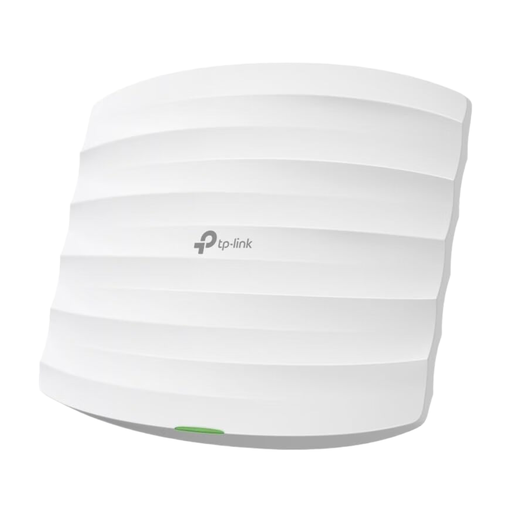
TP-Link Festa F52 access point
The product description specifies that this device is for business and industrial use only, so it is not an obvious choice for a home where you want to listen to audiobooks.
Dual-band AC1350 and a Gigabit port are listed. Ethernet and PoE are required to use it as an additional Wi-Fi point; according to the product title, a PoE adapter is included.
View on Joybuy
Frequently asked questions
Will a repeater help if there’s barely any Wi-Fi in the room?
A repeater can help if it still has a good connection to the router. Choose a location that takes into account both the connection to the router and coverage in the room you want to reach. If that is not possible, a wired connection may be an option.
Can a mesh system replace my DSL router outright?
Not simply because it is described as a mesh system. Check whether the specific device has a modem that is compatible with your DSL connection. Alternatively, you can use a mesh system in a suitable access point mode behind your existing connection device.
What should I do after setting up my router?
Germany’s Federal Office for Information Security recommends keeping your router’s firmware up to date, changing insecure default passwords and using a secure Wi-Fi password. Your router administration password and Wi-Fi password serve different purposes.
Can I choose my own router in Germany?
Germany’s Federal Network Agency confirms that users can choose their own end devices at the network termination point for VDSL and cable networks, as well as for passive optical fibre networks. You should still check before buying whether a particular device is technically compatible with your connection.


