Readers with a dead spot in the next room
If you want to download magazines through a thick wall, you can place a repeater somewhere that still gets a usable signal from your router.


A wireless repeater is a good option if it can still get a stable connection to your router from an intermediate position. If the signal through the thick wall is too weak, a wired access point can bypass that section. Powerline may be an alternative if you don’t want to run a network cable, but its performance depends on the sockets and any electrical interference.
If you want to download magazines through a thick wall, you can place a repeater somewhere that still gets a usable signal from your router.
If you can run a network cable close to your reading spot, you can bypass the weak wireless signal through the wall.
If there’s no suitable place for a wireless repeater and running a cable isn’t practical, Powerline may be an alternative that uses your existing sockets. Test it where you plan to use it.
| Criterion | What to check | Who is this most important for? |
|---|---|---|
| Signal at the repeater | Find an intermediate position with a usable connection to the router, and check the device’s connection indicator. | If I want to download magazines in the room beyond the wall, the repeater itself needs a usable signal from the router. Around 33% of consumers prioritise a stable signal where the repeater is placed. |
| Ethernet connection to your reading spot | Check that the device has an Ethernet port and explicitly supports access point or Ethernet bridge mode. | If I can run a cable close to my reading spot, I want to avoid the wireless signal having to pass through the wall. Around 25% of consumers prioritise a wired connection. |
| Router and mesh compatibility | Check your router model and the mesh standard it supports. Standard repeater mode does not automatically offer the same features as mesh. | If I want to use mesh with my existing router, that exact combination needs to be supported. Around 17% of consumers prioritise compatibility with their router and mesh. |
| Powerline through your sockets | Check whether you need a pair of adapters and whether they’re compatible with any adapters you already have. Then test the connection at the sockets you plan to use. | If neither Wi-Fi nor Ethernet is practical for me, I want an option that I can test over the mains wiring. Around 17% of consumers prioritise a Powerline connection. |
| Number of devices | Choose the right type of connection first, then compare the number of devices you’ll need and how they’re powered. | If I want to keep extra hardware to a minimum, a single repeater may be suitable, provided it can still get a signal from the router where it’s placed. Around 8% of consumers prioritise using fewer devices. |
A wireless repeater needs to receive data reliably from the router itself. A good signal on your reading device alone isn’t enough.
First, check possible intermediate positions. If none offers a usable connection to the router, consider an Ethernet connection or Powerline.
If there’s no usable wireless signal at a suitable location, you may need an additional network node.
Advertised wireless speeds don’t guarantee a connection through a particular wall or reflect the speed of your internet connection.
Check the whole connection route and try downloading something at your actual reading spot.
Mesh features may require a compatible router. For example, TP-Link RE705X EasyMesh requires an EasyMesh-compatible router. This is separate from standard repeater mode.
Check your exact router model against the requirements for the mesh feature you want to use.
Electrical interference and the sockets you use can affect the connection. devolo warns that interference on the mains network may affect performance.
Check that your adapters are compatible and test the connection using the sockets you actually plan to use.
The FRITZ!Repeater 1200 AX and 6000 differ in their features and connection options. Mesh features are particularly relevant if you have a compatible FRITZ! home network.
According to TP-Link, the RE705X supports both repeater and access point modes. EasyMesh requires a compatible router.
The WiFi 6 Repeater 5400 is a wireless repeater. The Magic-2-WiFi-6-next range, by contrast, combines Powerline with Wi-Fi.
Speed Home WLAN is worth considering if you have a compatible Speedport and want to use its mesh setup.
The Joybuy products below include wired access points for an Ethernet connection to your reading room, and wireless repeaters for a suitable intermediate position.
 No image available
For a wired access point near your reading room. An Ethernet connection and PoE power supply are required.
Dual-band; 2.5GbE; PoE+.
 No image available
For an access point in a location with a wired network connection. An Ethernet connection and PoE power supply are required.
The product name specifies 5000 Mbit/s and Power over Ethernet.
 No image available
For an intermediate position where the router’s Wi-Fi signal is still available. The signal strength indicator can help you choose where to place it.
The product name specifies AC750 and 433 Mbps.
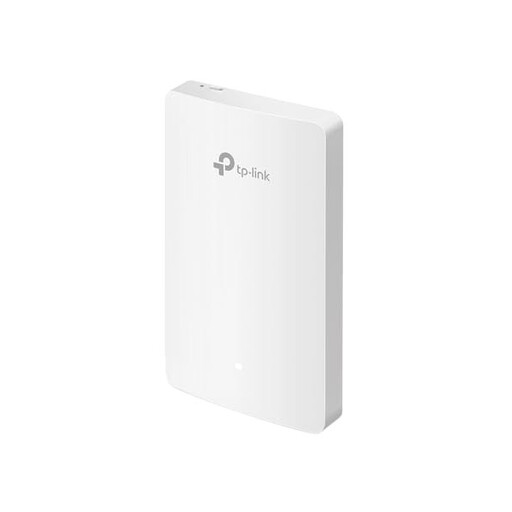 No image available
For Wi-Fi in a location with an Ethernet connection to your existing network. You’ll need to run a cable.
The product name specifies Wi-Fi 6, four Gigabit ports and a data rate of up to 1167 Mbps.
 No image available
For an intermediate position where the router’s Wi-Fi signal is still available. Access point mode requires a cable connection to the router.
The product name specifies AX3000, dual-band, a Gigabit port and access point mode. Stated wireless speeds: 574 Mbps at 2.4 GHz and 2402 Mbps at 5 GHz.
No. A wireless repeater needs a usable connection back to the router too. Choose a position where it can receive the router’s Wi-Fi and reach your reading room. If the wireless signal is too weak, consider Ethernet or a Powerline connection you can test.
First, check the router connection where you plan to place the repeater, then try downloading something from your actual reading spot. FRITZ! describes checking its repeaters using the LED or FRITZ!App WLAN; devolo recommends testing Powerline at the sockets you plan to use.
devolo recommends plugging both adapters directly into suitable wall sockets, and checking for nearby sources of electrical interference such as power supplies or dimmer switches. This manufacturer recommendation doesn’t guarantee a particular data rate.
For Wi-Fi in the 2.4 and 5 GHz bands generally allocated by Germany’s Federal Network Agency, an individual frequency allocation isn’t normally required. The conditions of the relevant general allocation still apply. According to the Federal Network Agency, retailers selling a wireless device in Germany must ensure, among other things, that it has the correct CE marking, device and manufacturer identification, and instructions in German.