Working from home on another floor
If you have a fixed spot for video calls, the key is making sure the connection reaches it from the router. Floors and the possible location of an intermediate unit will also affect your choice.


A wireless repeater can work well for video calls across multiple floors, provided it still receives a usable signal from the router at the planned location. Telekom recommends moving the Speed Home WLAN closer to the router or another unit if the connection is weak. If the signal struggles to pass through the floors, an access point connected via Ethernet can bridge the gap. Powerline with Wi-Fi is an alternative if you don’t have an Ethernet cable, although devolo says the connection can be affected by the sockets used and electrical interference. Mesh features depend on your router and the system you choose, so check compatibility before you buy.
If you have a fixed spot for video calls, the key is making sure the connection reaches it from the router. Floors and the possible location of an intermediate unit will also affect your choice.
If you move between rooms with your laptop, check not only the coverage but also whether your router supports the repeater’s mesh features.
If an Ethernet cable reaches the other floor, you can use a Wi-Fi access point there without relying on a wireless connection all the way back to the router.
A good fit if: there’s still a strong Wi-Fi signal at a possible spot between the router and your home office, and you don’t have an Ethernet cable.
Bear in mind: floors and distance can also affect the repeater’s connection to the router.
A good fit if: an Ethernet cable reaches, or can be run to, your work floor and you need Wi-Fi there.
Bear in mind: you’ll need a suitable cable route and a device with the right access point or Ethernet bridge mode.
A good fit if: there’s no usable wireless connection or Ethernet cable, but you can use sockets by the router and at the destination.
Bear in mind: the connection depends on the conditions at the sockets you use, so test it where you plan to use it.
| What you need | What to check before buying | Who it matters most to |
|---|---|---|
| Signal between floors | Check the signal at the potential repeater location, then test the connection where you work. | If I need to get a signal through several floors to reach my home office, I first check the wireless connection between the router and the intermediate unit. Around 36% of consumers put coverage between floors first. |
| Connection at your video-call spot | Test the sound and picture at your actual desk. Don’t assume the advertised Wi-Fi speed is the speed you’ll get there. | If I have a fixed spot for video calls, the connection there is what matters most to me. Around 29% of consumers prioritise a reliable connection at their desk. |
| Router and mesh compatibility | Check your router model, the mesh standard it supports and the operating mode you need. | If I move between floors with my laptop, I want to know whether my router and other Wi-Fi units support the features I need. Around 21% of consumers put compatibility with their existing router first. |
| Setup and equipment | Compare the equipment, sockets, cable routes and setup options you’ll need. | If I want to keep installation to a minimum, I also consider whether a single repeater will do or whether I’ll need a cable or a pair of adapters. Around 14% of consumers prioritise a straightforward setup with minimal extra effort. |
The repeater still needs to connect to the router or another unit. If that wireless link is weak, the device can’t reliably make up for it.
Check the signal at the planned location for the repeater. If the connection isn’t usable there, consider an Ethernet connection or Powerline.
A device may extend your Wi-Fi without offering all mesh features with any router. TP-Link says the RE705X needs an EasyMesh-compatible router to use EasyMesh.
Check the exact router model, mesh standard and operating mode you plan to use.
According to devolo, socket placement and electrical interference can affect the connection.
Test the adapters where you plan to use them, and try another socket if you run into problems. devolo recommends plugging adapters directly into wall sockets wherever possible.
FRITZ!Repeaters are one option for existing FRITZ!Box networks. According to the manufacturer, the FRITZ!Repeater 3000 AX has three wireless units and two Gigabit LAN ports, and can connect to a FRITZ!Box via Ethernet.
According to TP-Link, the RE705X is a dual-band Wi-Fi 6 repeater with Gigabit Ethernet and an access point mode for wireless or Ethernet connections.
Speed Home WLAN may suit households that can check compatibility with their Speedport model.
According to ASUS, the RP-AX58 is designed to work as an AiMesh node, including with a wired connection to a compatible ASUS AiMesh router.
A pair of Magic adapters, with a Wi-Fi adapter at the destination, is one option if the wireless connection between floors isn’t suitable and there’s no Ethernet cable.
This selection includes wireless repeaters and one model that, according to its product description, can also work as an access point connected via Ethernet.
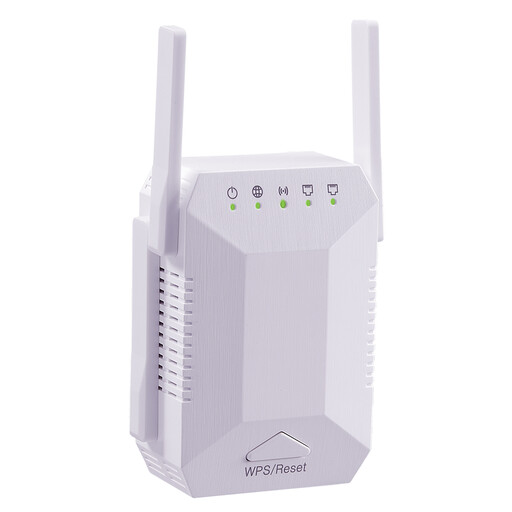 No image available
For extending an existing Wi-Fi network when there’s still a signal at the intermediate location.
Dual-band; four adjustable aerials; two 10/100-Mbit/s LAN ports; WPS connection to the router, according to the product description.
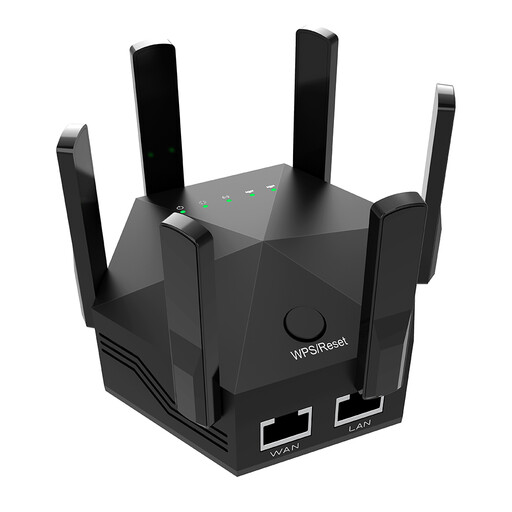 No image available
For extending an existing home network when the repeater can still reach the router from its planned location.
Six adjustable aerials; two 10/100-Mbit/s LAN ports; WPS connection to the router, according to the product description.
 No image available
For extending an existing Wi-Fi network if you’re looking for a compact device that’s simple to set up.
The product description highlights its compact design and plug-and-play setup.
 No image available
For extending your Wi-Fi if there’s still a connection to the router at the planned location.
Dual-band; 433 Mbit/s according to the product title; WPS setup and signal strength indicator, according to the product description.
 No image available
For extending Wi-Fi wirelessly or setting up an access point in your home office, if there’s an Ethernet cable to the router.
574 Mbit/s at 2.4 GHz and 2402 Mbit/s at 5 GHz according to the product title; Gigabit port and access point mode, according to the product description.
The product description also mentions a signal strength indicator and WPS or app setup.
No. The advertised Wi-Fi speed doesn’t tell you what connection you’ll actually get at your desk. Test it where you’ll make your calls; Zoom recommends different bandwidths depending on video quality and how you use it.
Place it somewhere it can still get a good signal from the router while reaching the floor you want to cover. If the connection is weak, Telekom recommends moving the Speed Home WLAN closer to the router or another unit.
It depends on the feature you want and the model. TP-Link says the RE705X can extend standard Wi-Fi routers, but EasyMesh requires an EasyMesh-compatible router. Check your router model and the operating mode you need.
Test the adapters in the sockets where you plan to use them. devolo recommends plugging them directly into wall sockets and notes that electrical interference can affect the connection.