Workshop participants with a weak signal
If thick internal walls are affecting your signal, you’ll need to find a spot where the repeater can reach both the router and your workspace.


A Wi-Fi repeater can help if it still has a good connection to the router where it’s placed, and can reach your workshop space from there. If the wireless signal is too unreliable through the walls, an access point connected by LAN is a better option. Powerline is worth considering if you can’t run a network cable, but you’ll need to test it in your own setup. Also check that the mesh feature you want is compatible with your router model.
If thick internal walls are affecting your signal, you’ll need to find a spot where the repeater can reach both the router and your workspace.
If you can run a network cable into the room or to a suitable access point, you can avoid the difficult wireless connection between the router and the access point.
If you want to add Wi-Fi coverage to your existing FRITZ! or Speedport network, check that the mesh features are compatible with your exact router model.
First decide how the signal will reach your workshop space. Then check router compatibility and how much effort setup and ongoing use will involve.
| Consideration | What to check before buying | Who is it important to? |
|---|---|---|
| Wireless backhaul and placement | Check the router signal at the intermediate location and the connection at your workshop space. | If I want to use a repeater, I need to place it somewhere with a usable signal on both sections of the route. Around 36% of consumers put a reliable wireless connection first. |
| An alternative to a wireless connection | Check whether you can run a LAN cable and use a suitable access point mode; test Powerline adapters at the sockets you plan to use. | If the walls make a wireless connection difficult, I’d rather carry the signal over a cable or the mains wiring. Around 29% of consumers prioritise an alternative connection method. |
| Router compatibility | Check your exact router model and the mesh features it supports. | If I want my existing router to remain part of the mesh network, the feature I want must work with that exact model. Around 21% of consumers prioritise router integration. |
| Setup and ongoing effort | Check the equipment and connections required, the cable route, and the update and support terms for the specific model. | If I want an installation that’s as straightforward as possible, I’d like to know in advance what equipment and maintenance it involves. Around 14% of consumers prioritise setup effort and ongoing requirements. |
The connection from the repeater back to the router needs to work too. If you place it behind a wall that blocks the signal, the wireless backhaul may be too weak.
Try a suitable intermediate location, then check the connection at the workshop space itself.
Mesh features can depend on the router model and the combination of devices. TP-Link says EasyMesh requires a compatible router; features also vary between Speedport models.
Before buying, compare the exact router and repeater models, as well as the mesh feature you want.
Electrical appliances can affect data transmission over the mains. There may also be interference with some VDSL connections.
Test the adapter pair in the wall sockets you plan to use, and check the stability of your VDSL connection too, if relevant.
FRITZ!Repeaters such as the 1700 are worth considering if you want to add coverage to an existing FRITZ! home network.
The RE705X is one option to consider if you need both wireless and LAN connectivity.
devolo offers both repeaters with access point mode and Powerline kits, giving you different ways to extend your connection.
Speed Home WLAN is worth considering if your specific Speedport router supports the mesh setup you want.
The products below include wireless repeaters and wired access points for a workshop space behind internal walls.
 Image unavailable
For extending your wireless coverage or setting up a wired access point, provided the relevant mode suits your setup.
The description lists dual-band, two RJ45 ports, and repeater, access point and router modes.
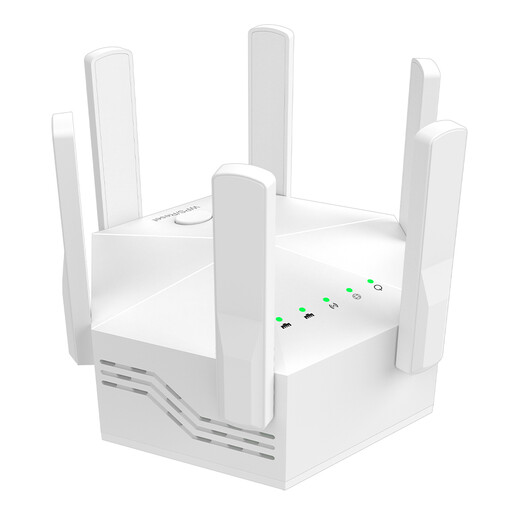 Image unavailable
For extending your wireless coverage if there’s still a connection to the router at the location you plan to use.
The description lists WPS setup and indoor use.
 Image unavailable
For a suitable intermediate location or an access point connection over Ethernet.
The description lists a Gigabit port, signal strength indicator and access point mode. Speeds are listed as 574 Mbit/s at 2.4 GHz and 2,402 Mbit/s at 5 GHz.
 Image unavailable
For extending your wireless coverage if you can place the repeater within range of your existing router.
The description lists a 2.5 Gigabit Ethernet port, MLO and EasyMesh compatibility. Check that your router is compatible before using mesh.
 Image unavailable
For a wired access point in your workshop space, if you have a suitable Ethernet connection.
The description lists Wi-Fi 7 and a 2.5 Gigabit Ethernet port with PoE. You’ll need a PoE connection and a suitable PoE/PoE+ injector or switch for network and power.
Place it somewhere with a good connection to the router, from where it can also reach your workshop space. Check both sections of the connection after setting it up; the room with poor coverage isn’t automatically the right place for it.
Yes, if the specific device has a suitable access point or LAN bridge mode and you have a LAN connection. TP-Link lists this option for the RE705X; devolo describes it for the WiFi 6 Repeater 3000.
No. Powerline avoids the wireless connection between rooms, but the signal can still be affected by socket placement and electrical appliances. devolo also describes possible interference with some VDSL connections.
Before buying, check how many devices you’ll need for your chosen connection method, and the update and support terms for the specific model. Telekom lists automatic updates for Speed Home WLAN; this doesn’t mean the same is guaranteed for other models.
For a Wi-Fi radio device, check the requirements that apply to the product, its CE marking, product identification and manufacturer details. The Bundesnetzagentur lists these as part of its market surveillance; check the information for the specific model against its product documents and declaration of conformity.