What should you look for when buying?
First, check your card format and the connection on the device you’re transferring to. Then plan your second copy; transfer speed is only a useful way to compare readers after that.
| What you need |
What to check before buying |
Who is it important to? |
| Card format |
Check the full card name against the formats supported by the reader model. Lexar lists SD, microSD, CFexpress Type A and Type B as separate product ranges. |
If your camera uses a particular card type, support for that format is essential for importing your files. That’s why around 36% of consumers put card compatibility first. |
| Connection and power |
Match the target device’s USB-C or USB-A port to the reader or the cable supplied with it. If you’re using a hub, check how you plan to power it too. |
If you work on the go with a battery-powered laptop, phone or tablet, you’ll need a suitable connection without unnecessary adapters. For around 29% of consumers, a mobile connection and power supply are top priorities. |
| Extra backup |
Decide in advance where you’ll copy your files and how you’ll check them before deleting the originals from your card. Apple describes import features, but the card reader itself doesn’t provide an independent backup. |
When you can’t easily repeat a shoot, having a second copy you can check is more important than simply importing files to a single device. Around 21% of consumers prioritise this backup process. |
| Speed for large imports |
Check the card standard, reader interface and target device connection together. The SD Association distinguishes between bus speed and actual card performance. |
If you often transfer large batches of images, speed may matter, provided all the devices involved are compatible. Around 14% of consumers focus primarily on this. |
Joybuy products for SD and TF cards
The products below are SD or TF card readers, or USB hubs with SD and TF slots, for importing files to a compatible USB device. They don’t replace an independent data backup.
 Image unavailable
Acer 7-in-1 USB-C Hub ODK6V0
An option for importing SD or TF cards to a compatible USB-C device.
The product name lists HDMI with 4K@30Hz, 100W PD Charging, 3x USB 3.0 and an SD/TF card reader.
View at Joybuy
 Image unavailable
7-in-1 External DVD Drive with SD/TF card reader
The built-in card reader is designed for importing SD or TF cards to a compatible USB device.
The product name lists USB 3.0, Type-C and an external DVD drive.
View at Joybuy
 Image unavailable
HOCO HB45 Spirit 2-in-1 USB 3.0 Card Reader
A compact card reader for connecting to a compatible USB device. Check that your camera’s card format is supported by the specific model.
The product name lists USB 3.0.
View at Joybuy
 Image unavailable
UGREEN USB-C Dock with SD/TF card reader
The built-in card reader is designed for importing SD or TF cards to a compatible USB-C host device.
The product name lists 2x HDMI, 2x USB-C 3.2 and 1x USB-A.
View at Joybuy
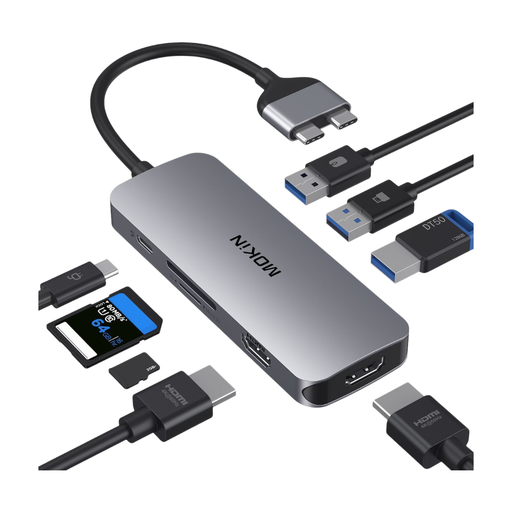 Image unavailable
Mokin USB-C Docking Station with SD/TF card reader
A docking station option for importing SD or TF cards to a compatible USB-C device.
The product name lists 2 USB-C, 2 HDMI, 3 USB 3.0, PD and SD/TF.
View at Joybuy
Frequently asked questions
Can I import photos straight to an iPhone without a mains socket?
Yes, with a suitable iPhone and a compatible reader or adapter, as long as the connection and card format are right. Apple explains how to access memory cards through Files and import photos; also check the file system and power requirements of the complete device setup.
Does USB-C automatically mean a faster import?
No. USB-C refers to the connection, not the transfer speed you’ll achieve. The reader interface, card standard and target device all matter too; manufacturers’ maximum speeds can vary depending on the card and system.
Does a card reader create an extra backup by itself?
No. A card reader alone isn’t a storage destination or an independent backup. To create an extra copy, you’ll need a connected device and a suitable storage destination; check the files before clearing your original card.
When can I clear my camera card after importing?
Only clear it once the files you need are available on your target device and you’ve checked your extra copy. Apple notes that, once its import process is complete, you may be asked whether to keep or delete the media.
Does a USB hub’s charging input provide power when you’re out and about?
No. A Power Delivery input on a hub lets you connect a compatible external power source, but it doesn’t store energy itself. Check what power supply your combination of target device, hub and reader needs when you’re on the go.


