Edit wildlife photos at a small desk
If you want to see details when cropping and still have room to study alongside your monitor, compare the specific model’s native resolution with its screen and stand dimensions.


For tight crops, a monitor with native 4K resolution is a good starting point. If you have a small desk, make sure the screen size and the monitor’s actual dimensions, including its stand, will fit. For digital photography, check the colour mode and your laptop’s connections. If you’re preparing colour-critical prints, Adobe RGB support, calibration and profiling become more important – but manufacturers’ colour gamut coverage claims are no substitute for measuring the specific monitor.
If you want to see details when cropping and still have room to study alongside your monitor, compare the specific model’s native resolution with its screen and stand dimensions.
To assess print colours, you’ll need a suitable colour mode and a consistent workflow with calibration and profiling.
If you want to connect the video signal and, where possible, power through just a few cables, check the ports and power requirements of both your monitor and laptop.
Start with native 4K resolution, then decide whether digital image editing or colour-critical printing matters more to you. Next, check that the dimensions and connections work with your desk and laptop.
| What you need | What to check before buying | Who is it important for? |
|---|---|---|
| Detail when cropping | Check the specific model’s native resolution and screen size. | If you want to assess tight crops, you’ll need native 4K resolution and a suitable screen size. Around 37% of consumers are likely to prioritise checking image detail. |
| Colours for your intended output | Check the colour mode and whether the specific model supports calibration and profiling. | If you’re preparing wildlife photos for colour-critical prints, a suitable colour workflow is essential. Around 27% of consumers are likely to prioritise print colours. |
| Desk space | Check the width, depth and mounting options against the space available on your desk. | If you need room to work alongside your monitor in a student room, consider its actual dimensions, including the stand or arm. Around 18% of consumers are likely to prioritise available desk space. |
| Laptop connection | Check the video output, charging power and cable requirements for both devices. | If you edit photos on a laptop for your studies, the monitor’s connection needs to meet your computer’s video and charging requirements. Around 18% of consumers are likely to prioritise a suitable laptop connection. |
ASUS states that the PA279CRV offers 99% Adobe RGB coverage. In its test of the monitor on 30 March 2024, CHIP measured 97.4% Adobe RGB coverage. Neither figure on its own tells you how accurate a properly set up colour workflow will be.
Bear in mind the difference between manufacturer claims, measured results, colour modes and calibration. Choose a monitor to suit your intended output.
You may also need a colourimeter and time for calibration and profiling.
A stand or arm also takes up space. The 31.5-inch BenQ RD320UA has different dimensions from a 27-inch model.
Measure the available width and depth of your desk, then compare them with the dimensions of the exact model variant.
A USB-C port on the monitor alone doesn’t confirm that your laptop can output video through it, or that it can supply enough power to charge your computer. ASUS specifies 96 W USB-C Power Delivery for the PA279CRV; EIZO lists a maximum of 60 W for the CS2740.
Check your laptop’s video output and power requirements, then compare them with the specifications of the specific monitor.
Depending on your laptop, you may also need a suitable power adapter or connection cable.
The ProArt PA279CRV is a 27-inch 4K model with colour modes and USB-C, making it an option for photo editing and study.
The SW272U and PD2732U ranges offer manufacturer-specified colour modes for image editing, while the RD320UA is designed for a different use.
The ColorEdge CS2740 is a 27-inch 4K model designed for demanding colour workflows.
The UltraFine 27UP850K-W is a 27-inch 4K option for digital image editing.
The models below include native 4K monitors for photo editing and study, including 27-inch models and portable screens. Compare their resolution, connections and footprint with your own workspace.
 No image available
For detail-focused cropping, photo editing or study if you’re looking for a 27-inch screen.
Specifications include 3840 × 2160 pixels, Mini-LED, Rapid IPS, 100% Adobe RGB coverage and a height-adjustable, tilting and swivelling stand. The title also lists UHD at 160 Hz and FHD at 320 Hz.
 No image available
Worth considering if you’re looking for a smaller screen with a built-in stand for a compact workspace.
Specifications include 3840 × 2160 pixels, 60 Hz, 100% sRGB, USB-C and Mini HDMI inputs, and built-in speakers.
 No image available
For photo editing and study if you’re looking for a 27-inch model with USB-C.
Specifications include 3840 × 2160 pixels, IPS, 120 Hz and a height-adjustable stand. The product description lists 99% Adobe RGB coverage and USB-C with 90 W Power Delivery.
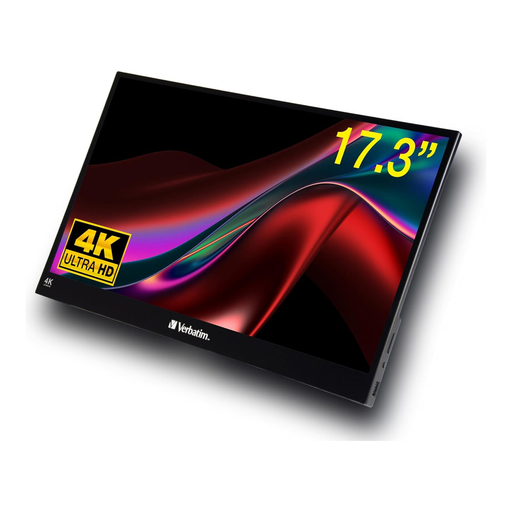 No image available
A portable option if you’re looking for a touchscreen in a smaller size.
The title lists an HDR display with USB-C and HDMI connections; the description specifies a resolution of up to 3840 × 2160 pixels.
 No image available
For photo editing and study if you’re considering a 27-inch screen with an adjustable stand.
The title lists UHD 4K at 160 Hz and FHD at 320 Hz, Mini-LED and USB-C with 65 W. The stand is height-adjustable, swivels and tilts.
No, not just for cropping. Choose the colour mode to suit your intended output. Adobe RGB capabilities and colour management are particularly important for colour-critical prints, while native 4K resolution determines the number of pixels displayed.
Keep direct light off the screen and consider the lighting conditions in which you assess colours. Adobe describes using a colourimeter with software as one way to calibrate objectively. Also check the profiling settings in the programme you use.
No. In Germany, your statutory rights for faulty goods are with the seller; a guarantee is an additional, voluntary benefit with its own terms and conditions. For a specific offer, check who the seller is and what guarantee terms apply. The Verbraucherzentrale (German Consumer Advice Centre) clearly distinguishes between statutory rights and guarantees.
A monitor is waste electrical equipment and must not go in household rubbish. The German Environment Agency lists municipal recycling centres and suitable take-back options at retailers as ways to dispose of it separately.