For the occasional wildlife shot that you mainly review and crop, a portable laptop is often enough. Pay particular attention to the display, the space it takes up and how you import photos from your camera card. If you regularly edit large numbers of images, a bigger display and more performance and storage headroom may be useful. However, they take up more room at a shared desk and aren’t automatically necessary for occasional cropping.
Who would benefit from each type of device?
Occasional wildlife photo editors
If you review and crop individual shots, you don’t automatically need extra performance for demanding projects. Cropping selects an area of the existing pixels; Adobe explains that it doesn’t add any extra pixels to your subject.
Photographers with a larger workflow
If you regularly review and edit lots of photos, compare screen space, memory, storage and card import options against the way you work. Configurations can differ significantly, so specifications for a particular device don’t necessarily apply to an entire model range.
People using a shared desk
If you often need to clear your workspace or share your computer with others, the laptop’s size and data privacy matter in everyday use. The German Federal Office for Information Security recommends separate, password-protected user accounts on shared devices.
What should you look for when buying?
First, work out whether you’ll mainly be reviewing individual crops or regularly editing large photo collections. Then compare the display size with the space available on your desk, and check how you’ll connect your camera card.
| What you’re buying for |
What to check before buying |
Who it matters most to |
| Cropping and judging colour |
Compare the display size and exact panel variant. After cropping, check the image file’s pixel dimensions for how you plan to use it. |
If I want to judge a crop directly on my laptop, I look for a display that suits my workspace and check the result in the image file. Roughly 36% of consumers in this scenario put image review first. |
| Performance and storage |
Before comparing the processor, memory and SSD, consider the software you actually use and the other steps in your workflow. |
If I regularly edit lots of images, I want to match the specifications to my whole workflow, rather than buying extra performance just for occasional cropping. Roughly 29% of consumers prioritise a more demanding editing workflow. |
| Desk space and shared access |
Check the device’s dimensions against the space available on your desk, and work out whether you’ll be sharing just the workspace or the computer too. |
If I often need to clear the desk or share my laptop with others, I need a suitable device size and should consider access to my files. Roughly 21% of consumers prioritise making room on the desk or having separate accounts. |
| Importing photos and connections |
Check that your camera card’s format is compatible with the connections on the specific configuration, and consider whether you’ll need a suitable card reader. |
If I regularly transfer photos from a memory card, I want to know in advance whether I can plug it in directly or will need an external reader. Roughly 14% of consumers put hassle-free photo imports first. |
Common buying pitfalls
-
Assuming a high-resolution display will add image detail after a heavy crop
Your laptop’s resolution won’t add any pixels to the cropped area. Adobe describes cropping as selecting an area of pixels from the original image.
After cropping, check the file’s pixel dimensions for your planned export or print.
-
Choosing a device based only on its model family name
Displays, memory and connections can vary between configurations. Dell notes that changing the specification of its configurable XPS 14 may affect other specifications.
Compare the full model number, display, memory and connections for the specific offer.
If the card connection isn’t compatible with your memory card, you may need extra hardware, such as an external card reader.
-
Assuming the advertised battery life applies to photo editing
Apple’s battery life figures for the MacBook Air 15 M5 relate to video streaming and wireless browsing, not a measured photo-editing workflow.
Only compare battery life figures for similar types of use, and make sure you have a power source for longer photo-editing sessions.
Key brands to consider
Apple
The MacBook Air and MacBook Pro differ in areas such as their display and connection options. For importing photos, the specifications of the particular model matter.
- Apple says the MacBook Air 15 M5 has a 15.3-inch P3 display and two Thunderbolt 4 ports.
- Apple’s list of MacBook Air connections doesn’t include an SD card reader. Apple says the MacBook Pro 14 M5 launched in 2025, so check the exact generation of any offer.
ASUS
The ProArt P16 range includes different generations and configurations, some of which may suit more demanding creative work.
- For the German configuration H7606WP-RJ084X, ASUS lists a 16-inch OLED display, 64 GB RAM and an SD Express card reader.
- These specifications, along with the weight of 1.85 kg, apply to the configuration listed and not necessarily to every ProArt device.
Lenovo
The Yoga Pro 9i Gen 10 is a larger Windows option for creative work. The ThinkPad T1g Gen 8 is listed separately in a photo and video editing ranking.
- For the Yoga Pro 9i with article number 83L0008GGE, Lenovo lists a glossy 16-inch Tandem OLED display and a 1 TB SSD.
- The listed 64 GB RAM is soldered and can’t be freely upgraded. Bear the glossy display surface in mind when considering your workspace.
Dell
The XPS 14 DA14260 is a compact Windows option with configurable specifications.
- Dell offers the model with a choice of specifications.
- Dell says that changing a configuration may affect other specifications. So don’t assume it has a particular panel or connections just because it’s called an XPS 14.
Laptops available at Joybuy
The devices below include portable laptops of around 14 inches, as well as larger Windows laptops for reviewing and editing photos. Before buying a specific offer in Germany, you should also check the labelling, product identification, manufacturer information and any required German-language instructions and safety information; the German Federal Network Agency lists these as points to check.
 No image available
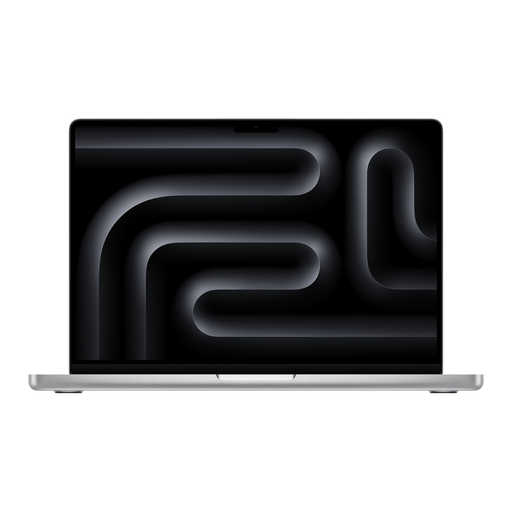
Apple MacBook Pro 14 (M5 Max, 2026), 36 GB, 2 TB SSD
A portable option if you want to review photos on the built-in display and read an SDXC card directly.
14.2-inch display; 36 GB unified memory; 2 TB SSD; SDXC card slot; 18-core CPU and 32-core GPU; German QWERTZ keyboard.
The product description says that a power adapter isn’t included, so you’ll need to buy one separately.
View at Joybuy
 No image available
Apple MacBook Pro 14 (M5 Pro, 2026), 24 GB, 1 TB SSD
A portable option if you want to review photos on the built-in display and read an SDXC card directly.
14.2-inch display; 24 GB unified memory; 1 TB SSD; SDXC card slot; 15-core CPU and 16-core GPU; German QWERTZ keyboard.
The product description says that a power adapter isn’t included, so you’ll need to buy one separately.
View at Joybuy
 No image available
Lenovo ThinkPad E16 Gen 3 21ST, Ryzen 7 250, 32 GB, 1 TB SSD
A larger Windows option if you want to review images on a 16-inch screen and regularly edit files.
16-inch WUXGA IPS display with anti-glare coating; 32 GB RAM; 1 TB SSD; AMD Ryzen 7 250 at 3.3 GHz; Radeon 780M; Windows 11 Pro.
The 16-inch display takes up more room at a shared desk than a smaller laptop.
View at Joybuy
 No image available
HP ProBook 4 G1a 16, Ryzen 5 230, 16 GB, 512 GB SSD
A larger Windows option for individual photos if you’d like to use a built-in 16-inch workspace.
WUXGA IPS display with anti-glare coating; 16 GB DDR5 RAM; 512 GB SSD; AMD Ryzen 5 230; AMD Radeon 760M; Windows 11 Pro.
The 16-inch display takes up more room at a shared desk than a smaller laptop.
View at Joybuy
 No image available
HP ENVY x360 16-ac0473ng, Core Ultra 7 155U, 16 GB, 512 GB SSD
A larger Windows convertible if you want to review photos on a built-in touchscreen.
16-inch WUXGA IPS touchscreen; 16 GB RAM; 512 GB SSD; Intel Core Ultra 7 155U; Windows 11. The product description lists 100% sRGB; this figure doesn’t replace checking colour reproduction for yourself.
The 16-inch display takes up more room at a shared desk than a smaller laptop.
View at Joybuy
Frequently asked questions
Do I need a powerful graphics card to crop a wildlife photo heavily?
No, not just for cropping. First check the pixel dimensions of your chosen crop, then choose laptop performance to suit your software and the other steps in your workflow. A place in a photo and video editing ranking isn’t a minimum requirement for cropping a single image.
How should I set up a laptop if other people share my desk or computer?
If you’re only sharing the desk, lock your screen before you leave. If you’re sharing the computer too, the German Federal Office for Information Security recommends a separate password-protected user account with appropriate access rights for each person.
What are my rights if a laptop I bought from a retailer in the EU is faulty?
Under the EU rules outlined by Your Europe, you have a legal guarantee of at least two years from the date you receive the goods, which you can claim from the seller. Any additional manufacturer’s guarantee offered doesn’t replace this; check its terms separately.
What should I look out for when buying a laptop in Germany?
Electrical equipment with radio technology placed on the German market must meet the relevant product requirements. The German Federal Network Agency lists correct CE marking, product traceability, manufacturer information and any required German-language instructions and safety information among the points to check. A brand page or ranking position doesn’t prove that a particular offer meets these requirements.


