
Lieferung heute & morgen

Qualitätsgarantie

Willkommens-Angebote freischalten: KOSTENLOSE Lieferung | Bis zu 80 % RABATT | Kostenlose 30-Tage-JoyPlus-Testphase
App herunterladen
By: Joybuy Product Recommendation Officer Date: July 09, 2026
The desire to keep an eye on your home is a key priority for many people—whether it's for monitoring your property while you're away, checking in on pets, or assisting in the care of children and family members. An indoor Wi-Fi security camera offers an accessible and flexible solution for this. This article serves as a guide to help you understand the most important features and make an informed purchasing decision. We will introduce a selection of models that cater to different needs.
Selecting the right model depends on your individual needs. Three key criteria will help you objectively compare the features of different cameras.
Image quality is a crucial factor. A higher resolution provides more detailed images, which can be helpful in identifying people or objects.
A good indoor camera with night vision is also important to ensure reliable surveillance even in complete darkness. Most models use infrared LEDs that produce a clear black-and-white image. Some cameras also offer a colour night vision feature.
The surveillance area is another important criterion.
The method of video recording affects both cost and data privacy.
Many modern cameras offer both options, giving the user flexibility. A camera with motion detection and recording also helps to save storage space, as it only records when activity is detected.
Here, we present three models that stand out for their specific features and use cases.
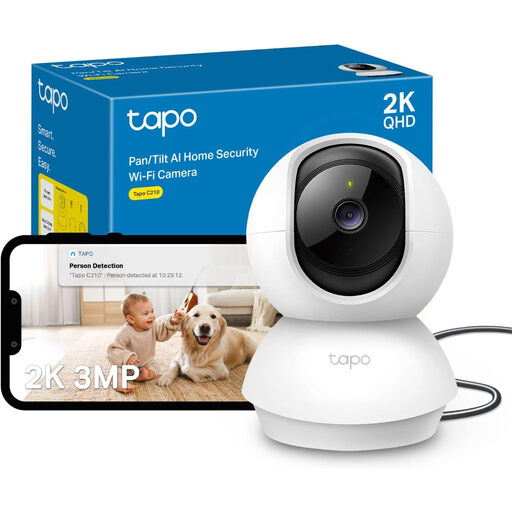
Why It Stands Out The Tapo C210 combines a high 2K 3MP resolution with a flexible pan-tilt camera function. This enables sharp and comprehensive monitoring of indoor spaces. It is controlled entirely through the Tapo app, which is known for its user-friendly interface.
Pros
Who Is It For? This model is an excellent choice for users who need high image quality for monitoring pets, children, or larger living areas. The combination of 2K resolution and a 360° field of view makes it a versatile pet camera with an app or an advanced baby monitor with a camera.

Why It Stands Out The JOOAN C17C distinguishes itself with its integrated 2.8-inch screen and one-touch call feature. This enables direct two-way video communication, making it particularly useful for caring for the elderly or children. It also supports both 2.4 GHz and 5 GHz Wi-Fi for a more stable connection.
Pros
Who Is It For? Ideal for families looking for an easy way to communicate with loved ones at home. The combination of a home security camera and a communication device makes it a practical solution for senior care or as an interactive baby monitor with a camera.
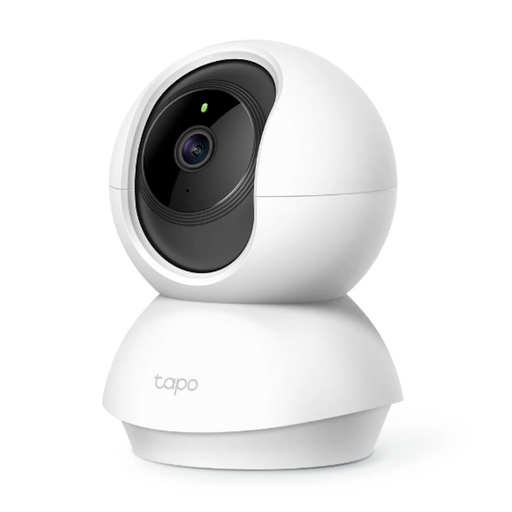
Why It Stands Out The Tapo TC70 is a solid entry-level model that offers all the essential features of a modern indoor camera. With 1080p resolution and a pan-tilt function, it delivers reliable performance for basic monitoring at an attractive price point.
Pros
Who Is It For? This model is aimed at budget-conscious buyers looking for a simple and effective home security camera. It is perfect for monitoring apartments, small offices, or as a first security camera.
The models presented here cover common use cases. However, if you are looking for cameras with more specific features, such as advanced analytics or specialised designs, it's worth exploring a wider selection.
Discover more models in our [Motion Detection Cameras] category to find the perfect solution for your individual requirements.
No, a subscription is not strictly necessary. All the models presented here support local storage on a security camera with an SD card. This allows you to record and play back videos without recurring costs and gives you full control over your data. Cloud storage is often offered as an optional add-on.
A camera with motion detection and recording uses built-in sensors to identify movement in its field of view. As soon as motion is detected, the camera can automatically send a notification to your smartphone and start recording video. This feature is useful for capturing relevant events and saving storage space.
Yes, many modern indoor cameras are well-suited to be used as a baby monitor with a camera. Features like high-resolution video, indoor camera with night vision, two-way audio to soothe the child, and app notifications for sound or movement make them a flexible and often more cost-effective alternative to traditional baby monitors.