
Lieferung heute & morgen

Qualitätsgarantie

Willkommens-Angebote freischalten: KOSTENLOSE Lieferung | Bis zu 80 % RABATT | Kostenlose 30-Tage-JoyPlus-Testphase
App herunterladen
A wired gaming mouse is a practical solution for many PC gamers, newcomers to e-sports and casual players: it does not need a battery, connects directly via USB and transmits inputs without a wireless connection. However, high DPI values, striking RGB lighting or numerous buttons do not automatically make a mouse the right choice.
The most important purchasing decisions often concern less visible details. Three common pitfalls are:
An optical sensor detects movement across the surface. The DPI specification, also known as CPI, describes how many screen dots the mouse pointer moves across during a particular movement. A gaming mouse with 6400 DPI, for example, offers a broad sensitivity range for fast camera movements and finer cursor control.
When choosing, it is important to consider whether the sensitivity can be adjusted in a useful way. Many users game at considerably lower settings than the maximum stated value. Therefore, look for:
A polling rate of 1000 Hz means that, theoretically, the mouse reports its position to the computer up to 1,000 times per second. This can be useful for fast-paced games. For office tasks or casual gaming, a lower rate is often sufficient.
An ergonomic gaming mouse should not merely look comfortable; it should suit the way you actually hold it. Right-handed users often prefer asymmetrical shapes, while symmetrical models may also be suitable for left-handed use. Before buying, check:
A lighter model can make quick movements easier, while a heavier mouse may give some users greater control. Objective measurements such as length, width and weight are therefore more helpful than general claims about comfort.
Programmable buttons can be useful in games, image editing or everyday applications. Their position is crucial: additional buttons should be easy to reach without significantly changing your grip when clicking.
A specification such as “up to 10 million clicks” is a technical manufacturer’s figure for the intended switches. It is not a promise of a specific service life for the entire product. Also check whether:
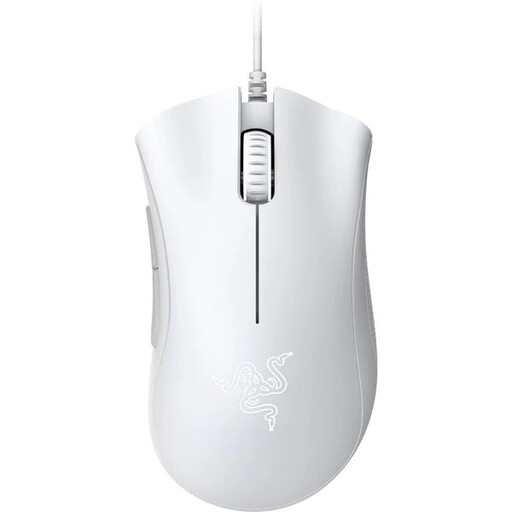
Why this product suits the profile: This USB gaming mouse combines a 6400 DPI optical sensor with five programmable buttons and an ergonomic right-handed design. It is suitable for PC gamers looking for essential gaming features without a wireless connection.
The manufacturer’s specifications provide specific sensor, button and click data rather than making only general performance claims. The 6400 DPI can be adjusted to lower settings.
Optical sensor with up to 6400 DPI, five programmable buttons and mechanical switches rated by the manufacturer for up to 10 million clicks.
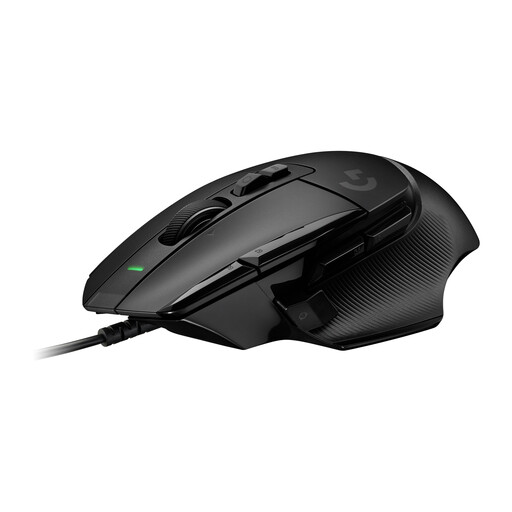
Why this product suits the profile: This wired gaming mouse is aimed at users who prefer extensive configuration options, multiple controls and an adjustable DPI shift button.
The features can be assessed using specific functions: a HERO-25K sensor, programmable controls and an adjustable DPI shift button. This makes it easier to choose based on your actual needs.
HERO-25K sensor with a stated range of 100 to 25,600 DPI, LIGHTFORCE switches and up to 13 programmable controls according to the product specifications.
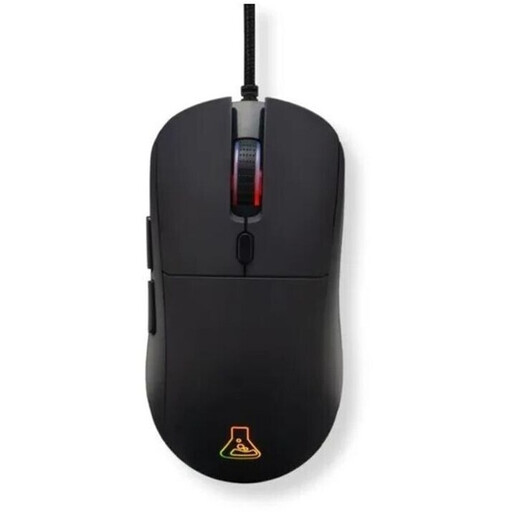
Why this product suits the profile: For users who switch between different games and applications, this model offers six programmable buttons, profiles, macros and a symmetrical design for either the left or right hand.
RGB lighting is not the only focus: the DPI range, polling rate, number of buttons, weight and click rating are also specified.
Adjustable optical sensor from 800 to 12,800 DPI, 1000 Hz polling rate, six programmable buttons and a weight of 80 grams.
A USB gaming mouse is generally easy to set up: connect the USB plug, let the operating system detect it and install the manufacturer’s software if required. Make sure the cable has a sufficient length and is properly strain-relieved. The cable should not be sharply bent and should never be used as a handle to pull the mouse.
For everyday computer use, quieter or symmetrical models may also be a sensible choice. If you switch between gaming, office work and laptop use, you should also check compatibility with your operating system and whether any specific software is required. RGB lighting is an additional visual feature and should not be equated with sensor precision or durability.
We have put together a complete, regularly updated list of products that fully meet these strict selection criteria and the safety regulations applicable in the EU.
That depends on how you plan to use it. A wired gaming mouse does not need a battery and is powered directly via USB. It is ideal for users who want to avoid charging breaks. However, the cable can get in the way around the mouse mat or edge of the desk if it is not positioned well.
There is no single figure that suits every user. What matters is having a range that can be adjusted accurately. Many games are played at medium or low sensitivity, while high DPI values can be useful with high resolutions or fast movements. The sensor, surface, grip and in-game settings all affect how precise the control feels in practice.
Lifespan is often given as a click count, such as up to 10 or 20 million clicks. These figures refer to the relevant switches under defined conditions. The cable, scroll wheel, casing and software can also affect the product’s practical service life. Therefore, alongside the click rating, check the build quality, warranty and returns policy.