
Lieferung heute & morgen

Qualitätsgarantie

Willkommens-Angebote freischalten: KOSTENLOSE Lieferung | Bis zu 80 % RABATT | Kostenlose 30-Tage-JoyPlus-Testphase
App herunterladen
The search for the right wired headset with a microphone can quickly become overwhelming. Whether for gaming, the home office, or enjoying music on the go, the market is filled with promises. But not every product lives up to its advertising. Many users invest in a headset only to find that compatibility is patchy, the microphone barely filters out ambient noise, or the cable develops a faulty connection after just a few months. This guide will help you avoid these common pitfalls and make an informed decision.
Before we dive into the important technical details, you should be aware of three common marketing traps that often lead to regrettable purchases:
To avoid a bad purchase, you should focus on three core aspects that determine the longevity and functionality of your headset.
The connection determines compatibility and feature set. Each type has specific use cases:
For clear conversations, the hardware is just as crucial as the software. A simple microphone integrated into the cable is sufficient for occasional phone calls. However, for regular online meetings or intensive gaming, a dedicated boom microphone is essential. Pay attention to the specified polar pattern: a cardioid pattern primarily captures sound from the front and effectively reduces side noise—a hallmark of a good gaming headset.
The choice of form factor depends directly on your use case:
Based on the criteria above, we have identified a few models that represent a suitable solution for specific user groups.
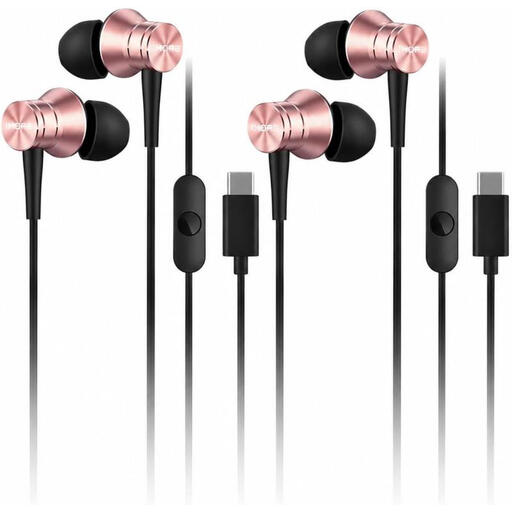
Why This Fits Their Persona: Ideal for users of modern smartphones and laptops without a 3.5mm jack. The light weight of 14 grams and the robust cable make them a reliable companion for the daily commute or for calls on the go.
The Kevlar-reinforced cable directly addresses the weak point of cable breakage. The clear focus on USB-C avoids the trap of vague compatibility promises.
Lightweight aluminum alloy construction; tangle-free and durable cable; plug-and-play functionality with USB-C devices.
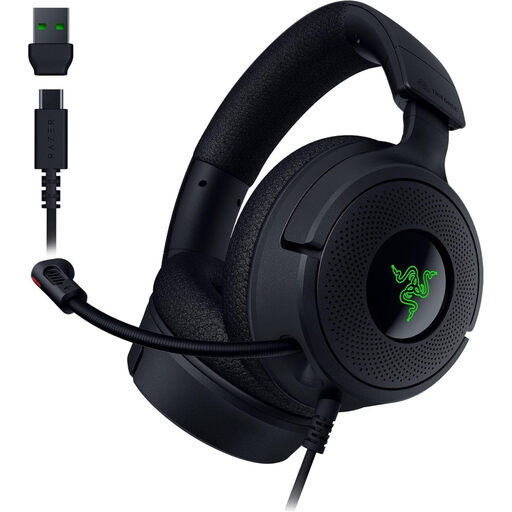
Why This Fits Their Persona: Designed for gamers who value precise positional audio and clear team communication. Its low weight of 250g and cross-platform compatibility make it a versatile choice for PC and console.
The retractable Razer HyperClear Cardioid Mic is specifically designed to focus on your voice and minimize background noise—a clear distinction from vague "noise cancelling" promises.
7.1 virtual surround sound (via PC software) for immersive gaming experiences; lightweight design for long gaming sessions; convertible USB-C to USB-A cable for high compatibility.
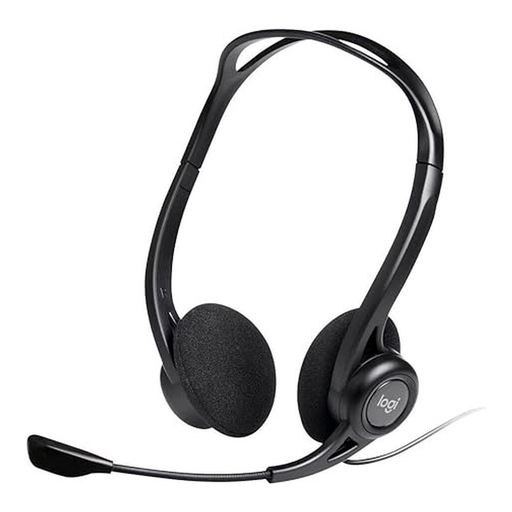
Why This Fits Their Persona: A straightforward and reliable solution for long workdays filled with video conferences. The focus is on voice clarity and comfort, not on gaming features.
This headset features an explicitly advertised noise-cancelling microphone optimized for clear communication in office environments. The simple USB-A connection ensures a stable plug-and-play experience on PC or Mac.
Lightweight on-ear design for all-day comfort; in-line controls for volume and mute; 2.4-meter long cable for more freedom of movement at your desk.
We have compiled a complete, real-time updated list of products that fully meet these strict selection criteria and German safety regulations.
1. Does a USB headset require special software? Most USB headsets are plug-and-play, meaning basic audio and microphone functions are available immediately after connecting to a PC or Mac. However, for advanced features like virtual surround sound, equalizer adjustments, or RGB lighting control, installing the manufacturer's optional software is often necessary.
2. How do I connect a gaming headset with two 3.5mm plugs to a laptop or console with only one jack? Many PC gaming headsets come with two separate 3.5mm plugs—one for the headphones (green) and one for the microphone (pink). To use such a headset with a device that has a single combined audio jack (TRRS), you will need a "Y-splitter" or "PC headset adapter." This small adapter cable merges the two signals into a single plug.
3. What is the difference between a microphone with passive and active noise cancellation? Passive noise cancellation in a microphone is achieved through physical means, such as a foam windscreen that dampens plosives and light wind. Active noise cancellation (often referred to as ANC) is an electronic feature. It uses additional microphones to analyze ambient sounds and generate an opposing anti-noise signal to neutralize them before they are transmitted to your conversation partners. This technology is significantly more effective at reducing constant background noise like fans or air conditioners.