
Lieferung heute & morgen

Qualitätsgarantie

Willkommens-Angebote freischalten: KOSTENLOSE Lieferung | Bis zu 80 % RABATT | Kostenlose 30-Tage-JoyPlus-Testphase
App herunterladen
A new wired mouse might seem like a simple purchase. You plug it in, and it works. But behind the marketing promises, there are often pitfalls that can lead to an unsatisfactory user experience or even unnecessary expenses. Before you make a decision, it's important to understand the most common traps to find a model that truly fits your needs.
As your Joybuy Product Recommendation Officer, I will filter the relevant information for you and show you what matters most when making your selection.
Many products advertise impressive technical specifications that, in practice, may be irrelevant or even detrimental. Pay special attention to these three points:
To avoid making the wrong purchase, you should focus on the technical features that are relevant to your use case.
The DPI number indicates how sensitive a mouse is to movement. A higher DPI means the cursor travels a greater distance on the screen with the same hand movement.
The shape of the mouse has a direct impact on comfort during prolonged use.
Here are some recommendations tailored to specific user profiles and their requirements.
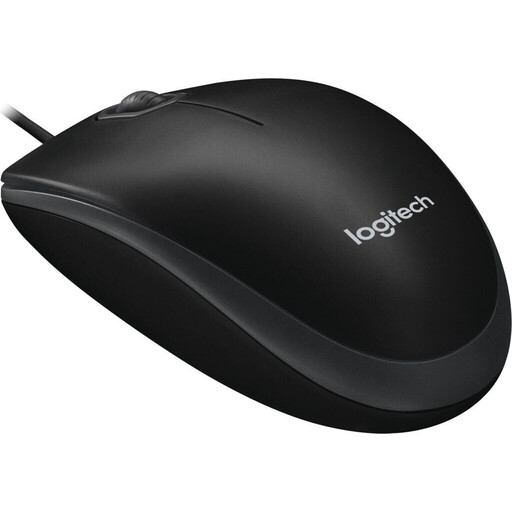
Why it's a good fit: Ideal for users seeking a reliable and straightforward USB mouse for everyday tasks at the office or at home. It focuses on the essentials without unnecessary features.
This model avoids the DPI hype with a practical 800 DPI sensor that enables precise control for office applications. It doesn't make false ergonomic promises; instead, it offers a proven, ambidextrous design.
Plug-and-play functionality and an ambidextrous design make it a versatile and ready-to-use solution for any PC or Mac.
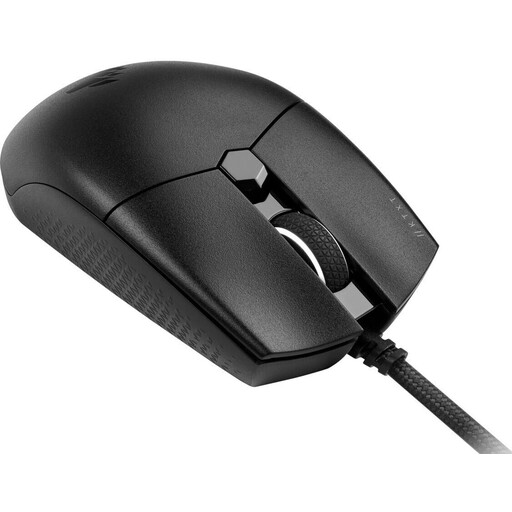
Why it's a good fit: Designed for gamers who need a lightweight, responsive, and precise gaming mouse for FPS or MOBA games. Its low weight and high-resolution sensor offer a tangible advantage.
Here, the high DPI count is not a marketing gimmick. The optical sensor with 18,000 DPI is adjustable in 1-DPI increments, providing the precision required for competitive gaming. The six programmable buttons offer real added value.
The ultra-lightweight design of just 73g allows for rapid movements, while the Omron switches are rated for 50 million clicks, promising excellent durability.
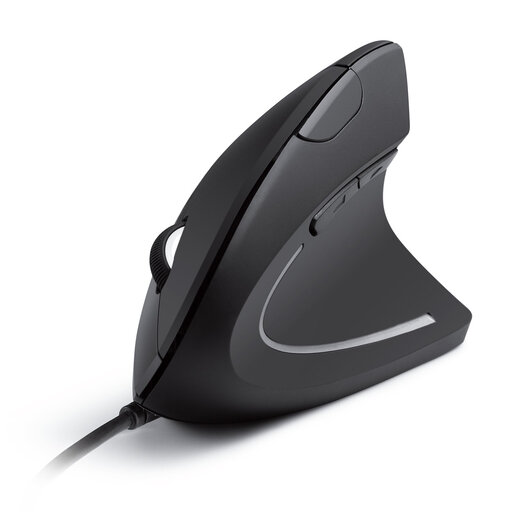
Why it's a good fit: Specifically designed for users who spend many hours at the computer and prioritise a healthy hand posture. This ergonomic mouse is an investment in workplace comfort.
It directly addresses the ergonomics trap by offering a vertical design that promotes a natural "handshake" position. This can help reduce the wrist and arm strain that can occur with standard mice.
Additional forward and back buttons simplify navigation in web browsers and documents, boosting productivity. The DPI levels (1000/1600) are optimally chosen for office work.
We have compiled a complete, up-to-date list of products that fully meet these strict selection criteria and German safety regulations.
1. How much DPI does a good wired mouse really need? For general office work and web browsing, 800 to 1600 DPI is ideal. It offers a balanced mix of speed and precision. Gamers, especially those with high-resolution monitors, can benefit from values above 3000 DPI to perform quick movements. However, more isn't automatically better; excessive sensitivity can make control more difficult.
2. Is an ergonomic mouse worth the extra cost? For people who work at a computer for several hours a day, an ergonomic mouse can be a worthwhile investment. It is designed to support the natural posture of the hand and wrist, which can help reduce fatigue and discomfort in the long run. If you regularly experience wrist strain after a long workday, an ergonomic model is worth considering.
3. What is the average lifespan of a wired mouse? The lifespan of a wired mouse depends heavily on the quality of its components and the intensity of use. The buttons, especially the left and right mouse buttons, are often the first components to show wear. Many manufacturers specify the lifespan of the switches in clicks (e.g., 5 million or 50 million clicks). With normal office use, a high-quality model can easily last for several years. The wired connection itself is generally very durable, as long as the cable is not bent or subjected to heavy stress.