
Lieferung heute & morgen

Qualitätsgarantie

Willkommens-Angebote freischalten: KOSTENLOSE Lieferung | Bis zu 80 % RABATT | Kostenlose 30-Tage-JoyPlus-Testphase
App herunterladen
A wired mouse seems like a simple purchase. You plug it in, and it works. But this very simplicity often leads to ill-considered buys that later prove to be uncomfortable, imprecise, or simply unsuitable for your daily workflow. Before you decide on a model, you should know the three most common traps that lead to frustration and unnecessary expense.
To avoid a bad purchase, it's wise to focus on the technical parameters that are genuinely relevant to your use case. An informed decision is based on facts, not marketing promises.
The DPI number indicates how sensitive the mouse's sensor is to movement. A high DPI means the cursor travels a long distance on the screen with only a small hand movement.
Modern PC mice almost exclusively use optical sensors. These use an LED to scan the surface beneath the mouse. They are reliable, precise, and work on most surfaces, except for glass or highly reflective materials. For the vast majority of users, from home office workers to casual gamers, a USB mouse with a solid optical sensor is the pragmatic choice.
The shape of the mouse is crucial for comfortable use over many hours.
Instead of presenting an overwhelming list, we have selected models that meet specific needs and avoid common purchasing traps.
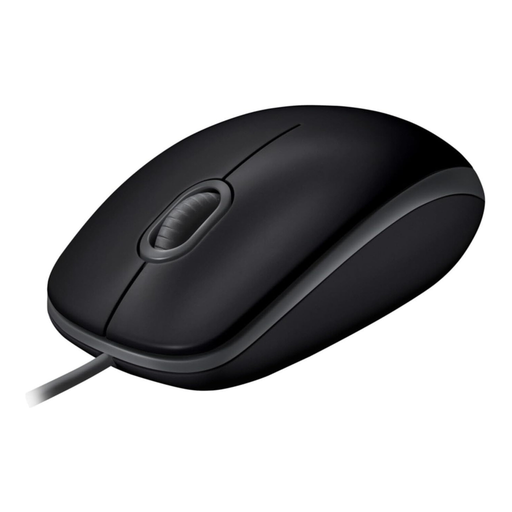
Why This Fits Their Persona: Ideal for users in open-plan offices, libraries, or home offices who value a distraction-free work environment. It offers reliable core functions without unnecessary extras.
This silent mouse avoids the "silent mouse" misconception by reducing click noise by over 90% according to the manufacturer, ensuring genuinely quiet operation.
Plug-and-play functionality with no driver installation required; symmetrical design suitable for both left- and right-handed users.
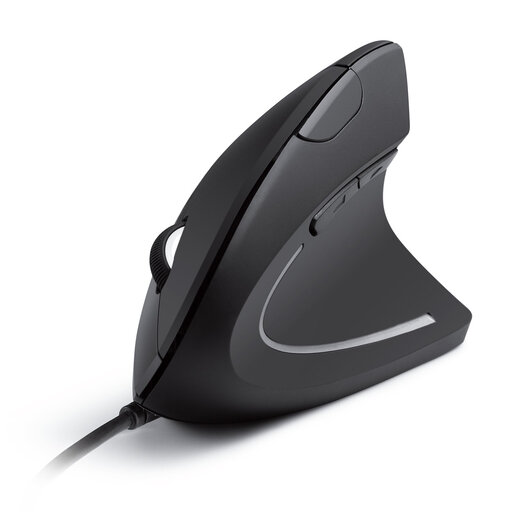
Why This Fits Their Persona: Perfect for individuals who spend long hours at the computer daily and want to maintain a healthy hand posture, either preventively or due to existing discomfort.
This model sidesteps the ergonomics trap by guiding the hand into a natural position. The focus is clearly on comfort and reducing strain, not on superfluous gaming features.
Vertical design to relieve wrist and arm strain; switchable DPI levels (1000/1600) for adjustable precision.
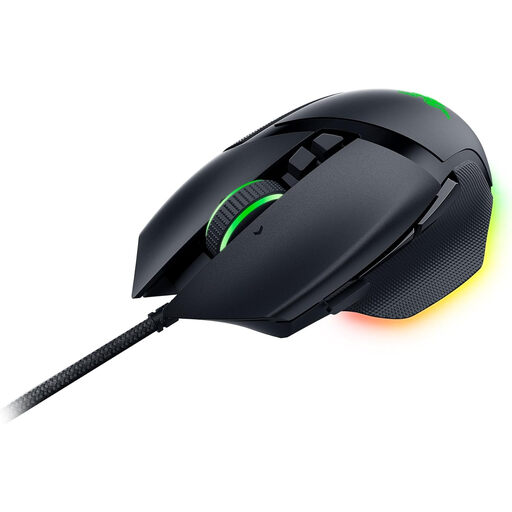
Why This Fits Their Persona: Engineered for gamers and demanding users who require maximum control, customisation, and responsiveness. Its numerous programmable buttons streamline complex workflows and gaming actions.
This mouse avoids the DPI trap by delivering its high performance (up to 26,000 DPI) to a target audience that can actually leverage it. The specs here aren't a marketing gimmick but a functional tool.
11 programmable buttons; Razer HyperScroll Tilt Wheel with switchable modes (tactile or free-spin); ergonomic right-handed design.
We have compiled a complete, up-to-date list of products that fully meet these strict selection criteria and all relevant safety standards.
For most office applications, including word processing, email, and web browsing, a DPI value between 800 and 1600 is perfectly adequate. Higher values are not necessary and can even impair precision during fine tasks.
An ergonomic mouse, especially a vertical model, positions your wrist and forearm in a more natural posture, similar to a handshake. This can reduce muscle strain and help prevent conditions like carpal tunnel syndrome, which can arise from repetitive movements with a conventional mouse.
Yes, virtually any modern wired mouse with a USB connector will work plug-and-play with a laptop that has a corresponding USB-A port. Operating systems (Windows, macOS, Linux) automatically recognise the device, so no driver installation is required. For laptops that only have USB-C ports, an adapter may be needed.