
Lieferung heute & morgen

Qualitätsgarantie

Willkommens-Angebote freischalten: KOSTENLOSE Lieferung | Bis zu 80 % RABATT | Kostenlose 30-Tage-JoyPlus-Testphase
App herunterladen
A wired mouse connects quickly, requires no battery and transmits inputs without a wireless connection. However, a low price or high DPI rating does not automatically mean you have found the right computer mouse. The key factors are how you plan to use it, your hand shape, button layout, sensor and cable management.
A DPI rating indicates how sensitively the cursor responds to movement. A high value can be useful for gaming, but it is not essential for word processing or browsing the web. What matters is whether the sensitivity can be adjusted to suit you and whether the optical sensor tracks smoothly.
With a quiet mouse, the description often refers only to the left and right buttons. The scroll wheel or middle mouse button may still be audible. If you use a USB mouse in a shared office or home office, check carefully which controls are covered by the noise reduction.
A pronounced right-handed shape can be comfortable for the intended hand, but unsuitable for left-handed users. Thumb rests and additional side buttons also change your grip position. A ambidextrous mouse with a symmetrical body offers greater flexibility, while an ergonomic mouse for right-handed users may be specifically designed to support a particular hand position.
An optical mouse tracks movement using an optical sensor. For office work, fixed settings of around 800 to 1,600 DPI are often sufficient. Gaming models frequently offer several profiles and considerably higher maximum values. The highest number is not the only important factor: look for clearly defined adjustment levels and stable cursor movement on a suitable, level surface.
Three buttons – left, right and scroll wheel – cover typical office tasks. Additional side buttons can be useful for gaming, image editing or working with extensive spreadsheets. A mouse with programmable buttons allows you to assign keyboard shortcuts or macros, but usually requires the manufacturer's software. Also check whether the function you want is available for your operating system.
A wired mouse with a USB connection will generally work via plug-and-play as soon as you connect it. Before buying, check that your PC or laptop has a suitable USB port. A longer cable makes positioning easier at desktop workstations. The cable should not be sharply bent or pulled out by the plug. Compatibility information for Windows, macOS, Linux and ChromeOS varies depending on the model.
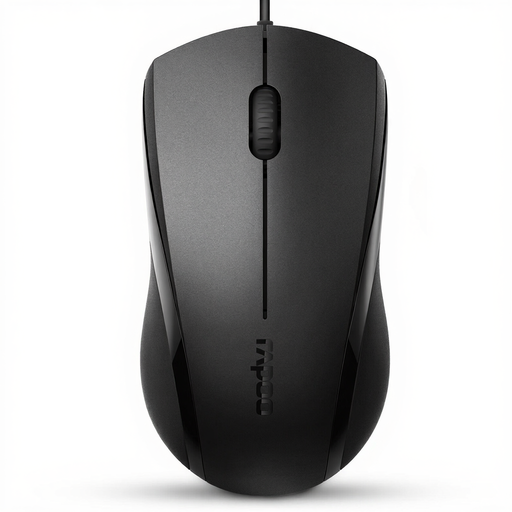
Why this product suits this profile: This USB mouse is designed for office work, browsing and everyday use, and connects without requiring additional drivers.
According to the product information, the symmetrical design is suitable for both left- and right-handed use. The 1,000 and 1,600 DPI specifications should be checked against the exact variant before buying.
Three buttons, optical tracking, USB plug-and-play and a 1.5-m cable. According to the supplier, the left and right click buttons are noise-reduced.
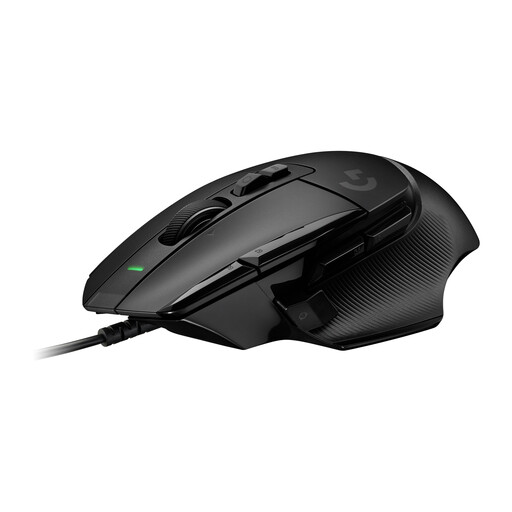
Why this product suits this profile: This wired gaming mouse is aimed at users who need plenty of controls and extensive customisation options.
The DPI shift button can be removed and adjusted to suit your grip position. This makes it easier to match the button layout to how you plan to use the mouse before buying.
HERO-25K sensor, a DPI range of 100 to 25,600, 13 controls and up to five profiles in the integrated memory, according to the product data.
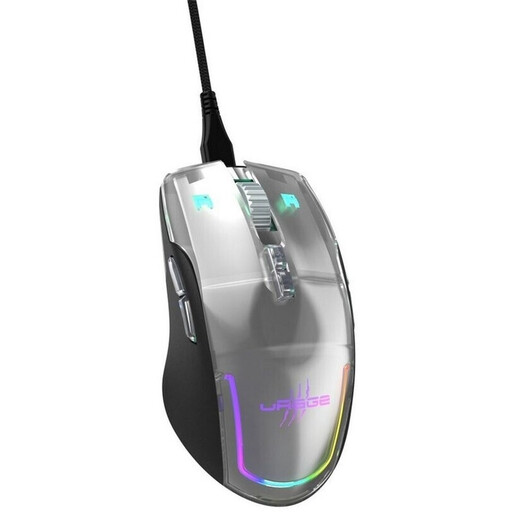
Why this product suits this profile: For gaming and versatile desktop tasks, it offers programmable buttons, DPI switching and profiles.
The product data explicitly lists nine buttons, an ambidextrous design and two DPI buttons. This makes the choice more transparent than relying solely on an RGB or design specification.
Optical Pixart-PMW3360 sensor with up to 12,000 DPI, a 1,000-Hz polling rate, 2-m cable, RGB lighting and nine programmable buttons, according to the supplier.
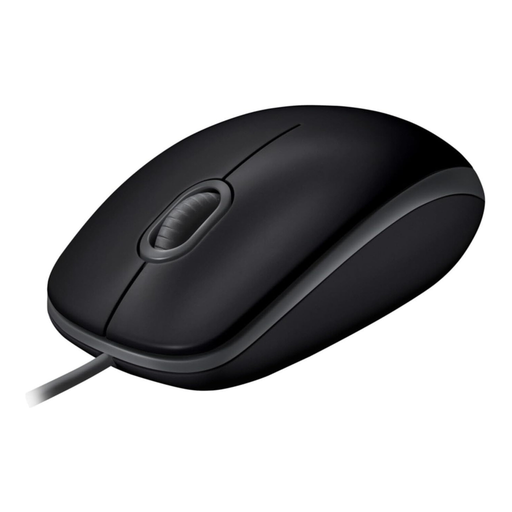
Why this product suits this profile: This computer mouse is designed for quiet office work, home working and everyday navigation on a PC or laptop.
The noise-reduction specification refers to the click buttons. The scroll wheel should therefore be taken into account before buying for particularly noise-sensitive workplaces.
Optical sensor, symmetrical design, USB plug-and-play and compatibility with Windows, macOS and Linux, according to the product description.
We have put together a complete, regularly updated list of products that fully meet these strict selection criteria and the safety regulations applicable in the EU.
Yes, provided that your laptop has a suitable USB port. Most models connect directly and do not require a battery for basic functions. Devices with USB-C ports only may require a suitable adapter.
Its lifespan depends on the switches, cable, usage and care. Some manufacturers specify a click lifespan, such as up to five million or ten million clicks. This is a technical guideline, not a guarantee of a particular service life. Avoid bending the cable and keep liquids away from the device.
A USB mouse draws power from the computer and does not have a separate battery. Its energy consumption during normal use is low. Models with RGB lighting may use more energy than a basic office mouse; if you want to keep power consumption as low as possible, choose a model without lighting.