
Lieferung heute & morgen

Qualitätsgarantie

Willkommens-Angebote freischalten: KOSTENLOSE Lieferung | Bis zu 80 % RABATT | Kostenlose 30-Tage-JoyPlus-Testphase
App herunterladen
A wireless Bluetooth mouse can help keep your workspace tidy and leave USB ports free when you are on the move. However, not every model is suited to every use case. Differences in connectivity, design, power supply and buttons often only become apparent after purchase.
Typical buying mistakes arise from three points:
A Bluetooth-only mouse connects directly to compatible laptops, tablets or smartphones. This saves you from needing a USB receiver. Check the following before buying:
A mouse with a USB receiver generally uses a 2.4 GHz wireless connection. It is suitable for PCs without Bluetooth and is often detected through plug and play. However, it requires a USB-A or USB-C port. Bluetooth may be more convenient if your laptop has only a few ports.
Dual-mode models combine Bluetooth and 2.4 GHz. Depending on the model, a multi-device mouse can switch between two, three or up to four devices. This function is particularly useful for home-office users with a work laptop and a personal PC.
DPI describes the sensitivity of the sensor. A higher setting moves the pointer further with the same hand movement. Moderate values are often sufficient for word processing and web browsing. More precise adjustment can be useful with large monitors, image editing or certain games.
Look out for:
A high DPI figure alone does not guarantee more comfortable operation. What matters is whether the setting feels controlled in everyday use.
For longer work sessions, the length, width, height and weight should suit your hand. Right-handed users do not necessarily need a heavily contoured mouse; a symmetrical design may be more suitable for alternating use or left-handed users.
A quiet mouse reduces clicking noise in libraries, open-plan offices or when working late. However, “quiet” does not always apply to the scroll wheel or side buttons. The manufacturer’s description should therefore be as specific as possible.
There are two options when it comes to power:
Also check whether the stated battery life applies to Bluetooth or 2.4 GHz. For example, the RAPOO MT760L lists 150 hours in Bluetooth mode and 160 hours in 2.4 GHz mode in its detailed specifications, while the product description additionally states “up to 90 days”. Figures like these should be treated as guidelines rather than guaranteed usage times.
The following models meet different requirements – from a compact mouse for your laptop to a programmable solution for multiple devices.
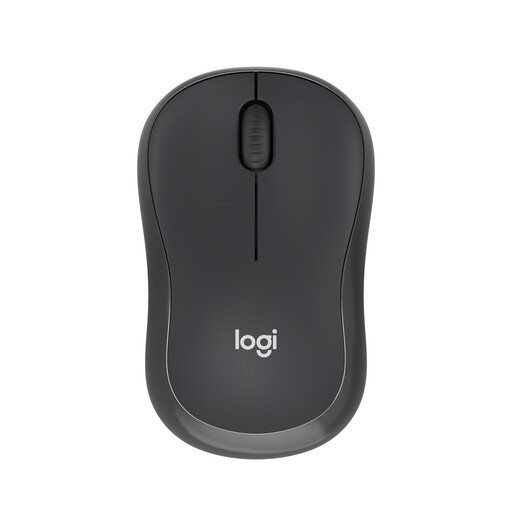
Why this product suits the profile: This compact Bluetooth mouse does not require a USB dongle and is suitable for laptops, tablets or smartphones. Powered by one AA battery and featuring an automatic sleep mode, it is designed for straightforward use.
It connects directly via Bluetooth. This eliminates the need to find a suitable receiver and leaves a USB port free.
According to the product details, up to 18 months of battery life, ambidextrous design and click noise reduced by up to 90%.
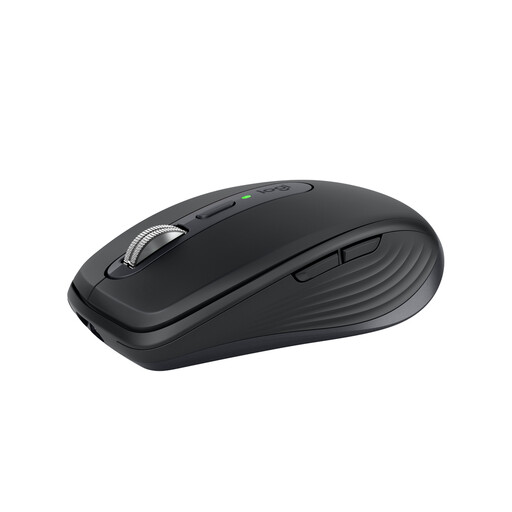
Why this product suits the profile: This mouse is aimed at users who move between the office, home office and working on the go, while wanting to combine the sensor, scroll wheel and support for multiple devices in one model.
The specifications mention Bluetooth, an optional Logi-Bolt receiver, up to three devices and a USB-C battery. This means you can check the desired connection type carefully before buying.
8000 DPI Darkfield sensor, MagSpeed scroll wheel, six programmable buttons and, according to the product details, up to 70 days of battery life.
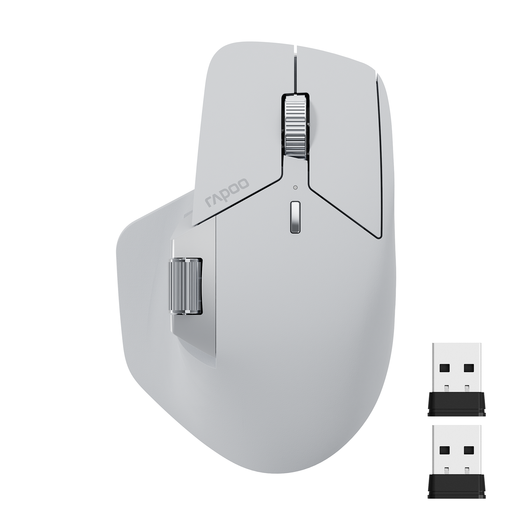
Why this product suits the profile: If you use plenty of shortcuts or want to control up to four devices, this feature-packed solution works with PCs, laptops, tablets and smartphones.
Both Bluetooth 5.0 and 2.4 GHz are available. You can also choose from seven DPI levels between 800 and 4000; the driver requirement for M+ should be taken into account beforehand.
11 programmable buttons, a side scroll wheel, USB-C charging and support for up to four devices according to the product description.
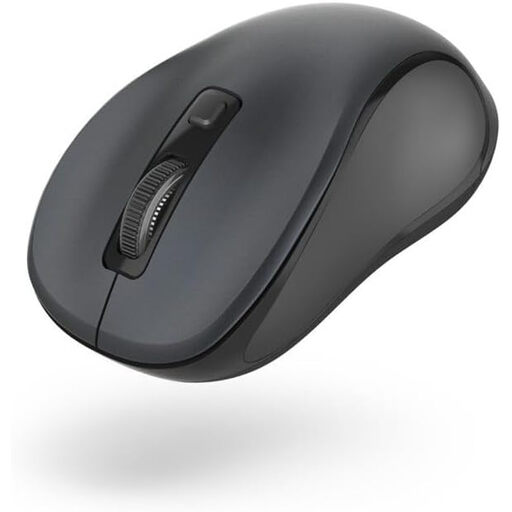
Why this product suits the profile: Its symmetrical, compact design is suitable for left- and right-handed users, as well as notebook workspaces where space is limited.
The three DPI levels – 800, 1200 and 1600 – are clearly specified. The Bluetooth range is also stated as up to 10 metres, while use on reflective surfaces is described as a possible limitation.
Whisper-quiet buttons, Bluetooth 5.0, a weight of 64 grams and, according to the product details, up to three months of use with one AA battery.
We have put together a complete, regularly updated list of products that fully meet these strict selection criteria and the safety regulations applicable in the EU.
Before ordering a mouse for a laptop or mouse for a PC, check the following points:
Activate Bluetooth in the system settings, switch on the mouse and start pairing mode. Then select the product name shown. With a mouse featuring a USB receiver, insert the dongle into a suitable port; the connection is often established automatically.
The product’s lifespan depends on its switches, rechargeable battery or disposable battery, usage and care. Depending on the model, a mouse with long battery life can last for several weeks or months per charge. Battery-powered models often quote periods ranging from several months to several years. Manufacturer figures are guidelines and may vary in everyday use.
With a rechargeable mouse, the main costs are charging cycles and a small amount of electricity. A battery-powered model regularly requires AA or AAA batteries. If you work every day, you should therefore consider not only the purchase price, but also the power supply, replacement batteries and the ports available on your device.