
Lieferung heute & morgen

Qualitätsgarantie
App herunterladen
Kategorien
The efficiency of communication in a professional setting depends heavily on the technology used. A wireless business headset is a key tool, especially in hybrid work models and home offices. The selection of a suitable model should be based on objective technical criteria to ensure clear voice transmission, undisturbed concentration, and long-wearing comfort. This article analyses the crucial features and presents a selection of models for professional use.
The decision to purchase a home office headset should be based on an analysis of its technical specifications. The following parameters are critical for performance and practical usability.
The primary function of a business headset is the clear transmission of your voice. Modern devices use multiple microphones combined with noise-cancelling algorithms (Noise Cancelling).
A noise-cancelling headset for the office not only aids communication but also enhances concentration. ANC reduces monotonous ambient sounds such as air conditioning, fans, or the chatter in open-plan offices.
A wireless PC headset must ensure a stable and flexible connection.
For multi-hour use, wearing comfort is a decisive factor.
The battery life determines how long the headset can be used without recharging. Relevant metrics are talk time and listening time. A fast-charging feature can quickly restore usability when you're short on time.
Based on the technical criteria mentioned, we have compiled a selection of models suitable for various professional requirements.
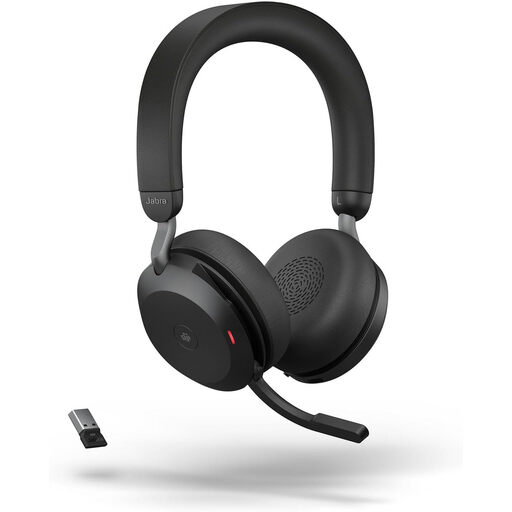
Why we recommend it The Jabra Evolve2 75 is designed for demanding professional environments. The combination of advanced ANC and an 8-microphone technology ensures precise noise shielding and exceptionally clear voice transmission. The discreetly retractable boom arm and integrated busylight are practical features for the daily office routine.
Pros
Best for Professionals in noisy office environments or home offices who demand the highest standards for call quality and concentration, and require a feature-rich headset for video conferencing.
View Product: Jabra Evolve2 75
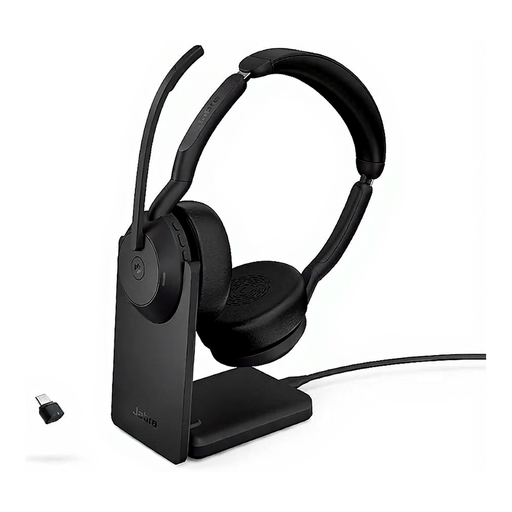
Why we recommend it The Jabra Evolve2 55 focuses on superior comfort for all-day use. Weighing only 130 grams and featuring "Air Comfort" technology, it is a very lightweight option that still offers professional features like ANC and a noise-cancelling microphone.
Pros
Best for Users looking for an exceptionally lightweight and comfortable Bluetooth headset with a microphone for continuous use, without compromising on essential business features like ANC and MS Teams certification.
View Product: Jabra Evolve2 55
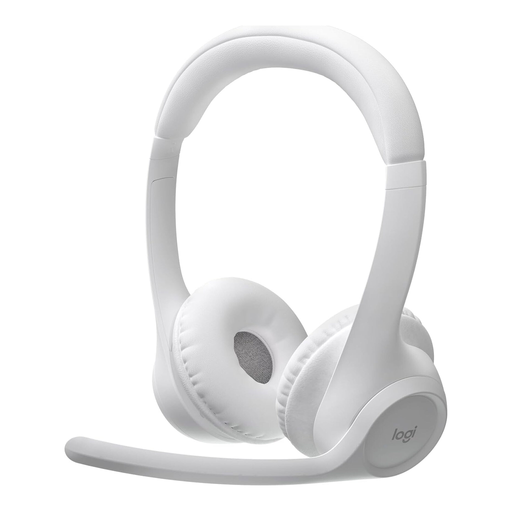
Why we recommend it The Logitech Zone 300 offers a solid set of essential features for the workday at a great value. At 122 grams, it is extremely lightweight. The dual beamforming microphone ensures reliable background noise reduction. Its long battery life and customisation options via the Logi Tune app make it a practical tool.
Pros
Best for Users who need a very lightweight, reliable, and straightforward headset for daily calls and meetings, and who value long battery life.
View Product: Logitech Zone 300
The market offers a wide variety of models tailored to specific needs. If you wish to compare more alternatives with different specifications, you can find a broader selection in our main category.
Discover more noise-cancelling headsets with microphones.
1. What is the difference between ANC and a noise-cancelling microphone? ANC (Active Noise Cancellation) reduces the ambient sounds that the headset wearer hears. This is for concentration and undisturbed listening. A noise-cancelling microphone, on the other hand, filters out background noise from the speaker's environment, so the person on the other end of the line hears only the voice and not the surrounding sounds.
2. Do I need an MS Teams certified headset? An MS Teams headset is not strictly necessary, as most Bluetooth headsets will work with the software. However, certification guarantees seamless integration and full functionality, such as using a dedicated button on the headset to answer calls or mute directly within Teams. This can simplify your workflow.
3. How important is a USB dongle for a wireless PC headset? A USB dongle is recommended if the headset is primarily used with a PC or laptop. It establishes a dedicated, pre-paired connection that is often more stable and offers a greater range than the built-in Bluetooth function of many computers. This minimises connection issues and ensures consistently high audio quality during important calls.