
Lieferung heute & morgen

Qualitätsgarantie

Willkommens-Angebote freischalten: KOSTENLOSE Lieferung | Bis zu 80 % RABATT | Kostenlose 30-Tage-JoyPlus-Testphase
App herunterladen
Choosing an indoor WiFi security camera can significantly enhance the peace of mind in your own home. Whether you want to check if everything is okay at home, keep an eye on your pet, or are looking for a flexible solution as a baby monitor with a camera and app – the market offers numerous options.
This article serves as a guide. It highlights the key features you should look for when making your selection and presents a range of models to help you make an informed decision.
To find the right camera for your home security, it's helpful to understand a few technical aspects.
High resolution is crucial for recognising details clearly. Models with 2K resolution offer a significantly sharper image than conventional 1080p cameras. Equally important is an indoor camera with night vision. There are two common technologies here:
A fixed camera only covers a limited area. In contrast, a 360-degree indoor camera with pan and tilt functionality provides a complete overview of a room, all controllable via an app. Modern cameras also use artificial intelligence (AI) to analyse movement. They can distinguish between people, pets, or vehicles and send targeted notifications. This reduces false alarms that could be triggered by shadows or passing insects, making the camera an effective pet camera or surveillance solution.
For a security camera with recording, there are generally two storage methods:
Also, pay attention to WiFi connectivity. Cameras that support both 2.4 GHz and 5 GHz WiFi (dual-band) offer a more flexible and potentially more stable connection.
Based on the criteria mentioned, we have compiled a selection of cameras that cover different needs.
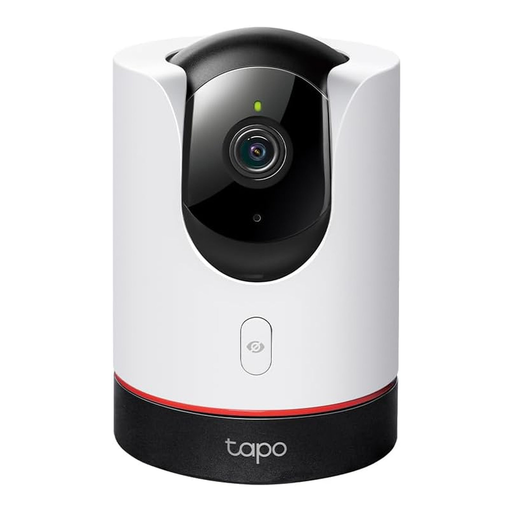
Why It Stands Out The Tapo C225 is distinguished by its physical privacy cover. With a command from the app, a shield moves in front of the lens, completely cutting off video and audio recording. Compatibility with Apple HomeKit, Alexa, and Google Assistant allows for seamless integration into existing smart home systems.
Pros
Who Is It For? For users who want high image quality, comprehensive smart home integration, and a reliable feature to protect their privacy. It is especially suitable for use as an advanced baby monitor or for general home surveillance.

Why It Stands Out This model is specifically designed for monitoring through a window pane. Special anti-reflection technology reduces glare from sunlight or indoor lighting that would render the image useless on conventional cameras. Installation is drill-free, directly on the glass.
Pros
Who Is It For? For renters or homeowners who want to monitor an outdoor area (e.g., driveway, front garden) from inside through a window, without being able or allowed to install an outdoor camera.
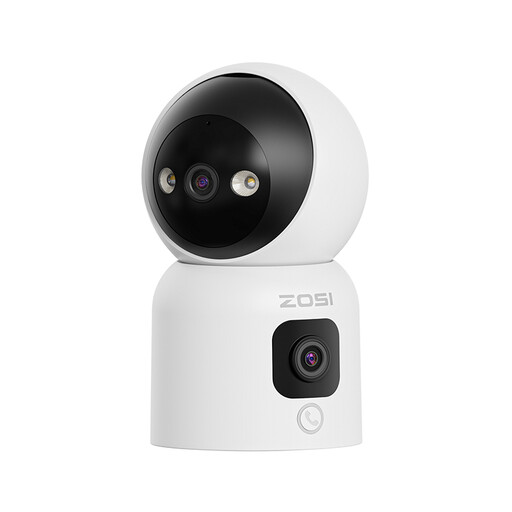
Why It Stands Out The ZOSI C528D4 combines two lenses in one device: a pan-and-tilt lens for a detailed view and a fixed lens for a permanent panoramic overview. A special feature is the call function, which can be activated by a button or gesture to establish a direct video connection to your smartphone.
Pros
Who Is It For? For families who want an easy way to communicate with children or elderly relatives. The dual view is practical for keeping an eye on an entire room while simultaneously tracking details.
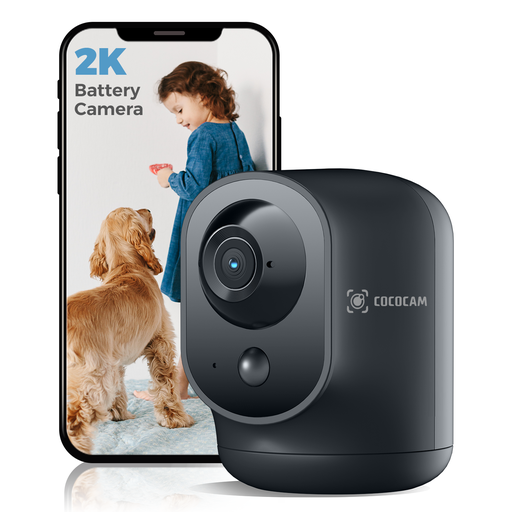
Why It Stands Out Unlike most indoor cameras, this model is powered by an integrated 5200 mAh battery. This allows for completely wireless placement without needing to be near a power outlet. Despite being battery-operated, it offers pan and tilt functionality.
Pros
Who Is It For? For users who need to place a camera in locations without direct power access or are looking for a temporary surveillance solution that can be easily repositioned.
If the models presented here don't exactly meet your requirements, you might find the right solution in our broader selection. Discover more models with different features and price points to find the ideal camera for your home.
Discover our full range of indoor WiFi cameras
With local storage, videos are saved on a microSD card inside the camera. You have full control over your data, and there are no ongoing costs apart from purchasing the card. With cloud storage, recordings are stored on the manufacturer's external servers. This protects against data loss if the camera is stolen and allows for remote access, but it usually involves monthly or annual fees.
No, most modern indoor WiFi cameras are designed for easy, DIY installation (plug-and-play). You just need a power outlet for electricity and a stable WiFi connection. Setup is typically completed in a few minutes via the manufacturer's smartphone app.
The two-way audio feature uses the camera's built-in microphone and speaker. Through the companion app on your smartphone, you can hear what's happening in the room and speak directly through the camera. This is useful for communicating with family members, calming a pet, or addressing an unwanted visitor.