
Lieferung heute & morgen

Qualitätsgarantie

Willkommens-Angebote freischalten: KOSTENLOSE Lieferung | Bis zu 80 % RABATT | Kostenlose 30-Tage-JoyPlus-Testphase
App herunterladen
The benefits of Apple CarPlay and Android Auto are undeniable: navigation, music, and communication are seamlessly displayed on your vehicle's infotainment screen. However, plugging in your smartphone with a cable every day can be cumbersome, leads to cable clutter, and puts wear and tear on the device's charging port. A wireless CarPlay adapter promises a solution. It converts an existing wired system into a wireless connection.
However, the market is crowded and full of products that overpromise and underdeliver. Before you make a decision, it's crucial to know the most common pitfalls to avoid a bad investment.
Many drivers invest in an adapter only to find that it creates more problems than convenience in daily use. Pay special attention to these three points:
To avoid the problems mentioned above, you should check three core technical parameters before buying. These are the primary determinants of an adapter's performance and reliability.
Data transfer for wireless CarPlay primarily occurs over Wi-Fi. The frequency used is critical here.
An adapter is only useful if it works in harmony with your existing technology.
The ability to update the device's software is not a luxury, but a necessity. FOTA (Firmware-Over-the-Air) means the manufacturer provides updates wirelessly, which you can easily install on the adapter via your smartphone. This ensures compatibility with future operating system versions, fixes bugs, and can even add new features. An adapter without FOTA support has a limited lifespan.
Based on the criteria mentioned, we have compiled products for different user groups.

Why This Fits Their Persona: Ideal for drivers looking for a straightforward plug-and-play solution to use both Apple CarPlay and Android Auto wirelessly. The focus is on a stable, automatic connection for daily use.
The adapter uses 5.8 GHz Wi-Fi to minimize latency and connection drops. The FOTA update feature ensures compatibility with future software, thus avoiding the outdated technology trap.
As a 2-in-1 CarPlay Android Auto adapter, it supports both systems. Its broad vehicle compatibility (for 98% of vehicles with a factory-wired system, according to the manufacturer) makes it a versatile choice.
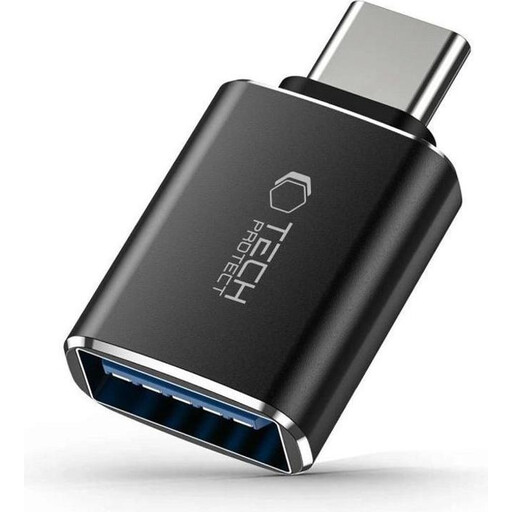
Why This Fits Their Persona: For users whose vehicle has a USB-A port but who want to connect a modern USB-C dongle or other USB-C devices. A small but crucial component for ensuring compatibility.
This adapter prevents the classic compatibility mistake. Instead of having to return an incompatible wireless adapter, it ensures the physical connection is secure from the start.
Its compact design and OTG (On-The-Go) functionality allow you to connect not only CarPlay dongles but also USB drives or other peripherals directly to the infotainment system.
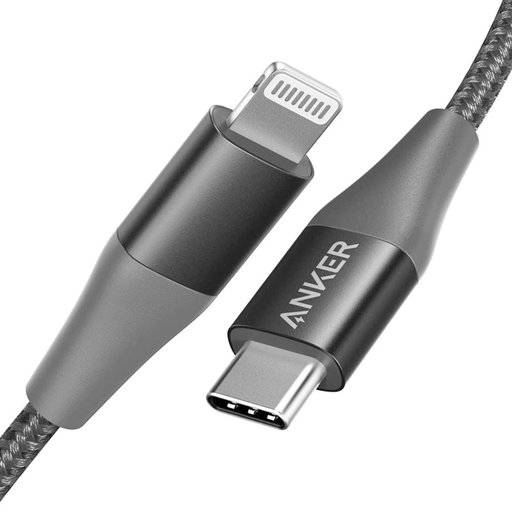
Why This Fits Their Persona: For iPhone users who prefer to stick with a wired solution for now but value maximum reliability and durability, and are tired of the hassle of flimsy standard cables.
This cable bypasses the trap of cheap, uncertified cables that can cause charging errors or damage the device. Its MFi certification from Apple ensures a safe and stable connection.
The double-braided nylon exterior and reinforced connector ends are designed for high durability. According to the manufacturer, it has been lab-tested for a high bend tolerance.
We have compiled a complete, up-to-date list of products that fully meet these strict selection criteria and UK safety regulations.
Setup is usually straightforward. First, plug the adapter into your vehicle's USB port that is designated for wired CarPlay. Then, enable Bluetooth and Wi-Fi on your smartphone and pair it with the adapter. Follow the on-screen instructions. For future drives, the smartphone should connect automatically as soon as you start the car.
Yes, using wireless CarPlay consumes your smartphone's battery because Wi-Fi and Bluetooth are constantly active and transferring data. The drain is comparable to intensive use of the phone for navigation and music streaming. It is therefore recommended to charge the smartphone during longer drives via a separate power source (e.g., a 12V charging adapter or a charging pad).
Many modern Wired to Wireless CarPlay adapters come with a USB-C plug. If your vehicle only has a USB-A port, you will need a suitable adapter plug (USB-A male to USB-C female), like the Tech-Protect model featured above. Be sure to use a high-quality adapter to ensure stable data transmission.