
Lieferung heute & morgen

Qualitätsgarantie

Willkommens-Angebote freischalten: KOSTENLOSE Lieferung | Bis zu 80 % RABATT | Kostenlose 30-Tage-JoyPlus-Testphase
App herunterladen
The integration of smartphones into vehicles via Apple CarPlay and Android Auto has transformed how we navigate, communicate, and listen to music. However, the reliance on a cable that must be connected for every drive disrupts the otherwise seamless experience and creates clutter in the car's interior. A wireless CarPlay and Android Auto adapter promises to solve this.
However, the market is flooded with products making lofty promises. Before you make a purchase, it's crucial to understand the common pitfalls that can lead to frustration and unnecessary expense.
Common Pitfalls When Buying a Wireless Adapter:
To avoid these problems, you should pay attention to a few core technical specifications. These define the performance and longevity of your adapter.
The quality of the wireless connection is the most important criterion. A good adapter must support 5 GHz Wi-Fi (or 5.8 GHz). This frequency offers higher bandwidth and is less susceptible to interference than the crowded 2.4 GHz band. The result is a smooth transmission of map data and music without lag. A modern Bluetooth standard (e.g., 5.0 or higher) also ensures a fast and energy-efficient initial pairing with your smartphone.
Carefully check the requirements before buying. Your vehicle must typically be manufactured after 2016 and have factory-installed, wired CarPlay or Android Auto. Also, pay attention to the supported operating system versions for your smartphone (e.g., iOS 10+ or Android 11+). A 2-in-1 CarPlay and Android Auto adapter offers the greatest flexibility if you or other drivers in your household use different devices. This makes it just as easy to connect an iPhone to the car wirelessly as it is with an Android device.
The best technology is the kind you don't notice. A high-quality plug-and-play car adapter requires only a simple, one-time setup. Afterward, it connects automatically as soon as you start the vehicle. The aforementioned FOTA (Firmware-Over-the-Air) feature is essential for providing the adapter with bug fixes and compatibility improvements over time.
Based on these objective criteria, we have identified some products that are suitable for specific user profiles.

Why This Fits Their Persona: Ideal for drivers or households that use both iPhones and Android devices. This adapter provides a single, straightforward solution for both systems, making it effortless to switch between devices.
It uses 5.8 GHz Wi-Fi for a stable connection and supports FOTA updates. This directly addresses the pitfalls of instability and technical obsolescence.
True 2-in-1 functionality for CarPlay and Android Auto in a compact form factor. The setup is straightforward, and the connection is automatic after the initial pairing.
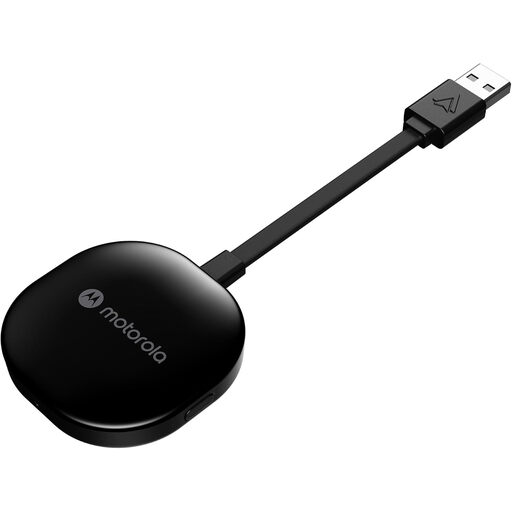
Why This Fits Their Persona: A focused solution for users who exclusively use Android smartphones. This adapter is specifically optimised for Android Auto, offering an exceptionally stable and responsive experience.
By using 5 GHz Wi-Fi, it ensures fast and reliable data transfer, avoiding the pitfall of unstable connections. Its clear focus on Android Auto minimises compatibility issues.
Extremely simple plug-and-play setup. As a dedicated Android Auto dongle, its software is optimised for a single task, leading to high reliability in daily use.
If your vehicle has different ports or you're looking for other connectivity solutions, we've compiled a list of suitable products that meet these selection criteria.
1. What is the lifespan of a wireless CarPlay adapter? The physical durability of an adapter is typically very high. However, its functional lifespan depends on the manufacturer's ability to provide firmware updates (FOTA). An adapter with regular updates can function reliably for several years, as it will be adapted to new OS versions from iOS and Android.
2. Does a wireless adapter use more of my smartphone's battery? Yes. The simultaneous use of Wi-Fi and Bluetooth for the connection, as well as GPS for navigation, consumes more power than a wired connection that also charges the smartphone. For longer trips, it is advisable to have a separate charging option in the vehicle, such as a 12V USB charging adapter.
3. Is setting up a wireless Android Auto dongle complicated? No, for most quality models, it is a simple plug-and-play process. You plug the adapter into the vehicle's USB port designated for Android Auto, pair your smartphone once via Bluetooth, and follow the on-screen instructions. For all future drives, the connection should be established automatically.