
Lieferung heute & morgen

Qualitätsgarantie

Willkommens-Angebote freischalten: KOSTENLOSE Lieferung | Bis zu 80 % RABATT | Kostenlose 30-Tage-JoyPlus-Testphase
App herunterladen
A tidy, cable-free desk is the foundation for focused and efficient work. A wireless keyboard and mouse set is an obvious solution for this. However, the market is filled with products whose marketing promises often obscure more than they reveal. False assumptions about battery life, connection types, or ergonomics can quickly lead to a bad purchase.
This guide will help you identify the crucial features and avoid common pitfalls. This way, you'll find a wireless keyboard-mouse combination that is precisely tailored to your needs in the office or as a home office set.
Many product descriptions highlight features that actually hide disadvantages. Pay close attention to these three points to make an informed decision:
To choose the right wireless PC keyboard and mouse set, you should carefully examine three technical aspects. These significantly determine daily usability and reliability.
The choice of connection technology directly impacts the flexibility and setup of your workspace.
Some models offer both technologies, allowing for maximum flexibility.
The type of power supply is a fundamental choice between convenience and recurring costs.
The typing feel and volume are crucial for comfort, especially in office environments or at home.
Instead of making a one-size-fits-all recommendation, we have identified sets that meet specific requirements and avoid the pitfalls mentioned.

Why this set is a great fit: Ideal for users who seamlessly switch between multiple devices (PC, laptop, tablet) and want to optimize their workflow with customizable actions. The combination of stable connectivity and premium features supports maximum productivity.
Solves the problem of unstable or limited connections with dual connectivity (Bluetooth & Logi Bolt) for up to three devices. The USB-C rechargeable battery eliminates the need to buy disposable batteries.
Spherically-dished keys for precise typing; mouse with an 8000 DPI sensor that tracks even on glass; customizable keys and Smart Actions via software.

Why this set is a great fit: Perfect for users who value a quiet, comfortable, and durable work tool. The robust construction and reliable wireless connection make it a solid partner for daily office use.
Fulfills the desire for a quiet workspace with CHERRY SX scissor technology. The rechargeable NiMH batteries with USB-C charging function make constant battery changes obsolete.
Very quiet and precise typing feel; high stability due to an integrated metal plate and non-slip feet; mouse with silent clicks and adjustable DPI.
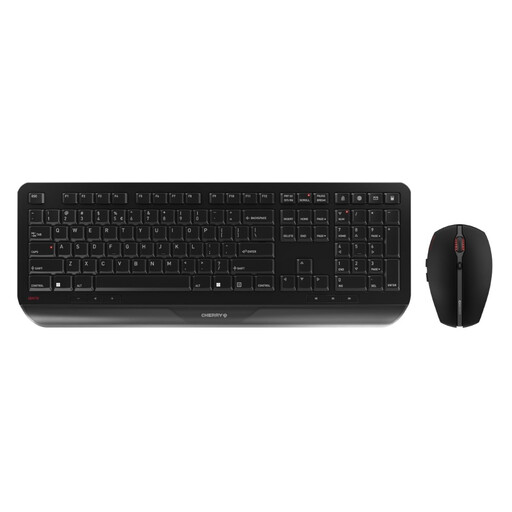
Why this set is a great fit: For users whose priority is comfort during long typing sessions. The integrated palm rest provides noticeable relief and helps prevent fatigue.
Counters the vague promise of "ergonomics" with a concrete, fully integrated component: the palm rest. The very long battery life of up to three years minimizes maintenance effort.
Fully integrated palm rest for high comfort; abrasion-resistant key lettering for durability; symmetrical mouse suitable for both left- and right-handed users.
We have compiled a complete, up-to-date list of products that meet these strict selection criteria and quality standards.
The connection method depends on the technology. For a 2.4 GHz radio set, you plug the included USB receiver into a free USB-A port on your computer. The devices usually connect automatically. For a Bluetooth set, you activate pairing mode on the keyboard and mouse (usually by long-pressing a button) and select the devices in the Bluetooth settings of your PC, laptop, or tablet.
Neither technology is universally better; it depends on the use case. 2.4 GHz radio often provides a more stable connection with lower latency and is ideal for a fixed workstation with a single computer. Bluetooth is more flexible as it doesn't occupy USB ports and allows for easy switching between multiple devices (e.g., PC and tablet), making it a great choice for a versatile home office set.
Battery life varies depending on the model, frequency of use, and features like key backlighting. Many modern, rechargeable sets offer a runtime of several weeks to a few months per charge. A key advantage is that most models can be used normally via a USB cable while charging, so no work interruption is necessary. This represents a significant convenience improvement over changing disposable batteries.