What should you look for when buying?
This guide is for people planning local arena battles with players sitting to the side of the screen.
| What matters when buying |
What to check |
Who is it important to? |
| Freedom of movement in your seat |
Check the connection type and wireless reception from the seat you plan to use. If you’re using a cable, consider its length and route it safely. |
If I’m sitting to the side, I want to play without a cable running across the seating area, so I need to check the connection from that exact spot. Around 31% of consumers put freedom of movement in their seat first. |
| Compatibility with the game and platform |
Check the exact model, console or operating system, game support and connection mode. |
If I switch platforms, I want to be sure the controller, connection mode and game all work together. Around 31% of consumers prioritise compatibility with their platform and game. |
| Controllers you can use at the same time |
Check the player limit in the game itself, as well as system limits and the audio connections in use. |
For a session with several people, I need to know how many controllers the console and game actually allow me to use at once. Around 25% of consumers focus primarily on the number of players they can accommodate. |
| Power and ongoing requirements |
Check what’s included, whether it uses batteries or a rechargeable battery, how it charges and whether the exact model needs a receiver. |
Before a longer session, I want to know if I’ll need to charge it, have batteries ready or connect a receiver. Around 13% of consumers focus on power and ongoing requirements. |
Controllers at Joybuy
This selection includes wireless controllers for Xbox and PC, PS5, Nintendo Switch and Switch 2. The BEITONG KP70 also lists additional platforms. Check each model’s compatibility with your device and game.
 No image available
Microsoft Xbox Series X/S Wireless Controller, Deep Pink
For Xbox or PC sessions when you’d rather not run a controller cable to your seat on the side. Check the connection from the spot you plan to use.
The listed platforms are Xbox One, Xbox Series X/S and PC. The product specifications also list Bluetooth and a 3.5 mm headset socket.
View at Joybuy
 No image available
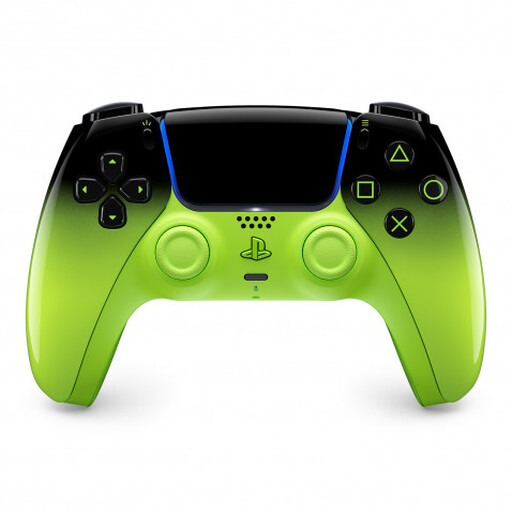
PlayStation DualSense Wireless Controller V3, Remix Green
For local PS5 sessions without a controller cable running to your seat. Sony says you can use up to four controllers at once with PS5, but the game itself must also support the number of players you want.
The product specifications also list Mac, Android, iOS and PC. Some DualSense features on other devices depend on the game and, in some cases, the connection. Features listed include haptic feedback, adaptive triggers and USB-C charging.
View at Joybuy
 No image available
Nintendo Switch Pro Controller, Black
For Nintendo Switch sessions when you want to play from your seat without a controller cable.
The product specifications list a wireless connection, HD Rumble, motion controls, a built-in lithium-polymer battery and USB-C charging. Nintendo says the Switch Pro Controller lasts for around 40 hours on a full charge, although software and features can reduce battery life.
View at Joybuy
 No image available
BEITONG KP70 Elite Wireless Gaming Controller
For PC or Switch sessions without a controller cable. Check which connection works with your game and device.
The listed platforms are PC, Nintendo Switch, Switch 2, Steam and Android. The product specifications list six programmable buttons, haptic triggers and adjustable joystick damping.
View at Joybuy
 No image available
Nintendo Switch 2 Pro Controller
For local gaming sessions on Nintendo Switch 2. Nintendo specifies that this model is for Switch 2 only.
The product specifications list Bluetooth, assignable GL and GR buttons, HD Vibration 2 and a headphone socket.
View at Joybuy
Frequently asked questions
Is connecting four controllers enough for a local arena game on PS5?
Not necessarily. Sony allows up to four controllers to be used at once with PS5, but whether a particular game supports four local players depends on the game itself.
Why can’t I connect a third wireless controller to a Switch?
A connected Bluetooth audio device could be the reason: Nintendo Support Germany says you can then use a maximum of two wireless controllers. The type of controller, its features and the software can also affect the number you can connect.
How do I set up an additional DualSense on PS5?
Sony says to connect the powered-on PS5 to the controller using a USB cable first, then press the PS button. Once the battery is sufficiently charged, you can unplug the cable and use the controller wirelessly.
How should I plan for charging and batteries during a longer session?
Check what’s included with your exact model and charge rechargeable controllers in advance. Nintendo says the Switch Pro Controller lasts for around 40 hours on a full charge, but notes that battery life varies depending on the software and features used. Microsoft sells a rechargeable battery for the standard Xbox controller separately.
What happens if a controller develops a fault after purchase in Germany?
Your statutory rights against the seller are separate from any voluntary guarantee. In an article published on 28 September 2026, the Verbraucherzentrale explains that if a product is faulty, you can initially seek a remedy through repair or replacement, with the seller covering the associated costs.


