
Lieferung heute & morgen

Qualitätsgarantie

Willkommens-Angebote freischalten: KOSTENLOSE Lieferung | Bis zu 80 % RABATT | Kostenlose 30-Tage-JoyPlus-Testphase
App herunterladen
As a Joybuy Product Recommendation Officer, I analyse the market to provide you with objective, hands-on buying advice. My goal is to help you see through the marketing hype and make the right purchasing decision. When searching for an ultralight wireless gaming mouse, it's easy to fall for exaggerated advertising claims.
Many gamers invest in high-end equipment expecting to boost their performance, only to find the product they chose isn't the right fit. Before you make a decision, you should be aware of the three most common pitfalls that often lead to buyer's remorse.
To avoid a poor purchase, you should focus on the parameters that directly impact your in-game performance. Instead of being dazzled by marketing buzzwords, examine the following three core aspects.
For the fast, precise movements required in FPS games, a lightweight gaming mouse is crucial. Models around 53g to 65g are considered ultralight, enabling quick reactions without wrist fatigue. However, pay attention to how this weight is achieved. A mouse with a closed, solid shell generally offers greater durability and a better in-hand feel than one with a perforated honeycomb design. The mouse's balance is also important; well-distributed weight ensures controlled movements.
The sensor is the heart of any esports mouse. Instead of just looking at the maximum DPI, the flawlessness of the sensor is what's critical. A high-quality sensor delivers 1:1 tracking of your hand movements on the screen, without any unwanted acceleration, smoothing, or jitter. The Pixart 3395 sensor has established itself as an industry standard for high-end mice. It offers flawless tracking and high responsiveness, which are essential for competitive gaming. Combined with a stable, lag-free 2.4 GHz connection, a wireless gaming mouse today presents no disadvantages compared to wired models.
The best technology is ineffective if the mouse doesn't sit comfortably in your hand. A right-handed gaming mouse should have an asymmetrical shape that supports the natural posture of your hand. Consider your grip style:
Based on the criteria above, we have identified several models that are well-suited for different user profiles.
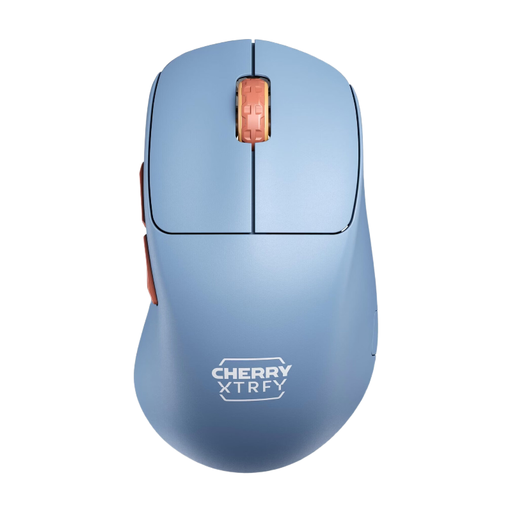
Why This Fits Their Persona: Specifically engineered for competitive players where every gram and millisecond counts. The unique, ultra-low front and a weight of just 53g allow for maximum control and speed during quick flicks.
Delivers an extremely low weight without the structural drawbacks of a honeycomb shell, focusing on a functional, innovative shape rather than exaggerated DPI specs.
Unique ergonomic shape with an ultra-low front for superior control; driverless configuration directly on the mouse; Pixart 3395 sensor.
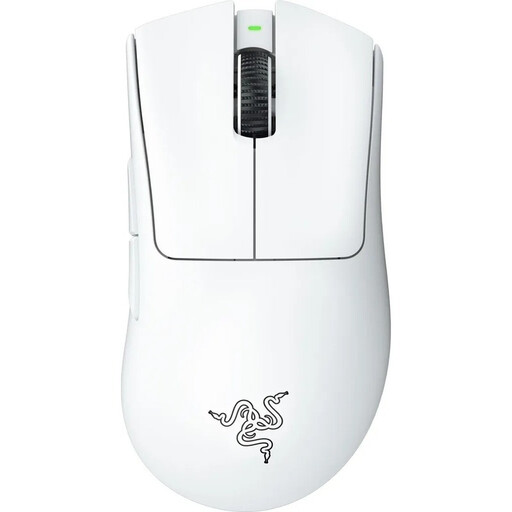
Why This Fits Their Persona: Perfect for gamers who want a proven, highly ergonomic shape combined with state-of-the-art wireless technology and a low weight. Ideal for long gaming sessions without fatigue, especially for palm and claw grip users.
The legendary DeathAdder shape is the result of years of ergonomic refinement, prioritising fit over spec-sheet bragging rights. The low weight of 64g is achieved within a stable, closed shell.
Proven ergonomic shape for right-handers; Razer Focus Pro 30K sensor for world-class precision; very low weight for a mouse of this size.
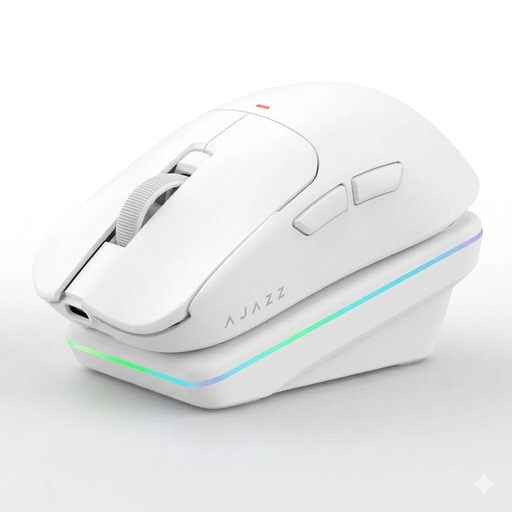
Why This Fits Their Persona: Offers an affordable entry into the world of lightweight, wireless gaming mice without compromising on core features like a solid sensor and low weight (63g).
Focuses on a balanced price-to-performance ratio. Instead of an overpriced sensor, it uses the proven PAW3311, which is more than sufficient for most competitive scenarios.
Tri-mode connectivity (2.4G, BT, Wired) and a convenient charging dock offer great flexibility; excellent weight for the price.
The wrong mouse can limit your performance. If ergonomics is your top priority, we've curated a comprehensive selection of models designed for comfort and healthy hand posture.
The polling rate, measured in Hertz (Hz), indicates how often the mouse reports its position to the computer. For a wireless gaming mouse, a rate of 1000 Hz is the established standard for competitive play. This corresponds to a 1-millisecond report time and ensures a virtually lag-free input. Higher rates like 2000 Hz or 4000 Hz are technically available, but the perceptible advantage is minimal for most users, while battery consumption increases.
Yes, worries about the battery dying mid-game are largely a thing of the past. Modern, efficient sensors and wireless technologies enable long battery life in gaming mice. Models like the Cherry XTRFY M64 offer up to 90 hours of playtime on a single charge, according to the manufacturer. This is more than enough for several days of intense use. Additionally, many mice can be charged and used simultaneously via a USB-C cable.
That depends on the model. Many mice, especially those geared towards esports, allow for driverless configuration. On the Cherry XTRFY M64, for example, all key settings like DPI, polling rate, and debounce time can be adjusted directly via switches and buttons on the underside of the mouse. This is a major advantage for tournament players who need to compete on different PCs without installing software. Other mice use optional software to enable advanced customisations like key bindings, macros, or lighting effects.