
Lieferung heute & morgen

Qualitätsgarantie

Willkommens-Angebote freischalten: KOSTENLOSE Lieferung | Bis zu 80 % RABATT | Kostenlose 30-Tage-JoyPlus-Testphase
App herunterladen
Creating a gaming setup requires a careful balance of performance, aesthetics, and functionality. Many gamers strive for a clean, cable-free desk but worry about the latency and reliability of wireless peripherals. However, modern wireless technologies have closed this gap, offering performance that is on par with their wired counterparts.
This article serves as a guide. It provides objective information on the technical features relevant to a high-performance wireless gaming setup and presents a selection of products tailored to the specific needs of gamers and tech-savvy users.
The decision to opt for a wireless gaming mouse and keyboard depends on several technical factors. The following points provide a basis for making an informed choice.
For competitive gaming, a stable, low-latency connection is crucial. The most common technology for esports accessories is a 2.4 GHz wireless connection via a dedicated USB dongle. This method typically offers lower latency and a more stable connection than Bluetooth, making it the preferred choice for fast-paced games. Models with tri-mode connectivity (2.4 GHz, Bluetooth, USB cable) offer additional flexibility for switching between a gaming PC, laptop, or other devices.
An ergonomic wireless gaming mouse is designed to accommodate different hand sizes and grip styles (palm, claw, fingertip). Weight is another critical factor. A lightweight gaming mouse, often under 60 grams, allows for faster and less fatiguing movements, which can be particularly advantageous in fast-paced FPS games. Pay attention to the shape (symmetrical or right-handed) and design of the mouse to ensure it suits your grip.
For a wireless mechanical gaming keyboard, the switches are the centerpiece. Linear switches like the CHERRY MX Speed offer a short actuation path and a smooth keystroke without tactile feedback, enabling quicker reactions. The form factor is also important. Compact layouts (e.g., 65% or 75%) save desk space for sweeping mouse movements. A low-profile QWERTY keyboard combines the benefits of mechanical switches with a slimmer profile for a more ergonomic wrist position.
Based on the criteria above, we have compiled a selection of wireless peripherals that stand out for their specific technical features.
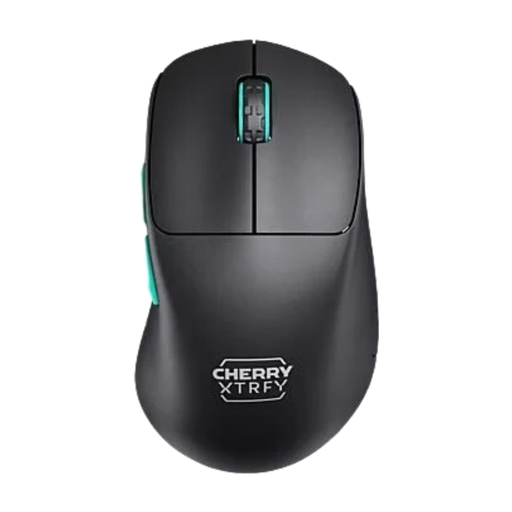
Why It Stands Out The CHERRY XTRFY M64 is engineered for maximum agility and control. Its ultra-light weight of just 53 grams and its ergonomic right-handed design with an exceptionally low front allow your fingers to sit closer to the mousepad. This can enhance precision during rapid movements.
Pros
Who It's For This model is aimed at right-handed, competitive gamers who need an extremely lightweight and ergonomic mouse for fast, precise actions.
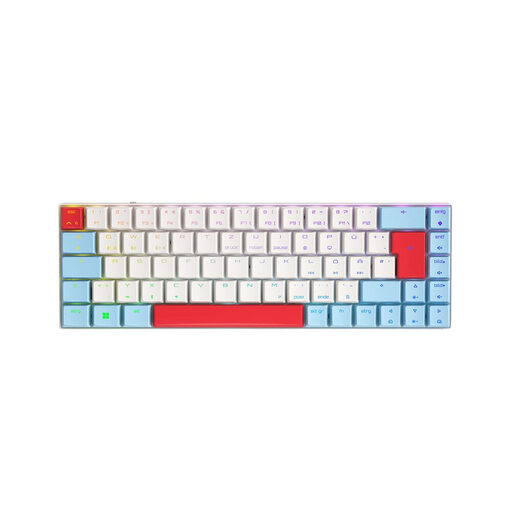
Why It Stands Out The CHERRY MX-LP 2.1 combines performance with flexibility in a compact form factor. The CHERRY MX Low Profile Speed Switches enable fast, linear key actuation. Its tri-mode connectivity makes it a versatile tool for both gaming and productivity.
Pros
Who It's For Ideal for users who want a minimalist yet powerful wireless gaming setup and need to seamlessly switch between multiple devices (PC, laptop, tablet).
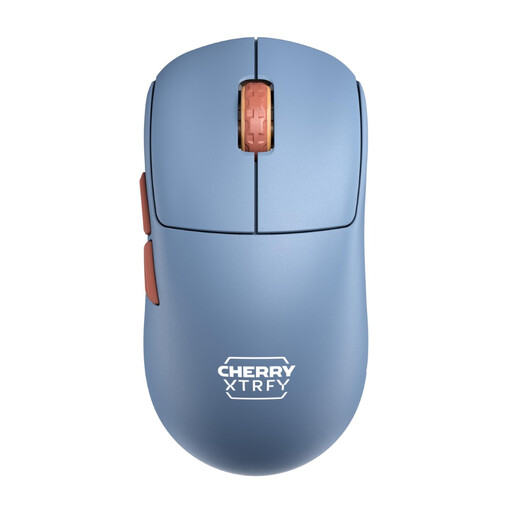
Why It Stands Out The CHERRY XTRFY M68 features a symmetrical shape suitable for a variety of grip styles. Like the M64 model, it weighs only 53 grams and has a low front for improved control. The solid, non-perforated shell ensures stability and a comfortable feel.
Pros
Who It's For This mouse is an excellent choice for gamers seeking a versatile, lightweight, and symmetrical ergonomic wireless mouse for their gaming setup.
A high-performance setup is more than just a mouse and keyboard. The right atmosphere also plays a role in the overall experience. If you want to complement your wireless gaming setup with matching lighting to create a cohesive aesthetic, you can find suitable options in our category.
Explore a selection of options in our category for red gaming lighting.
Yes. Modern wireless gaming mice and keyboards that use 2.4 GHz wireless technology offer latencies comparable to their wired counterparts. Many professional esports athletes now use wireless peripherals in tournaments.
It combines the precision, durability, and typing feel of mechanical switches with the freedom and clean aesthetic of a wireless setup. This results in a clutter-free desk and unrestricted movement without compromising on performance.
Weight affects agility and fatigue. A lightweight gaming mouse (typically under 70g) requires less force for quick flicks and glides, which can be advantageous in fast-paced games like FPS titles. However, preference is subjective and depends on personal playstyle.