
Lieferung heute & morgen

Qualitätsgarantie

Willkommens-Angebote freischalten: KOSTENLOSE Lieferung | Bis zu 80 % RABATT | Kostenlose 30-Tage-JoyPlus-Testphase
App herunterladen
A wireless gaming mouse gives you freedom of movement at your desk and, depending on the model, can be suitable for gaming, office work or use with multiple devices. However, the technical specifications can vary considerably. A high DPI figure alone does not automatically make a mouse more precise, and the stated battery life depends on the connection type, lighting and polling rate.
When buying a Wireless Gaming Mouse, you should therefore look beyond the maximum resolution or eye-catching product claims. What really matters is the combination of sensor, weight, shape, connection, button layout and how you actually plan to use the mouse.
A gaming mouse with high DPI can move the cursor a long way with only small movements. For many users, medium DPI settings are sufficient for everyday use and gaming. More important is whether the sensitivity can be adjusted sensibly and whether the sensor performs reliably at the speed you need.
A specification such as 26,000 or 35,000 DPI initially describes only the maximum resolution. On its own, it says nothing about whether the mouse suits you personally, how good the software is or which setting will work best.
A gaming mouse with 8000 Hz theoretically transmits its position data more frequently than a 1000 Hz model. This can be relevant for fast movements and certain E-Sports setups. At the same time, your computer must support this polling rate. Depending on the system and settings, power consumption may increase.
If you mainly use office applications or play strategy and casual games, you do not necessarily need 8000 Hz. For keen hobby gamers or E-Sports players, the option to choose between different polling rates may be more useful than having one maximum value.
“Up to” refers to a maximum figure achieved under specific conditions. A gaming mouse with long battery life may run for longer at a reduced polling rate or with the lighting switched off than when used continuously at 8000 Hz. You should also check whether USB-C charging, wired use while charging or a replaceable battery is supported.
For gaming and office work, an optical sensor, several storable DPI settings and easily accessible switching are practical features. A resolution of 8,000 DPI is sufficient for many applications; models offering 26,000, 35,000 or 44,000 DPI are aimed more at users who want extensive adjustment options.
Also pay attention to the available software. With a gaming mouse with programmable buttons, the button assignments, profiles and DPI values should be easy to configure and understand. On some models, you can change the settings directly on the mouse, which can be useful when switching between PCs.
A lightweight gaming mouse weighing around 53 to 61 g can make fast changes of direction easier. Heavier models, on the other hand, may feel more stable and offer additional controls. The right shape depends on your hand size and grip style.
An ergonomic gaming mouse is usually designed for a specific hand. Left-handed users should specifically look for a left-handed or ambidextrous design. An ambidextrous gaming mouse with interchangeable side buttons can be more practical for multiple users or different grip styles.
A 2.4 GHz wireless mouse normally uses a USB receiver and is designed for low latency when gaming. Bluetooth avoids the need for a receiver and is suitable for compatible laptops, tablets and work devices. A combination of 2.4 GHz wireless, Bluetooth and a USB cable offers the greatest flexibility, provided that all modes are supported by the relevant operating system.
Before buying, check the information on Windows, macOS, USB ports and any configuration software required. Not all gaming software offers the same range of features on macOS or Linux.
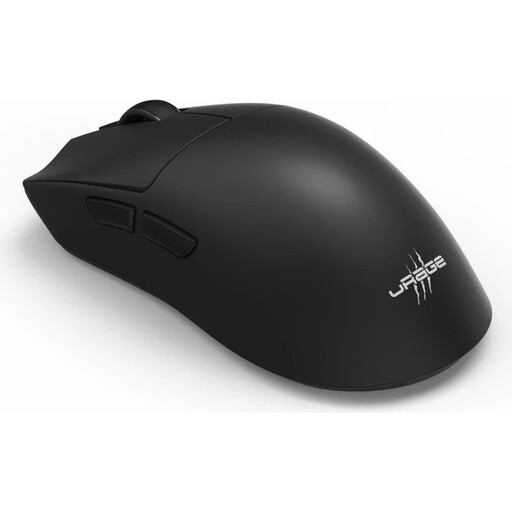
Why this product suits the profile: This model combines 2.4 GHz wireless, Bluetooth 5.3 and USB-C with a weight of 57 g, 26,000 DPI and six programmable buttons.
Battery life of up to 72 hours is complemented by several connection options and USB-C charging; the conditions of use should still be taken into account.
8,000 Hz polling rate, six programmable buttons, plus a grip tape and mouse skates kit included.
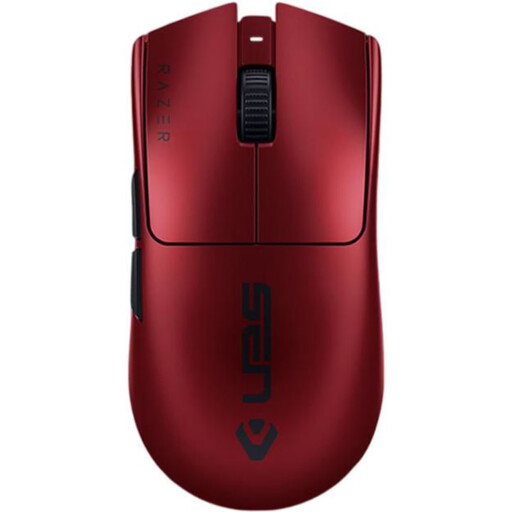
Why this product suits the profile: This right-handed mouse weighs 54 g and features an optical sensor offering up to 35,000 DPI, 8,000 Hz and six programmable buttons.
The maximum technical specifications are complemented by RF wireless connectivity and USB-C cable operation. Your system should support 8,000 Hz for this feature to work.
54 g weight, up to 95 hours of battery life according to the manufacturer and compatibility with Windows/macOS.
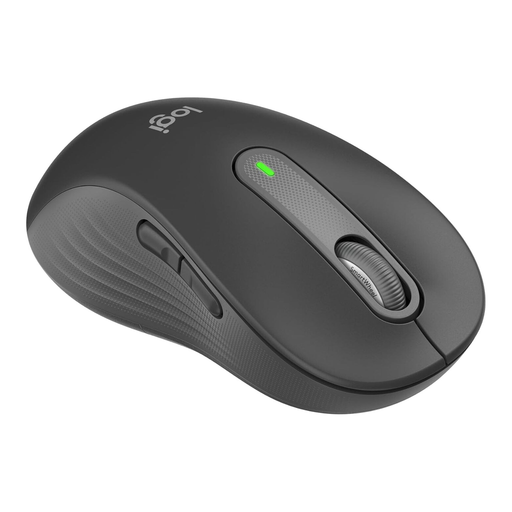
Why this product suits the profile: This version is designed for larger left hands and supports Bluetooth Low Energy and Logi Bolt for Windows, macOS, Linux, ChromeOS, iPadOS and Android.
The shape is specifically designed for the left hand. SilentTouch clicks and an AA battery lasting up to 24 months make it suitable for quiet workplaces.
Large left-handed shape, two customisable side buttons, SmartWheel and multi-device connectivity.
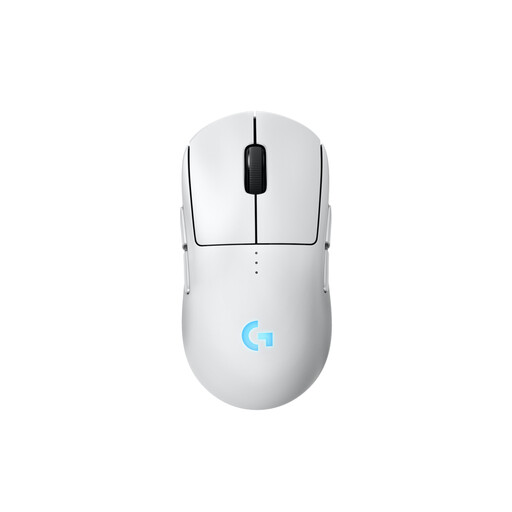
Why this product suits the profile: The symmetrical body can be configured with magnetic side buttons for either the left or right hand.
The side buttons can be fitted or covered on either side. This means the hand orientation is not limited to one fixed configuration.
Up to 44,000 DPI, up to 95 hours of battery life without lighting and optional 8 kHz with a separately available receiver.
We have put together a complete, regularly updated list of products that fully meet these strict selection criteria and the safety regulations applicable in the EU.
That depends on the wireless standard, polling rate, software and your personal preferences. A stable 2.4 GHz wireless connection with a USB receiver is designed for fast input. For tournament environments, you should also check the receiver, cable and configuration software in advance.
For the models mentioned, manufacturers state around 72 to 140 hours for integrated batteries; office and multi-device mice with an AA battery may be rated for up to 24 months. Lighting, polling rate and connection type all affect the actual battery life.
Yes, provided that its weight, click noise and shape suit your workplace. An office mouse such as the Logitech Signature M650 L offers quiet clicks, Bluetooth and programmable side buttons. For use with several computers, a multi-device mouse with device switching is more practical than a dedicated gaming model.