
Lieferung heute & morgen

Qualitätsgarantie

Willkommens-Angebote freischalten: KOSTENLOSE Lieferung | Bis zu 80 % RABATT | Kostenlose 30-Tage-JoyPlus-Testphase
App herunterladen
As a Joybuy Product Recommendation Officer, I analyse product data and user feedback daily. A clear pattern emerges: when searching for a new wireless gaming mouse, many buyers fall into the same traps. A high price or a long list of features does not guarantee satisfying performance. This guide shows you what really matters and how to distinguish marketing hype from genuine performance features.
Before we dive into the crucial specifications, let's clear up the most common myths that often lead to a bad purchase.
To make an informed decision, focus on these three objective criteria.
The sensor is the heart of any gaming mouse. Pay less attention to the maximum DPI and more to the sensor model and its specifications. Modern optical sensors like Logitech's HERO or PixArt's PAW series are considered the industry standard because they operate without artificial acceleration or smoothing.
The polling rate, measured in Hertz (Hz), indicates how often the mouse reports its position to the computer.
A modern wireless gaming mouse should be flexible. Look for models that offer at least a low-latency 2.4 GHz connection. Additional Bluetooth connectivity makes it a practical multi-device mouse for switching between a gaming PC, laptop, and tablet.
Another key feature is a rechargeable mouse with USB-C. The USB-C port is not only reversible but also enables faster charging times. Battery life varies greatly, but models with 50 hours or more provide plenty of power for intensive use.
The physical shape must suit you. Symmetrical mice are suitable for both left- and right-handed users, while asymmetrical, ergonomic mice are often better for long sessions. A lightweight gaming mouse (under 80 grams) reduces wrist fatigue and is ideal for fast, sweeping mouse movements. Pay attention to the number and placement of the buttons—are they logically placed and easy to reach for your favourite games?
Here are three models tailored to different user profiles that meet the criteria mentioned above.
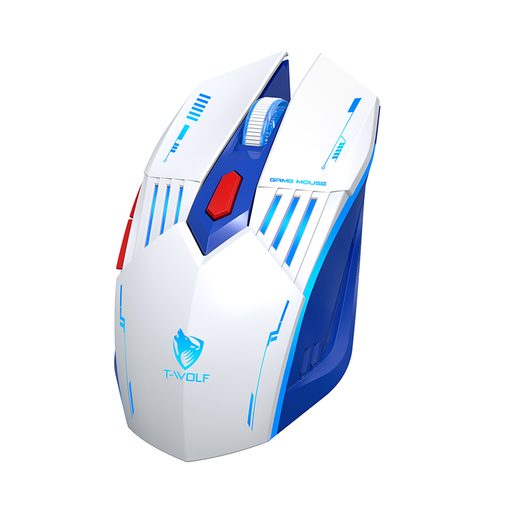
Why This Fits Their Persona: Ideal for users who want a flexible mouse for gaming and everyday tasks without a large budget. The tri-mode connectivity allows for seamless switching between different devices.
Instead of focusing on an inflated DPI value, it offers three practical connection modes—2.4 GHz, Bluetooth, and wired—thus avoiding the latency trap of Bluetooth-only mice.
High flexibility with three connection types; Rechargeable via a modern USB-C port; Adjustable DPI up to 3600, sufficient for most games and applications.
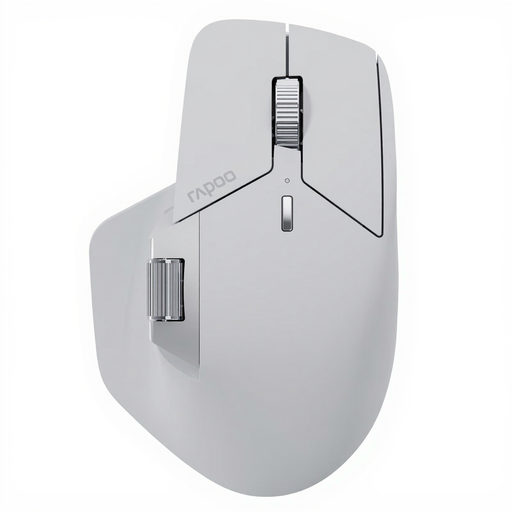
Why This Fits Their Persona: Perfect for power users who switch seamlessly between multiple computers (work and personal). The mouse combines productivity features with high-performance gaming hardware.
This model is a true multi-device mouse that can manage up to 7 devices. It avoids the trap of needing to buy separate mice for work and gaming by combining both in one ergonomic body.
Connects with up to 7 devices; 2000 Hz polling rate and 12,000 DPI for demanding tasks; 11 programmable buttons and long battery life (up to 210 hours in Bluetooth mode, per manufacturer specs).
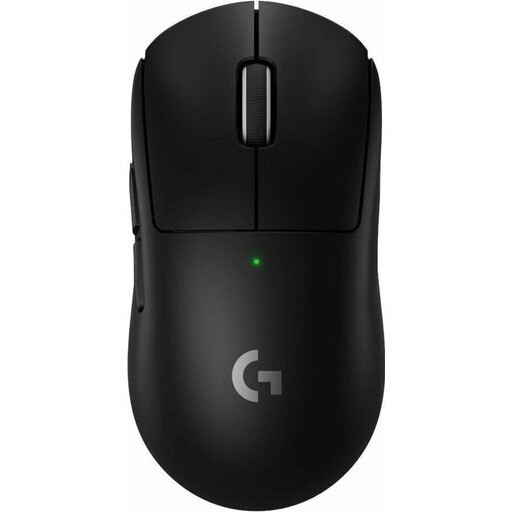
Why This Fits Their Persona: Designed for players where every millisecond and every gram counts. This model is strictly engineered for maximum performance and minimal latency in a competitive environment.
This mouse avoids the ergonomics and weight trap. As an extremely lightweight gaming mouse at only 60 grams, with a shape co-developed with pro players, the focus is clearly on performance over unnecessary design elements.
A true pro gaming mouse with the HERO 2 sensor for flawless tracking; Extremely low weight of 60 grams; LIGHTSPEED wireless technology and a very high polling rate for minimal latency.
We have compiled a complete, up-to-date list of products that fully meet these strict selection criteria and German safety regulations.
Yes. Modern wireless mice that use 2.4 GHz radio technology achieve latency times of 1 millisecond (equivalent to a 1000 Hz polling rate). This value is identical to that of many wired gaming mice, and the difference is not perceptible to humans.
Battery life varies significantly depending on the model, usage, and lighting settings. It can range from about 40 hours to over 150 hours. Models with a USB-C charging port offer the advantage that they are often ready for several hours of use after just a few minutes of charging.
DPI (Dots Per Inch) describes the sensitivity of the mouse sensor. A higher DPI number means the cursor moves further across the screen for the same physical movement of the mouse. Most professional players prefer relatively low settings (400–1600 DPI) for greater precision. The quality of the sensor is far more important than an extremely high DPI value.