
Lieferung heute & morgen

Qualitätsgarantie

Willkommens-Angebote freischalten: KOSTENLOSE Lieferung | Bis zu 80 % RABATT | Kostenlose 30-Tage-JoyPlus-Testphase
App herunterladen
For competitive gamers, a precise and responsive mouse isn't a luxury—it's a necessity. However, the market for wireless gaming mice is saturated with marketing buzzwords and technical specs that often confuse more than they clarify. Before you invest in high-end peripherals, it's crucial to separate the signal from the noise. Many gamers spend money on features that offer no practical advantage or overlook critical flaws.
This guide, written by the Joybuy Product Recommendation Officer, will help you navigate the most common purchasing traps and understand the parameters that truly impact your performance.
Manufacturers often advertise impressive numbers, but not all of them translate to a better gaming experience. Watch out for these three common misconceptions:
To make an informed decision, focus on these three core aspects that directly influence your in-game performance.
The sensor is the heart of any gaming mouse. Instead of just focusing on the high DPI gaming mouse number, you should pay attention to the following specs:
The physical interaction with the mouse is just as important as its technical specifications. An ergonomic gaming mouse should fit your hand size and grip style (Palm, Claw, or Fingertip Grip).
The polling rate, measured in Hertz (Hz), indicates how often the mouse reports its position to the computer. A higher rate means lower latency.
Here are some recommendations tailored to the specific needs of gamers.
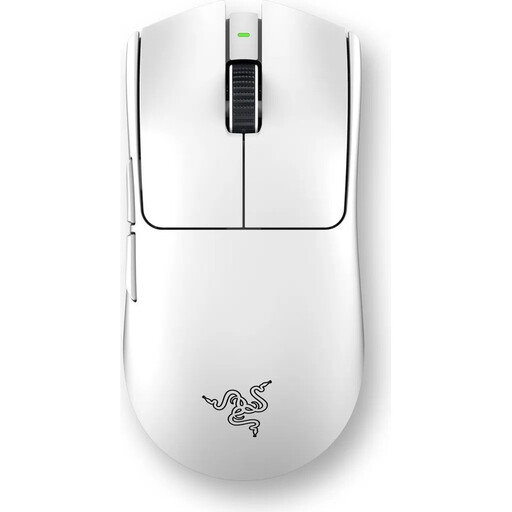
Why This Fits Their Persona: Engineered for players where every millisecond counts. The extremely low weight of 54g and the 8000 Hz wireless polling rate are designed for maximum speed and minimal latency in fast-paced FPS games.
Focuses on competition-relevant features (weight, polling rate) instead of inflated DPI numbers. The 3rd-gen optical switches also eliminate the risk of double-clicks.
Combines an ultralight design with a very high wireless polling rate for an extremely responsive connection.
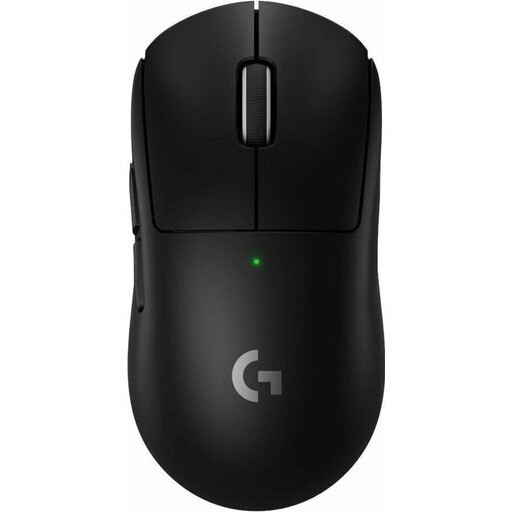
Why This Fits Their Persona: A proven all-rounder for players who compete in various genres. The mouse offers a balanced combination of low weight (60g), long battery life (up to 95 hours according to Logitech), and a shape that is praised by many pros.
Offers a moderate weight that balances control and quick movements, thus avoiding the fallacy that "lighter" is always better. Its proven shape minimizes the risk of a bad purchase.
Long battery life while maintaining high performance (8K polling rate possible). The symmetrical shape is suitable for a broad user base.
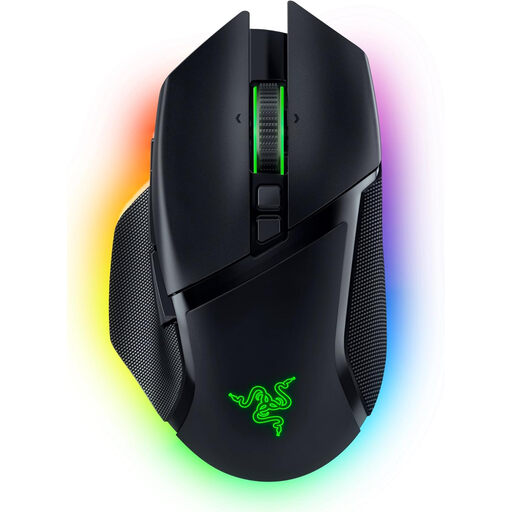
Why This Fits Their Persona: Ideal for gamers who value comfort during long sessions and maximum customisation. The ergonomic right-handed shape, 11 programmable buttons, and versatile scroll wheel make it perfect for MMOs, MOBAs, and productivity tasks.
Prioritises ergonomics and feature diversity over the pure pursuit of the lowest weight. The heavier weight of 112g provides additional stability and control, which is preferred by some players.
High customisability with 11 programmable buttons and the Razer HyperScroll Tilt Wheel with different modes. The Focus Pro 30K sensor ensures precise tracking.
We have compiled a complete, real-time updated list of products that fully meet these strict selection criteria and German safety regulations.
For most gamers, the difference between 1000 Hz and 8000 Hz is subtle. However, in highly competitive esports scenarios where micro-latencies matter, the smoother cursor movement can offer a small but noticeable advantage. For casual gamers, a 1000 Hz polling rate is typically more than sufficient and also conserves battery and CPU resources.
Modern high-end sensors from leading manufacturers like PixArt, Razer, and Logitech are consistently excellent. The differences in maximum DPI are mostly irrelevant in practice. More important are consistent, flawless tracking without unwanted acceleration or smoothing, and an adjustable lift-off distance to ensure precise 1:1 tracking of your movements.
Battery life varies greatly depending on usage, activated RGB lighting, and the set polling rate. Models operating in 4000 Hz or 8000 Hz mode often have a runtime of 20 to 40 hours. Others, optimised for efficiency at 1000 Hz, can last over 90 hours according to manufacturer specifications. Nearly all modern models can be used while charging via a USB-C cable, so there is no downtime.