
Lieferung heute & morgen

Qualitätsgarantie

Willkommens-Angebote freischalten: KOSTENLOSE Lieferung | Bis zu 80 % RABATT | Kostenlose 30-Tage-JoyPlus-Testphase
App herunterladen
As a Joybuy Product Recommendation Officer, I see users battling through a jungle of marketing terms and technical specs every day. The flood of information can be especially overwhelming when searching for a new wireless gaming mouse. Manufacturers advertise extremely high DPI counts and feather-light designs, but not every hyped feature automatically translates to better in-game performance.
This guide is designed to help you cut through the noise. We'll highlight the most common purchasing pitfalls and show you which technical parameters truly matter, so you can make an informed decision for your setup.
Before we dive into the important specifications, it's crucial to recognize the marketing traps that often lead to buyer's remorse.
To make the right choice, you should focus on objective, measurable criteria. These three parameters are critical to the performance of an esports mouse.
The sensor determines how accurately your movements are translated to the screen. Pay attention to the following specs:
The ideal weight is subjective, but there are benchmarks. A lightweight gaming mouse (under 70 grams) allows for quick flicks, while an ultra-lightweight gaming mouse (under 55 grams) can be particularly advantageous in fast-paced FPS games. More important than pure weight, however, are the balance and shape. An ergonomic gaming mouse should match your grip style (palm, claw, or fingertip) and hand size to ensure comfort during long sessions.
The polling rate, measured in Hertz (Hz), indicates how often the mouse reports its position to the computer. The standard for gaming mice is 1000 Hz (a 1-millisecond response time). For esports enthusiasts, models with an 8K polling rate (8000 Hz) are now available, reducing latency to 0.125 milliseconds. In highly competitive scenarios, this can offer a minimal but potentially noticeable advantage.
Here are some recommendations tailored to different needs and budgets.
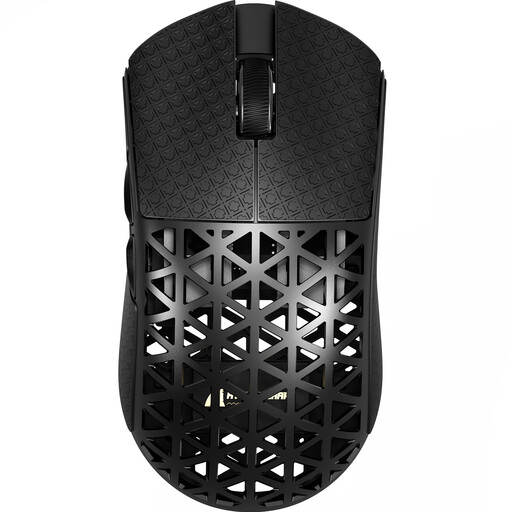
Why This Fits Their Persona: For players where every millisecond counts. The combination of an extremely low weight and an 8K polling rate is engineered for maximum competitive performance in fast-paced games like CS2 or Valorant.
This mouse bypasses the 'weight-over-quality' trap by using carbon fibre, which provides high structural integrity at only ~42 grams. The focus is on measurable performance (8K Polling Rate, PAW3950 sensor) rather than just marketing-driven DPI numbers.
The wireless 8000Hz Polling Rate offers extremely low latency. Its weight of ~42g makes it one of the lightest options on the market.
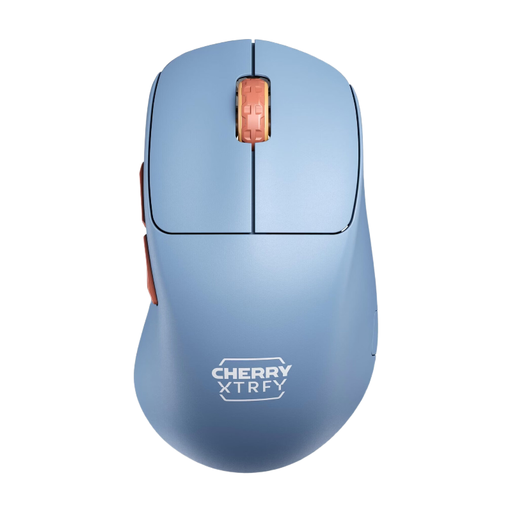
Why This Fits Their Persona: Ideal for gamers who want a high-performance yet highly comfortable mouse for long gaming sessions. Its unique shape and long battery life make it a reliable companion.
It perfectly balances weight and ergonomics. At 53 grams, it's lightweight, but its thoughtful, right-handed shape provides stability and control. It relies on proven components like the Pixart 3395 sensor instead of just advertising high DPI figures.
This unique ergonomic gaming mouse with an ultra-low front allows for exceptional control. The battery life of up to 90 hours is a major practical advantage.
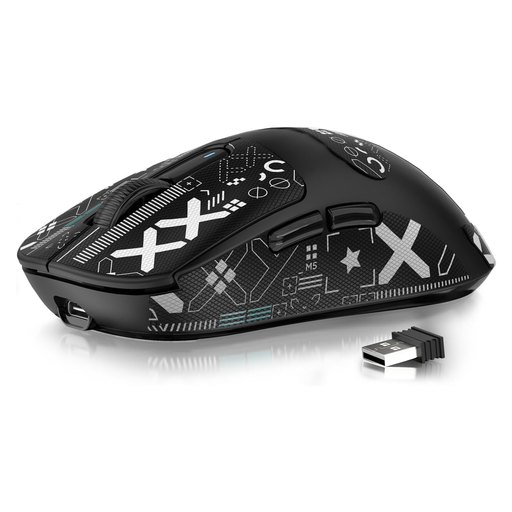
Why This Fits Their Persona: For gamers seeking high performance without the premium price tag. This mouse offers the core features of top-tier models, like an excellent sensor and low weight, at a more accessible price point.
It focuses on the essentials: a top-class PAW3395 sensor and a low weight of 49g. It forgoes niche features like an 8K polling rate, which makes no decisive difference for most players anyway, thereby delivering an excellent price-to-performance ratio.
Provides access to a high-end sensor and an ultra-lightweight design usually reserved for more expensive models. The Tri-Mode connectivity adds extra flexibility.
We have compiled a complete, up-to-date list of products that fully meet these strict selection criteria.
1. How important is the DPI number on a gaming mouse, really? The DPI number is less important than marketing suggests. It simply describes the sensor's sensitivity. For most players, a high-quality sensor that tracks precisely and without artificial smoothing at lower DPI settings (e.g., 400-1600) is more beneficial than a sensor with an extremely high maximum DPI value.
2. Is a wireless gaming mouse with an 8K polling rate worth it? For most gamers, the difference between a 1000 Hz and an 8000 Hz mouse is barely perceptible. However, for professional esports athletes or highly ambitious players using high-refresh-rate monitors (240 Hz or higher), the lower latency of an 8K polling rate can offer a small but potentially decisive advantage in split-second situations.
3. How do I maintain my wireless gaming mouse for a long lifespan? Keep the optical sensor on the bottom clean and free of dust and hair. A dry microfibre cloth or canned air works well for this. Clean the shell regularly with a slightly damp cloth. Avoid dropping the mouse and store the USB receiver safely when not in use. For models like a gaming mouse with a charging dock, the charging contacts should be kept clean to ensure a reliable connection.