
Lieferung heute & morgen

Qualitätsgarantie

Willkommens-Angebote freischalten: KOSTENLOSE Lieferung | Bis zu 80 % RABATT | Kostenlose 30-Tage-JoyPlus-Testphase
App herunterladen
A wireless gaming mouse can give you greater freedom of movement during competitive gaming, but it also comes with its own selection criteria. High DPI values, 8,000 Hz polling rates and particularly lightweight shells may look appealing on product pages. What really matters, however, is whether the wireless connection, sensor, shape and software suit your setup.
A gaming mouse with 44,000 DPI can offer extremely fine resolution settings. However, that does not automatically mean that every setting is useful in-game. Many players use considerably lower sensitivities and adjust the speed further in Windows or in the game itself.
A properly performing optical sensor, stable signal transmission and finely adjustable, storable DPI levels are more important than the maximum figure. Also check whether you can access your preferred setting through the manufacturer’s software or a DPI button.
A gaming mouse with 8,000 Hz sends its positional data to the computer more frequently than a 1,000 Hz model. This can be useful for fast movements and high refresh rates. At the same time, it puts greater demands on your system and battery. The game, operating system and monitor must also be able to process the additional refresh rate effectively.
For this reason, look for several selectable polling rates. A model should offer not only the maximum value, but also practical everyday settings such as 1,000 or 2,000 Hz.
A lightweight wireless gaming mouse moves across the mouse mat with less mass. A low weight can be suitable for fast changes of direction. Even so, the length, width, height and shape must suit your hand size and preferred grip style.
A right-handed shape is not a practical solution for left-handed users. If you often switch between your work and gaming stations, you should also look for receiver storage, a USB-C cable and alternative Bluetooth connectivity.
An optical sensor such as the HERO 2 or a PixArt sensor is described using objective specifications. These include DPI, IPS, maximum acceleration and supported polling rates. High figures are particularly relevant if you play at low sensitivity or use fast mouse movements.
For everyday use, look for:
Bluetooth is convenient for use with multiple devices, but it is not always used as the primary connection for competitive gaming. Dedicated wireless technology such as LIGHTSPEED, or a comparable 2.4 GHz receiver, is usually the more suitable option for a gaming setup.
A programmable gaming mouse should offer more than just a large number of buttons. Check whether their positions suit your games and hand size. For shooters, a few well-positioned buttons may be more useful than a heavier model with extensive button assignments.
According to the product information, the Logitech G PRO X2 SUPERSTRIKE LIGHTSPEED Wireless Gaming Mouse uses a Haptic Inductive Trigger System (HITS). The actuation points can be adjusted across ten levels, while the Rapid-Trigger reset can be adjusted across five levels. These details describe the configuration options, but do not represent a general performance or response-time guarantee.
Configuration is handled through Logitech G HUB. Here, you can set DPI levels, button assignments, actuation points and profiles. Before buying, check whether the software supports your operating system and whether certain functions are only available when the software is installed.
When choosing a gaming mouse with long battery life, always consider the testing conditions. The Logitech G PRO X2 SUPERSTRIKE LIGHTSPEED is rated for up to 90 hours at 1,000 Hz. The Razer Viper V3 Pro is rated for up to 95 hours, while the Reaper 820 Wireless is described as offering up to 72 hours. Actual battery life depends on factors including polling rate, lighting, wireless mode and intensity of use.
An integrated lithium battery is convenient, but it generally cannot be replaced by the user. Only charge it with a suitable, certified USB power supply, and dispose of the mouse and battery at a collection point for waste electrical equipment or batteries, in accordance with applicable German and European regulations.

Why this product suits this profile: The SC620 combines Bluetooth 5.0, 2.4 GHz wireless and USB-C connectivity with a weight of 67 g. It offers seven programmable buttons and a PixArt PAW3311 sensor with up to 12,000 DPI.
The three connection options reduce reliance on a single mode. The technical specifications also provide concrete sensor, weight and button figures rather than relying solely on general marketing claims.
67 g weight, 8,000 Hz specification and 400 mAh battery according to the product description.

Why this product suits this profile: This model is aimed at users who want to combine sensor resolution, polling rate and click adjustment in a wireless esports mouse.
The specifications state concrete limits: 61 g, up to 44,000 DPI, 8,000 Hz and up to 90 hours of battery life at 1,000 Hz. Actual battery life and the benefits of higher polling rates depend on your setup.
HERO 2 sensor, HITS with adjustable actuation points, LIGHTSPEED and USB-C.
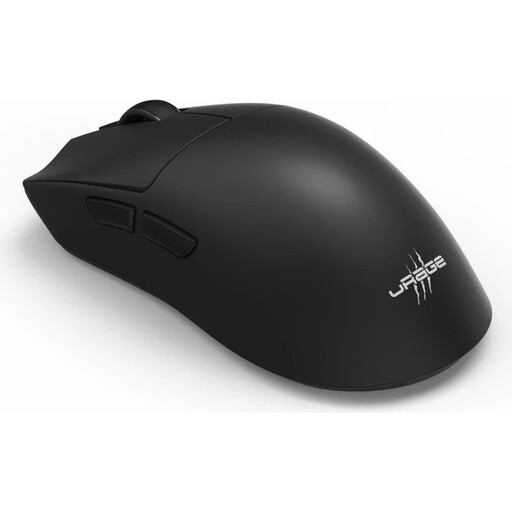
Why this product suits this profile: For users who need Bluetooth 5.3 and a wired USB-C mode in addition to 2.4 GHz wireless, this model offers several connection options.
The mouse does not focus solely on a promoted maximum figure: it specifies six programmable buttons, several wireless modes, USB-C charging and a selectable polling rate of up to 8,000 Hz.
57 g weight, up to 26,000 DPI and up to 72 hours of battery life according to the manufacturer’s specifications.

Why this product suits this profile: With 13 programmable buttons, onboard memory and LIGHTSPEED wireless, this model is suitable for games and applications with numerous commands.
The 102 g weight is stated clearly. This makes it easier to distinguish the mouse from particularly lightweight models, rather than considering only the number of functions.
13 programmable buttons, HERO 25K sensor, onboard memory and up to 140 hours of battery life according to the product data.
We have put together a complete, regularly updated list of products that fully meet these strict selection criteria and the safety regulations applicable in the EU.
For fast-paced PC games, a dedicated 2.4 GHz wireless connection with a USB receiver is usually the obvious choice. Bluetooth is particularly suitable for mobile devices and switching between multiple systems. A USB-C cable is useful when you need to charge the battery while gaming.
Depending on the model, manufacturers quote between 72 and 95 hours for integrated batteries, for example. Actual battery life may be lower at higher polling rates or with lighting enabled. Always compare the stated polling rate with the quoted battery life.
Not automatically. The polling rate describes how often the mouse sends data to the computer. Perceived control also depends on sensor quality, game and monitor settings, stable wireless transmission and the right sensitivity. Ideally, choose a model that offers several selectable polling rates.