
Lieferung heute & morgen

Qualitätsgarantie

Willkommens-Angebote freischalten: KOSTENLOSE Lieferung | Bis zu 80 % RABATT | Kostenlose 30-Tage-JoyPlus-Testphase
App herunterladen
A wireless gaming mouse can reduce cable clutter and enable fast movements. However, a high DPI rating or eye-catching polling rate does not automatically mean it is the right choice. What matters is whether the sensor, connection, shape, weight and software suit your playing style and computer.
A gaming mouse with a high DPI rating can increase the sensor’s sensitivity. However, many players use considerably lower settings when aiming and adjust the sensitivity in-game as well. A maximum rating of 26,000 or 44,000 DPI is therefore primarily a technical range, not automatically a practical advantage.
Consistent tracking, a well-tuned sensor and a surface on which the sensor works reliably are more important.
A gaming mouse with 8,000 Hz sends its position data to the computer more frequently than a 1,000 Hz model. At high frame rates and in fast-paced games, this can improve how quickly the pointer updates. At the same time, it slightly increases the load on the USB interface and processor. The function also often needs to be activated through software, a special receiver or a compatible system.
Check whether your game, monitor and computer can benefit from this setting. For many applications, low latency at 1,000 Hz may already be sufficient.
“Up to 90 or 95 hours” describes a maximum figure stated by the manufacturer. Lighting, polling rate, wireless mode and power-saving options all affect actual battery life. With a gaming mouse with long battery life, you should also look for USB-C charging, usable wired operation and the items included in the box.
A 2.4 GHz gaming mouse normally uses a USB receiver. This connection is designed for gaming but requires a free USB port. Position the receiver as close to the mouse as possible and avoid shielding it with metal or other wireless devices.
A Bluetooth gaming mouse can connect directly to many laptops, tablets or compatible PCs. Bluetooth is convenient when you are travelling and when using multiple devices, but depending on the model, it may not offer the same polling rates as a 2.4 GHz receiver. Wired mode is useful when the battery needs charging.
A lightweight gaming mouse weighing around 40 to 60 grams can make quick changes of direction easier. However, a lower weight is not ideal for every grip style. Users with a palm grip often prefer a larger surface to rest their hand on, while claw or fingertip grips can benefit from a more compact shape.
With an ergonomic gaming mouse, the side of your hand, hand size and orientation all need to match. Right-handed models are not automatically suitable for left-handed users. Symmetrical bodies with interchangeable side buttons offer greater flexibility in this respect.
The polling rate is measured in hertz. 1,000 Hz theoretically corresponds to one report every millisecond, while 8,000 Hz means more frequent polling. The DPI setting determines how far the pointer moves in response to a physical movement. In practice, sensor resolution, maximum acceleration and the available profiles are also important.
A programmable gaming mouse can assign game commands, key combinations or work functions to additional buttons. Check whether a driver is required and whether profiles can be saved to the mouse’s internal memory. For competitions, macros and certain forms of automation may not be permitted, depending on the game or organiser.
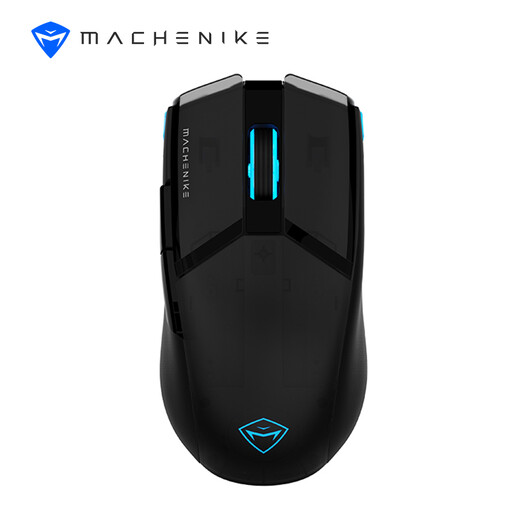
Why this product suits this profile: This model combines 2.4 GHz wireless and wired operation and offers up to 8,000 DPI. It is suitable for users looking for a gaming mouse with essential customisation options.
The technical specifications clearly state the weight, battery capacity and connection types. You can use the mouse via USB-C while it is charging.
75 g weight, 600 mAh battery, up to 85 hours of battery life and 3-zone RGB lighting.
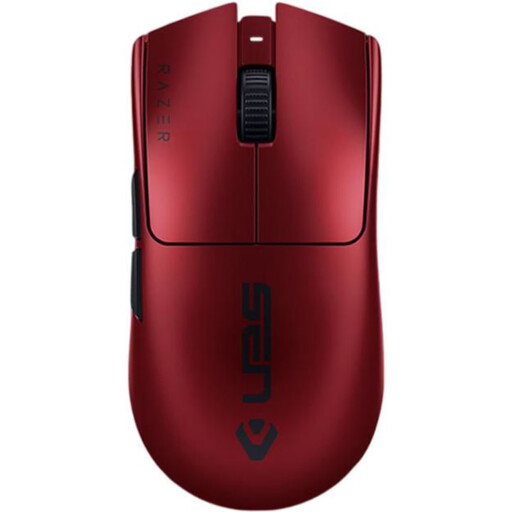
Why this product suits this profile: For players who want to make targeted use of a low-profile design, light weight and high polling rate.
The 8,000 Hz specification comes with a system requirement; the mouse can also be used in wired mode via USB-C.
54 g weight, up to 35,000 DPI, six programmable buttons and up to 95 hours of battery life according to the product specifications.
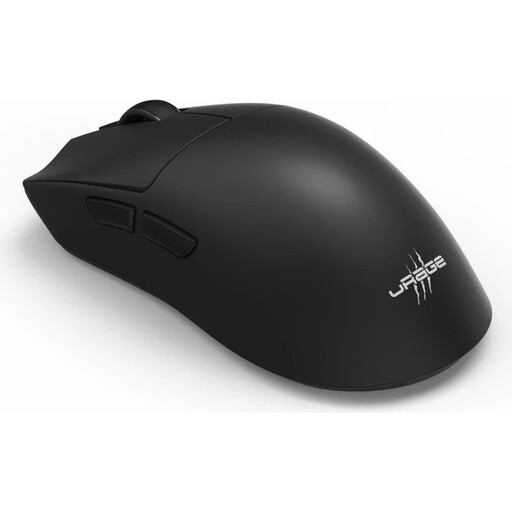
Why this product suits this profile: The combination of 2.4 GHz wireless, Bluetooth 5.3 and wired operation makes it suitable for gaming PCs, laptops and changing usage scenarios.
You can choose the connection to suit the application. USB-C charging and the stated battery life of up to 72 hours make longer periods of use easier.
57 g weight, 26,000 DPI, 8,000 Hz polling rate, six programmable buttons, plus a grip tape and skates kit included.
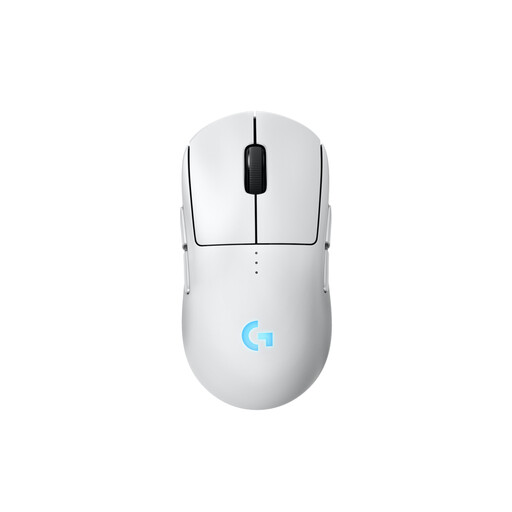
Why this product suits this profile: The symmetrical body can be configured for either the left or right hand. Magnetic side buttons can be customised or covered.
You do not have to choose a fixed side-button layout in advance. The separately available PRO LIGHTSPEED RECEIVER is required for 8,000 Hz.
HERO-2 sensor with up to 44,000 DPI, up to 95 hours of battery life without lighting and USB-C charging.
We have put together a complete, regularly updated list of products that fully meet these strict selection criteria and the safety regulations applicable in the EU.
A wireless gaming mouse can be suitable for esports if it offers a stable 2.4 GHz connection, a suitable receiver and a polling rate that is sufficient for the system. For tournaments, you should also check the rules on software, macros and permitted peripherals.
Battery life depends on lighting, polling rate, wireless standard and usage. According to the manufacturers, the models mentioned offer up to 72, 90 or 95 hours, for example. Wired operation while charging prevents lengthy interruptions.
Bluetooth is suitable for everyday use, laptops and multiple devices. For competitive gaming, a 2.4 GHz connection is often the more practical choice, as gaming models generally offer higher polling rates and specially tuned receivers over this connection.