
Lieferung heute & morgen

Qualitätsgarantie

Willkommens-Angebote freischalten: KOSTENLOSE Lieferung | Bis zu 80 % RABATT | Kostenlose 30-Tage-JoyPlus-Testphase
App herunterladen
The search for the right wireless gaming mouse can quickly become overwhelming. Manufacturers advertise ever-higher DPI figures and ultra-lightweight designs. But not every new feature represents a genuine advantage. As your Joybuy Product Recommendation Officer, I'll help you identify the crucial features and avoid marketing traps, so you can make an informed decision for your gaming setup.
Before we dive into the important technical specs, let's examine three common marketing promises that often lead to disappointment.
To find the right mouse for your needs, you should focus on a few core parameters that directly impact performance.
The sensor is the heart of any gaming mouse. Modern optical sensors, like those in the PixArt PAW series, offer precise tracking without unwanted acceleration or smoothing.
The interplay of weight and shape is crucial for comfort and control during long gaming sessions.
The freedom of a wireless mouse ends when the battery runs out. Pay attention to the specified battery life and charging options.
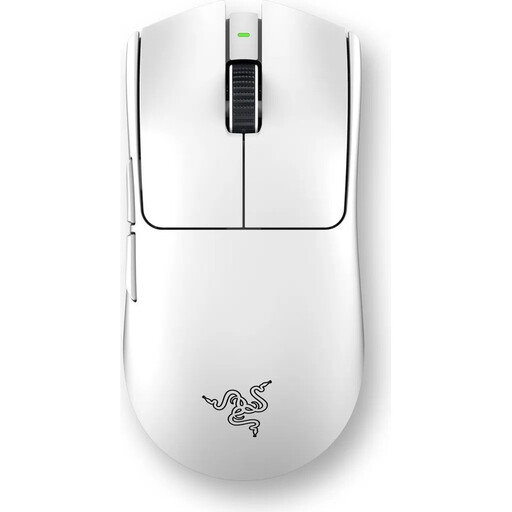
Why This Fits Their Persona: Designed for players who make no compromises. The extremely low weight of 54g allows for maximum agility, while the 8000 Hz polling rate ensures near-instantaneous input transmission for competition-defining moments.
The low weight is achieved through an intelligent, solid-shell design, not perforated shells. The high polling rate is a measurable technical advantage, not just a marketing figure.
Weight: 54g (ultra-lightweight)
Sensor: Focus Pro 35K Optical Sensor
Polling Rate: Up to 8000 Hz
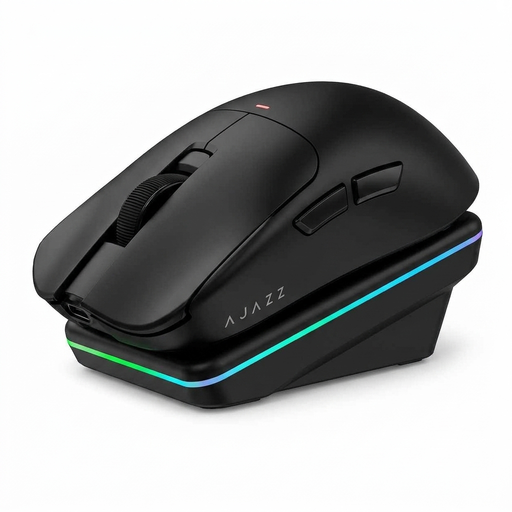
Why This Fits Their Persona: Ideal for gamers who need a high-performance mouse for both gaming and productivity tasks. The tri-mode connectivity (2.4G, Bluetooth, Wired) and magnetic charging dock offer maximum flexibility and convenience in daily use.
It offers a balanced package instead of focusing on a single exaggerated spec. The focus is on practical features like the charging dock and versatile connectivity, which provide real-world value.
Weight: 63g (lightweight)
Sensor: PAW3311 with 24,000 DPI
Special Feature: Includes magnetic charging dock
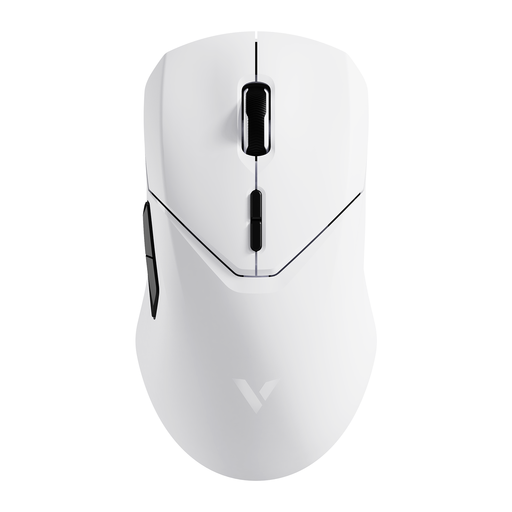
Why This Fits Their Persona: This mouse offers high-end specs like a PAW3398 sensor and 4K polling rate at an accessible price point. It's an excellent choice for gamers seeking competitive performance without breaking the bank.
It focuses on verifiable performance features like the high-quality sensor and 4K polling rate, rather than an inflated DPI number. The lightweight yet solid design avoids the drawbacks of perforated shells.
Weight: 68g (lightweight)
Sensor: PAW3398 with 26,000 DPI
Polling Rate: Up to 4000 Hz
We've compiled a complete, real-time updated list of products that fully meet these strict selection criteria and German safety regulations.
Battery life varies significantly depending on the model, usage, polling rate, and active RGB lighting. The range extends from around 40 hours with intensive use at a high polling rate to over 150 hours in power-saving mode. Most modern mice are rechargeable gaming mice and are charged via a USB-C port. Some models offer the convenience of a gaming mouse with a charging dock.
For casual games or titles that don't require quick reactions, a Bluetooth gaming mouse can be sufficient. However, for competitive games like FPS or Battle Royale, it is not recommended. The latency is typically higher than with a dedicated 2.4 GHz connection. A wireless gaming mouse with a 2.4 GHz dongle is the more reliable choice for ambitious gamers.
Most gaming mice work for basic functions right out of the box ("Plug and Play"). However, to unlock their full potential—such as adjusting DPI levels, remapping buttons, creating macros, or controlling RGB lighting—installing the manufacturer's software is necessary. Many mice have onboard memory to save profiles directly on the device.