
Lieferung heute & morgen

Qualitätsgarantie

Willkommens-Angebote freischalten: KOSTENLOSE Lieferung | Bis zu 80 % RABATT | Kostenlose 30-Tage-JoyPlus-Testphase
App herunterladen
For competitive PC gamers, a precision mouse isn't a luxury—it's a necessity. The choice is especially critical for a wireless gaming mouse, as marketing promises often don't align with real-world performance. Making the wrong decision leads not only to in-game frustration but also to unnecessary expenses. This guide highlights the most common pitfalls and explains the technical parameters that truly matter for making the right choice for your setup.
The market is saturated with models that advertise impressive numbers. But not every high number means better performance. Watch out for these three typical marketing traps:
Instead of being swayed by marketing buzzwords, you should base your decision on these three objective criteria.
The sensor is the heart of every PC gaming mouse. Modern, high-quality optical sensors like the Pixart 3395 are a reliable indicator of performance. Pay attention to the following values:
The ideal mouse must fit your hand and grip style. An ergonomic gaming mouse is not just a matter of comfort, but also of control.
For a wireless gaming mouse, connection quality is crucial.
Based on the criteria above, we have identified a few models that are well-suited for specific user profiles.
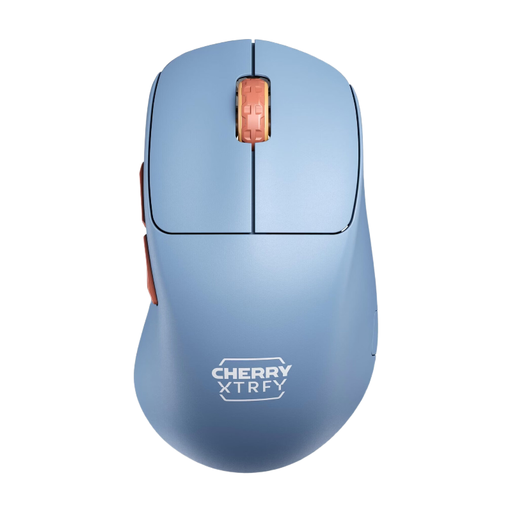
Why This Fits Their Persona: Designed for maximum control and agility. This Esports mouse focuses on the essentials: low weight, a top-tier sensor, and a shape that supports precise movements. Ideal for players who can do without unnecessary software and lighting.
It avoids the "ultralight at all costs" trap by offering a solid, closed-shell design without holes, despite its 53-gram weight. The focus is on the proven Pixart 3395 sensor, not just a marketing-driven DPI number.
Unique ergonomic design with an ultra-low front for better control. All settings (DPI, polling rate) can be adjusted directly on the mouse without drivers.
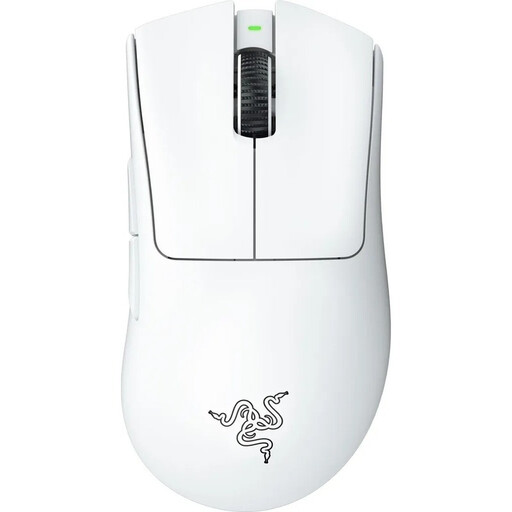
Why This Fits Their Persona: For gamers who play for hours on end and place the highest value on comfort. The iconic shape of the DeathAdder series, further refined in collaboration with esports pros, is renowned for its outstanding ergonomics that minimize fatigue.
This wireless Razer mouse combines a low 64-gram weight with a proven, stable shape. The high DPI value is backed by the top-tier Focus Pro 30K sensor, which is known for its precision, rather than just being an empty number.
Outstanding right-handed ergonomics optimized for long gaming sessions. Razer HyperSpeed Wireless technology ensures an extremely stable and fast connection.
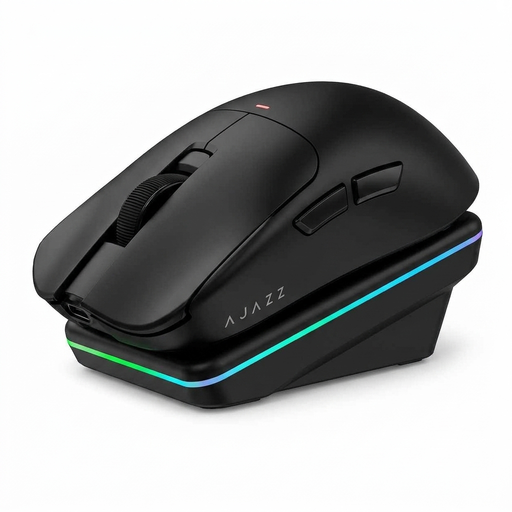
Why This Fits Their Persona: Perfect for users who need a versatile mouse for gaming, office work, and creative tasks. The tri-mode connectivity allows for seamless switching between different devices, while the AI features can boost productivity.
It addresses the latency trap by offering a dedicated 2.4 GHz mode for demanding gaming, as well as Bluetooth for more flexibility in daily use. The PAW3311 sensor ensures solid performance that goes beyond mere DPI numbers.
High flexibility with three connection modes (2.4 GHz, Bluetooth, wired). The included magnetic charging dock offers great convenience and enhances any desk setup.
We have compiled a complete, up-to-date list of products that fully meet these strict selection criteria and safety regulations.
The polling rate, measured in Hertz (Hz), indicates how often the mouse reports its position to the computer. A rate of 1000 Hz is the established standard for competitive gaming, meaning the position is updated 1000 times per second (every 1 ms). Higher rates like 2000 or 4000 Hz are technically possible but consume more battery power, and the noticeable benefit is marginal for most users. 1000 Hz offers an excellent compromise between responsiveness and efficiency.
Yes, modern wireless gaming mice are designed for long periods of use. Models like the CHERRY XTRFY M64 offer up to 90 hours of battery life, according to the manufacturer. The actual duration depends on usage, polling rate, and lighting. Thanks to standard USB-C charging ports, most mice can also be recharged quickly, with a short charging time often providing several hours of gameplay.
Not necessarily. Many esports-focused mice, like the models from CHERRY XTRFY, allow you to configure all essential settings (DPI, polling rate, lift-off distance) directly via buttons on the mouse itself. This makes them "plug-and-play" and ideal for tournaments where installing third-party software is often not permitted. Other brands like Razer or Logitech use their software (e.g., Razer Synapse) to enable advanced customizations such as button assignments, macros, or RGB lighting.