
Lieferung heute & morgen

Qualitätsgarantie

Willkommens-Angebote freischalten: KOSTENLOSE Lieferung | Bis zu 80 % RABATT | Kostenlose 30-Tage-JoyPlus-Testphase
App herunterladen
For competitive gamers, choosing the right peripherals is crucial. Today, a wireless gaming mouse must do more than just translate movement onto the screen. It's a precision tool where latency, weight, and sensor technology can decide the outcome of a match. This guide provides objective criteria for selecting a high-performance PC gaming mouse and presents a selection of models tailored to the specific needs of gamers.
With a vast array of technical specifications, the search for the right mouse can be overwhelming. The following points will help you identify the features that are most relevant for competitive gaming.
A lightweight gaming mouse allows for faster, less fatiguing movements, which is especially advantageous in fast-paced FPS games. Models under 80 grams are often considered lightweight, while ultra-lightweight mice can weigh even less than 60 grams. The shape is just as important. An ergonomic gaming mouse that fits your grip style (palm, claw, or fingertip) and hand size prevents fatigue and improves precision during long gaming sessions.
The sensor's technical specifications are a core aspect of any pro gaming mouse.
A gaming mouse with long battery life is convenient for minimising charging interruptions. However, it's important to note that high polling rates (4000 Hz or 8000 Hz) significantly increase power consumption. Many models therefore offer different performance modes. A stable 2.4 GHz wireless connection is essential for latency-free gaming, while Bluetooth can be a power-saving alternative for everyday tasks.
Here is a curated selection of models that stand out for their specific technical features.
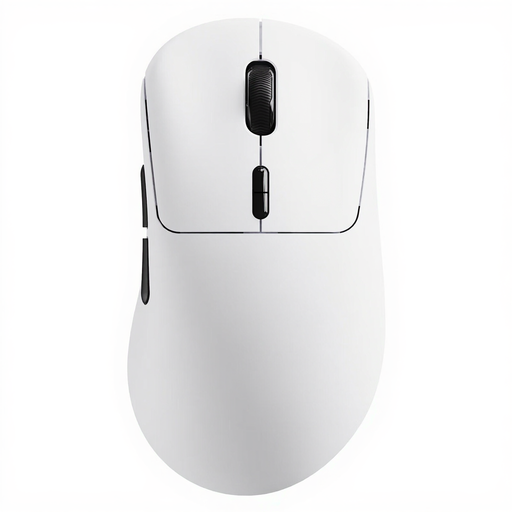
The RAPOO VT3 combines an extremely low weight with a native 8K wireless polling rate and an exceptionally long battery life in 1 kHz mode. This makes it an interesting model for gamers seeking maximum performance without compromising on mobility.
This model is ideal for competitive players, especially in FPS titles, who prefer an extremely lightweight gaming mouse for executing fast, precise movements, while also valuing very long battery life during standard operation.
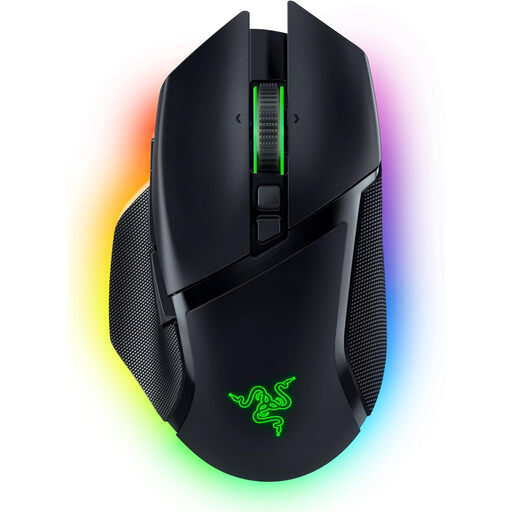
The Razer Basilisk V3 Pro is a versatile powerhouse distinguished by its extensive customisation options. The HyperScroll Tilt Wheel, advanced sensor, and comprehensive RGB gaming mouse lighting make it an option for gamers who want to personalise their setup down to the last detail.
Suitable for gamers who are looking for a heavier, ergonomic gaming mouse with a high degree of functionality and customisability. It's a great choice for players of various genres who also value aesthetic integration with their existing RGB setup.
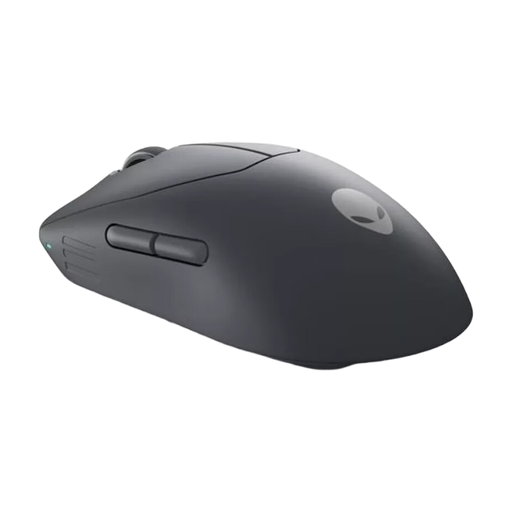
Developed in collaboration with esports pros, the Alienware Pro Wireless clearly focuses on competitive performance. Weighing under 60 grams and featuring magnetic-optical switches and high polling rates in both wireless and wired modes, it is engineered for minimal response times.
This pro gaming mouse is aimed at esports athletes and ambitious players for whom every millisecond counts. The lightweight design, combined with responsive switches and a high polling rate, is engineered for maximum performance in competitive scenarios.
Haven't found the right model yet, or are you looking for specific features? For instance, if you need a lightweight gaming mouse with side buttons for MMOs or other genres, you might find the right product in our broader selection.
Explore our full range of gaming mice
The polling rate, measured in Hertz (Hz), indicates how many times per second a mouse reports its position to the computer. A higher polling rate results in lower input lag and smoother cursor movement on the screen. While 1000 Hz (1 ms) is the standard for gaming mice, models with 4000 Hz (0.25 ms) or 8000 Hz (0.125 ms) can offer a noticeable advantage in fast-paced games.
Weight is a crucial factor for both comfort and performance. A lighter mouse (under 80 g) reduces inertia, allowing for quicker changes in direction and more precise control with less effort. This can reduce hand and wrist fatigue during long gaming sessions. However, the choice of weight is also a matter of personal preference.