
Lieferung heute & morgen

Qualitätsgarantie

Willkommens-Angebote freischalten: KOSTENLOSE Lieferung | Bis zu 80 % RABATT | Kostenlose 30-Tage-JoyPlus-Testphase
App herunterladen
Finding the right wireless gaming mouse can be a challenge given the vast array of technical specs and marketing terms. While a setup free from cable clutter is the goal for many PC gamers, concerns about latency, weight, and battery life are valid.
This article serves as an objective guide. It's designed to help you understand the key technical features and make an informed decision based on facts, not marketing hype. We'll introduce a selection of models and explain the crucial criteria for purchasing a wireless gaming mouse.
To make the right choice, it helps to understand a few core features. These three aspects are crucial for performance and comfort.
The sensor is the heart of any gaming mouse. Modern optical sensors offer high precision on a wide variety of surfaces. A high maximum DPI (Dots Per Inch) is often advertised as a mark of quality, but most gamers use values between 800 and 1600 DPI. More important than an extremely high DPI value is the sensor's flawless tracking, which ensures consistent and precise mouse movements. Models designed for the eSports scene often feature sensors that perform reliably even during very fast movements (high IPS values).
A mouse's weight has a direct impact on its handling. A lightweight gaming mouse or even an ultra-lightweight gaming mouse (often under 70 grams) allows for rapid directional changes and reduces wrist fatigue, which is particularly advantageous in fast-paced FPS games. An ergonomic gaming mouse, on the other hand, is shaped to support the hand in a natural position. This is ideal for long gaming sessions and for players who prefer a palm grip. The choice between a lightweight, often symmetrical design and a heavier, ergonomic shape largely depends on personal preference and the game genres you play.
A wireless mouse for gaming typically uses one of two technologies. The 2.4 GHz wireless connection via a USB dongle is the standard for latency-free gaming. This technology offers transmission rates that are on par with those of wired mice. A Bluetooth gaming mouse offers the advantage of connecting to many devices (laptops, tablets) without an extra dongle. However, latency can be higher with Bluetooth connections, making them less recommended for competitive gaming. Many modern mice offer both options (Tri-Mode) for maximum flexibility.
Here is a selection of models that cater to different needs and budgets. The descriptions are based on the technical data provided by the manufacturer.
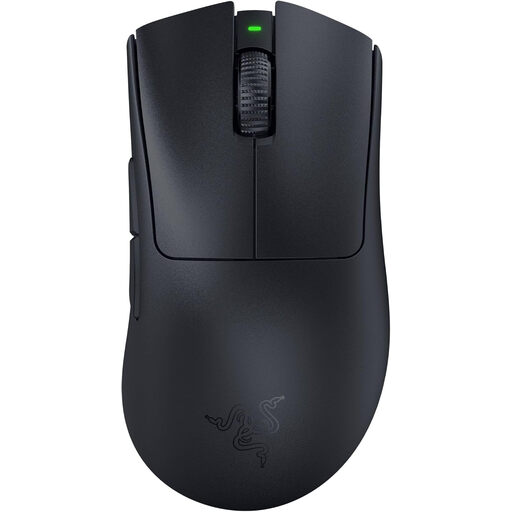
Why It Stands Out: The Razer DeathAdder V3 Pro is engineered for maximum performance at a minimal weight. At just 63 grams, it's an ultra-lightweight, ergonomic mouse whose shape was optimised in collaboration with esports pros. According to Razer, its HyperSpeed Wireless technology provides a connection that is 25% faster than other wireless technologies and remains stable even in congested wireless environments.
Pros:
Who Is It For? This model is aimed at competitive gamers, especially those playing FPS titles, who are looking for an extremely lightweight and ergonomic right-handed mouse with professional-grade sensor and wireless technology.
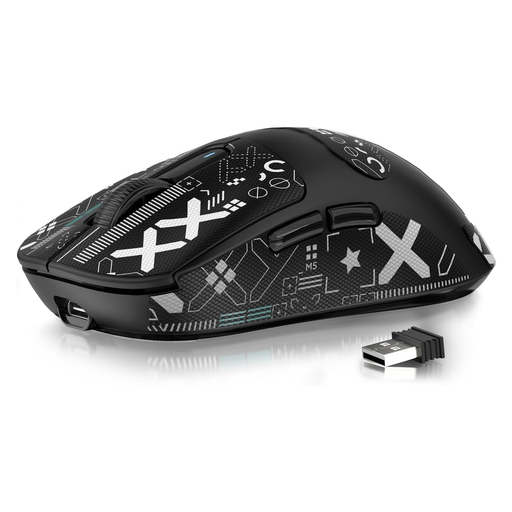
Why It Stands Out: The ATTACK SHARK X3 combines an extremely low weight of just 49 grams with a powerful sensor and flexible connection options. Its tri-mode connectivity (2.4 GHz, Bluetooth, USB cable) makes it a versatile tool for various applications, while the PAW3395 sensor delivers performance often found only in more expensive models.
Pros:
Who Is It For? Ideal for gamers seeking a maximally lightweight mouse for fast-paced games without compromising on a top-tier sensor. The flexible connection modes also appeal to users who want one mouse for both gaming and productivity across multiple devices.
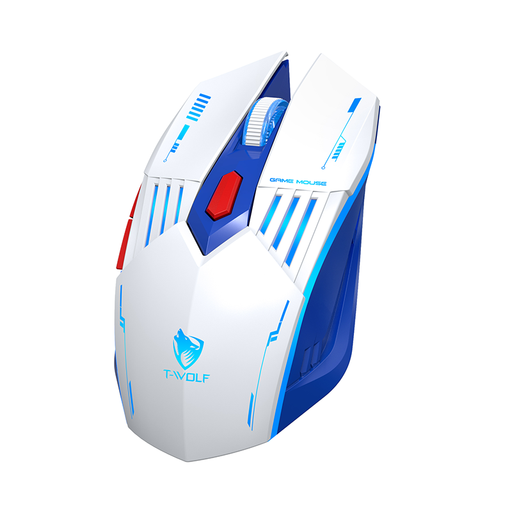
Why It Stands Out: The Rexsun X7 is designed as a versatile all-rounder. It offers tri-mode connectivity, adjustable DPI levels, and subtle RGB gaming mouse lighting. Its ergonomic design and straightforward plug-and-play functionality make it a practical solution for casual gaming and everyday computer tasks.
Pros:
Who Is It For? This model is a great choice for casual gamers and users looking for a single, affordable, and flexible mouse for work and play who value multiple connection options.
The models presented here already cover a broad spectrum. However, if you are looking for specific button configurations, different ergonomic shapes, or other features, it's worth taking a look at our entire range.
? Explore our full range of gaming mice with extra buttons
1. How important is the weight of a gaming mouse? Weight is a matter of personal preference and use case. A lightweight gaming mouse (under 80g) can facilitate fast, repetitive movements and reduce fatigue, which is beneficial in fast-paced games like shooters. A heavier mouse, in contrast, can provide a sense of greater control and stability, which may be preferred for precise, slower movements in strategy or role-playing games.
2. Is a wireless gaming mouse really as good as a wired one? Yes, modern wireless gaming mice that use 2.4 GHz wireless technology offer latency and response times that are virtually indistinguishable from their wired counterparts. Technologies like Razer HyperSpeed or Logitech Lightspeed are specifically designed for stable and fast signal transmission in gaming scenarios. The only practical difference remains the need to recharge the battery periodically.
3. What does DPI mean for a gaming mouse? DPI stands for "Dots Per Inch" and describes the mouse's sensitivity. A higher DPI value means the cursor on the screen moves further when you physically move the mouse only a short distance. DPI is not a direct measure of sensor quality. Most professional gamers use relatively low DPI settings (e.g., 400, 800, or 1600), as this allows for more precise control. A high maximum DPI number is therefore more of a technical specification than a practical advantage for most users.