
Lieferung heute & morgen

Qualitätsgarantie

Willkommens-Angebote freischalten: KOSTENLOSE Lieferung | Bis zu 80 % RABATT | Kostenlose 30-Tage-JoyPlus-Testphase
App herunterladen
The search for the right gaming mouse can quickly become overwhelming. Manufacturers advertise ever-higher DPI counts, ultra-lightweight designs, and spectacular RGB lighting. But not every advertised feature is relevant to your gaming experience or worth the premium. As your Joybuy Product Recommendation Officer, I'll help you separate marketing hype from genuine performance features and make an informed decision.
Before you invest your money, you should know the most common pitfalls that can lead to a bad purchase.
To make an informed choice, focus on the technical parameters that directly impact your in-game performance.
The heart of any gaming mouse is its optical sensor. Instead of just looking at the maximum DPI, the following metrics are more crucial:
The shape and weight of the mouse must suit your hand and grip style.
The choice between a wired and a wireless mouse depends on your priorities.
Here are some recommendations tailored to different requirements and budgets.
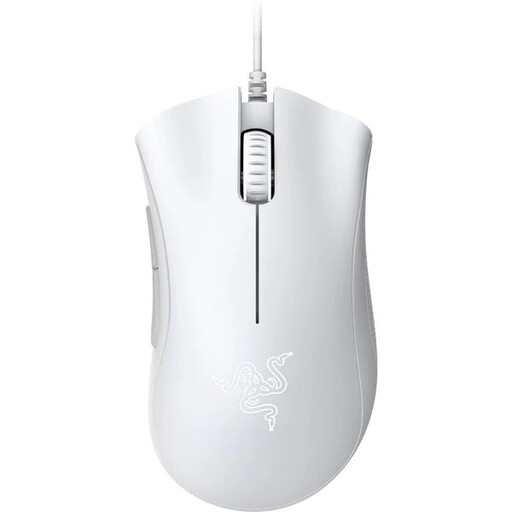
Why This Fits Their Persona: Ideal for gamers seeking a reliable and comfortable mouse without the high cost. Its proven ergonomic shape and solid optical sensor provide an excellent foundation for all game genres, without burdening the budget with features that beginners don't need.
This model forgoes exaggerated DPI values and focuses on the essentials: precise tracking with 6400 DPI and a durable construction. The wired connection eliminates any concerns about battery life and latency.
Proven ergonomic shape for high comfort; durable mechanical switches rated for up to 10 million clicks.
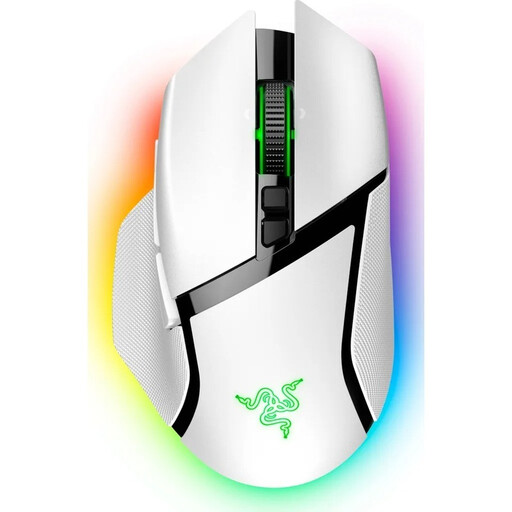
Why This Fits Their Persona: For gamers who want a versatile and high-performance mouse for various genres (MMO, RPG, FPS) and productivity tasks. The tri-mode connectivity, numerous programmable buttons, and customisable scroll wheel offer maximum flexibility.
Although it features a high-end sensor (Razer Focus Pro 30K), the focus is on practical features. The battery life of up to 90 hours (according to Razer) is realistic for wireless operation without lighting, and the RGB gaming mouse underglow is an optional extra.
11 programmable buttons for complex commands; Razer HyperScroll Tilt Wheel with tactile and free-spin modes; flexible connectivity (2.4 GHz, Bluetooth, Wired).
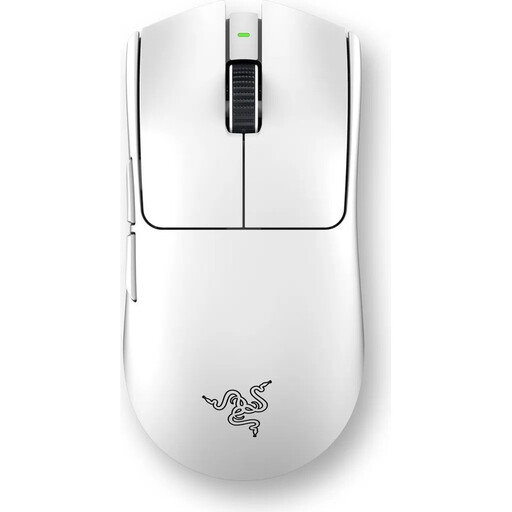
Why This Fits Their Persona: Designed for players where every millisecond counts. The extremely low weight and state-of-the-art sensor technology make this esports mouse a pure performance tool for competitive titles.
This mouse is an example of a lightweight gaming mouse that makes no compromises on performance. At just 55g, it still offers a robust build, durable optical switches, and a long battery life of up to 95 hours (according to Razer).
Extremely low weight for maximum agility; 8000 Hz HyperPolling technology for minimal latency; design developed in collaboration with esports pros.
We have compiled a complete, real-time updated list of products that fully meet these strict selection criteria and local safety regulations.
1. Are high DPI values really important in a gaming mouse? No, an extremely high DPI value alone is not a mark of quality. More important are the sensor's quality, flawless tracking (no acceleration or smoothing), and consistent performance. Most gamers use DPI settings below 3200. Focus on mice with proven sensors and adjust the DPI to your personal preference and screen resolution.
2. On average, how long does the battery of a wireless gaming mouse last? Battery life varies greatly depending on the model, usage, and settings. Mice without RGB lighting can often last over 100 hours. With RGB gaming mouse lighting activated and a high polling rate (1000 Hz or more), the runtime can drop to 20 to 50 hours. Pay attention to manufacturer specifications and check if they were measured with or without lighting.
3. Which gaming mouse is suitable for small hands? For gamers with smaller hands, more compact and narrower mice are often more comfortable. Pay attention to the product's dimensions (especially width and length). Models like the Razer Cobra or symmetrical mice with a length under 120 mm are often a good choice. An ergonomic gaming mouse in a smaller size can also be a great option to ensure a comfortable hand posture.