
Lieferung heute & morgen

Qualitätsgarantie

Willkommens-Angebote freischalten: KOSTENLOSE Lieferung | Bis zu 80 % RABATT | Kostenlose 30-Tage-JoyPlus-Testphase
App herunterladen
For competitive gamers, every millisecond and every movement counts. An imprecise or slow mouse can mean the difference between victory and defeat. However, the search for the right wireless gaming mouse is often clouded by marketing promises and a flood of technical specs.
This guide is here to help you navigate the options. We'll break down the crucial technical features that define a high-performance wireless gaming mouse and present a selection of models tailored to specific gamer needs. Our goal is to provide you with the information you need to make an informed decision.
Before making a decision, you should consider a few core features that directly impact a mouse's in-game performance.
In esports, especially in fast-paced FPS titles like Valorant or CS2, a clear trend has emerged: the ultra-lightweight lightweight gaming mouse. Models weighing under 65 grams allow for faster directional changes (flick shots) and reduce wrist fatigue during long gaming sessions. The shape of the mouse should also match your hand size and grip style (e.g., Palm, Claw, or Fingertip Grip) to ensure optimal control and ergonomics.
The sensor is responsible for tracking movement. A high DPI (Dots Per Inch) value alone is not a guarantee of quality. What's crucial is a modern, flawless optical sensor that remains precise even during very fast movements (measured in IPS – Inches Per Second).
Even more important for latency is the polling rate, measured in Hertz (Hz). It indicates how often the mouse reports its position to the computer. While 1000 Hz was long the standard for a pro gaming mouse, newer models offer an 8000 Hz gaming mouse polling rate. This reduces input delay from 1 millisecond down to 0.125 milliseconds—a noticeable difference at a professional level.
Modern wireless gaming mice use a dedicated 2.4 GHz connection, with latency and stability that are indistinguishable from their wired counterparts. Many mice also offer tri-mode connectivity (2.4 GHz, Bluetooth, wired), making them flexible for different devices and use cases. Pay attention to the stated battery life and convenient charging options, such as USB-C or a charging dock, to avoid in-game interruptions.
Based on the criteria above, we've curated a selection of models that cater to different needs and playstyles.
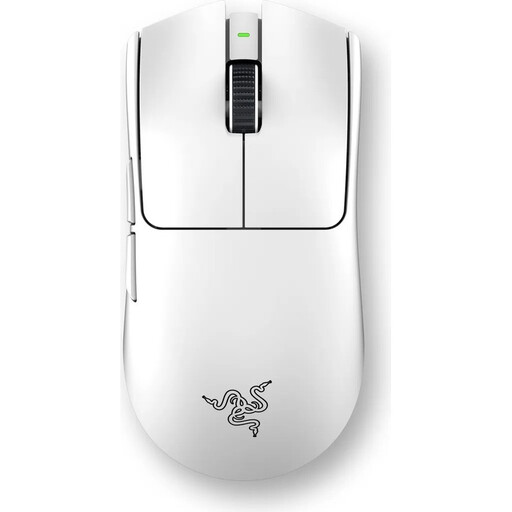
Why it stands out: The Razer Viper V3 Pro is engineered from the ground up for the needs of esports professionals. Its extremely low weight and Razer HyperPolling technology with up to 8000 Hz are aimed at achieving minimal latency and maximum responsiveness.
Pros:
Who it's for: Competitive players and esports athletes looking for a no-compromise esports mouse for fast-paced FPS games, where every gram and every millisecond counts.
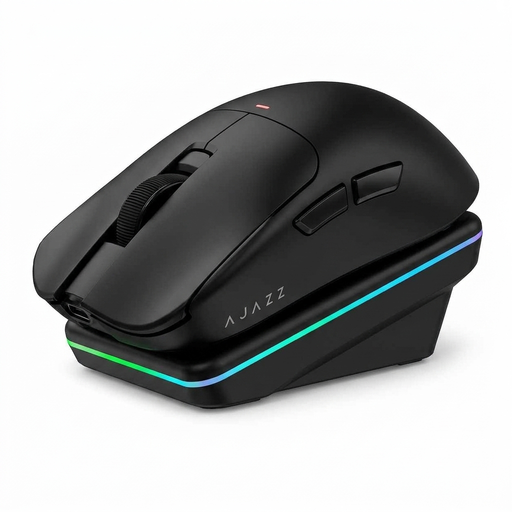
Why it stands out: The AJAZZ AJ200 combines solid gaming performance with innovative AI features and a convenient magnetic charging dock. It's a versatile tool for both gaming and productivity.
Pros:
Who it's for: Tech-savvy gamers and power users looking for a powerful and versatile mouse with a high degree of convenience for both gaming and office work.
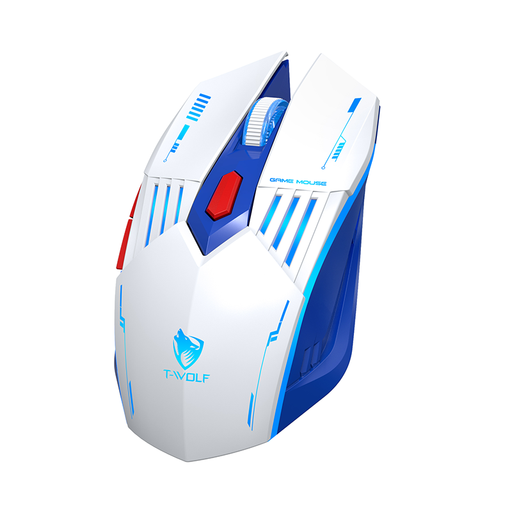
Why it stands out: The Rexsun X7 offers a rock-solid feature set with a focus on flexibility. Its tri-mode connectivity and hassle-free plug-and-play design make it a practical all-rounder.
Pros:
Who it's for: All-round users and casual gamers who need a reliable and flexible wireless mouse for daily use, the office, and occasional gaming sessions.
The models featured here focus on a lightweight design, which often comes with a reduced button count. However, for genres like MMOs or MOBAs, a mouse with additional side buttons can be advantageous for keeping more abilities and macros at your fingertips.
If your playstyle benefits from more programmable buttons, you can find other suitable models in our 6-side-button gaming mouse category.
1. Is a wireless gaming mouse really as good as a wired one for competitive gaming? Yes. Modern wireless mice that use 2.4 GHz radio technology offer latency and stability that are virtually indistinguishable from wired models. Technologies like Razer's HyperPolling or Logitech's Lightspeed are specifically designed to ensure lag-free transmission for esports-level play.
2. What does a high polling rate (e.g., 8000 Hz) mean for a gaming mouse? The polling rate indicates how many times per second the mouse sends its position to the computer. A rate of 1000 Hz means 1,000 reports per second, which corresponds to a latency of 1 ms. An 8000 Hz gaming mouse sends 8,000 reports per second, reducing the theoretical latency to 0.125 ms. This results in smoother cursor movement and minimally lower input delay, which can be an advantage in fast-paced games.
3. How important is weight for an FPS gaming mouse? Weight is a crucial factor. A lightweight gaming mouse (typically under 70g) reduces the inertia and effort required for fast movements and precise crosshair adjustments. This can improve aiming accuracy and reduce arm and wrist fatigue during long gaming sessions.