
Lieferung heute & morgen

Qualitätsgarantie

Willkommens-Angebote freischalten: KOSTENLOSE Lieferung | Bis zu 80 % RABATT | Kostenlose 30-Tage-JoyPlus-Testphase
App herunterladen
Wireless headphones are practical for commuters, professionals, music lovers, athletes and gamers. However, product claims do not always lead to the right purchasing decision. A high Bluetooth version, for example, says little about comfort, while a stated battery life is often only achieved under specific conditions.
As a Joybuy Product Recommendation Officer, I therefore assess the most important specifications according to how the product will actually be used. This helps you avoid common buying mistakes and choose Bluetooth headphones more precisely.
“Up to” means that actual battery life depends on volume, active noise cancellation, codec, connection and usage. With over-ear headphones, playback time can be significantly lower with noise cancellation switched on than without it.
You should therefore look for three details:
A claim such as “10 minutes of charging for 3 hours of playback” is often more meaningful in everyday use than a high maximum figure without further explanation.
Noise-cancelling headphones use electronic signal processing to reduce certain ambient sounds. Passive noise isolation, on the other hand, is created by ear cushions or a close fit. Neither method works equally well across all frequencies, and neither replaces paying attention in traffic.
A model with an ambient or transparency mode can be useful if you want to switch between listening to music and hearing your surroundings in the office, while travelling or in public places. When cycling or crossing a road, you should always be able to hear what is happening around you.
Bluetooth 5.3 or Bluetooth 5.4 can support modern connection and energy-saving features. However, the version number alone guarantees neither a particular sound quality nor a trouble-free connection with every device. Also check:
For phone calls, headphones with a microphone are only practical if voice recordings remain sufficiently clear in the environment where you use them. Details such as the number of microphones or noise reduction are technical features, but they do not guarantee a particular call quality.
Always compare battery life within the same product category. An over-ear model with a large battery capacity cannot be directly compared with small true-wireless earbuds. USB-C, charging time and how the charging case is used are also relevant.
With sports headphones, you should also check the protection rating. IPX4 describes protection against splashing water, while IPX5 covers stronger water jets under specified conditions. Neither rating means that the product is suitable for swimming. Charging cases should be kept dry.
Specifications such as 120 g, 147 g or 256 g provide an initial point of reference. However, padding, headband adjustment, ear shape and clamping pressure are also important. With in-ear models, several silicone ear tips are useful because a good fit affects both stability and passive noise isolation.
High volume can put strain on your hearing. Use wireless headphones at a moderate volume and make sure you remain sufficiently aware of your surroundings in traffic situations.
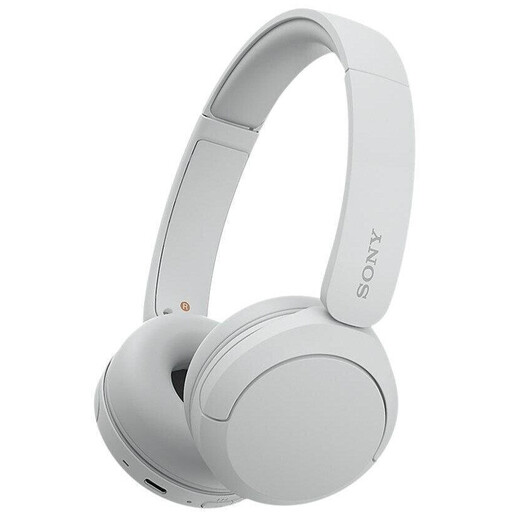
Why this product suits the profile: According to the product specifications, this lightweight on-ear model weighs 147 g and is suitable for music, phone calls and the daily commute.
Battery life is stated as up to 50 hours; Sony also specifies 3 minutes of charging for up to 90 minutes of playback.
Bluetooth multipoint, an integrated microphone and a 3.5 mm alternative according to the product data.
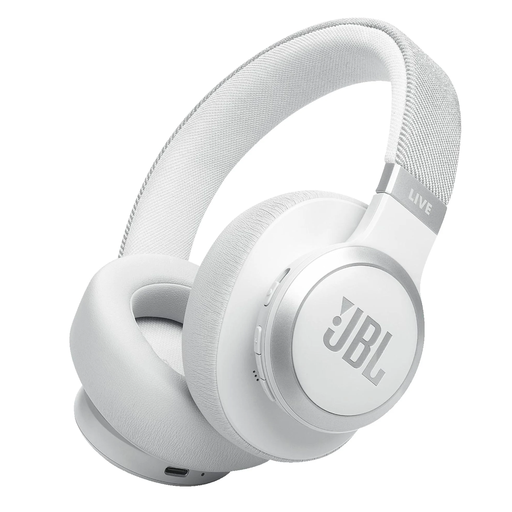
Why this product suits the profile: This over-ear model is aimed at users who want to combine active noise cancellation, ambient features and long playback.
The product data distinguishes between up to 65 hours and up to 50 hours with Bluetooth plus ANC. This clearly states the relevant condition.
Bluetooth 5.3, multipoint connection, 40-mm drivers, USB-C and fast charging providing up to 4 hours of additional playback after 5 minutes.
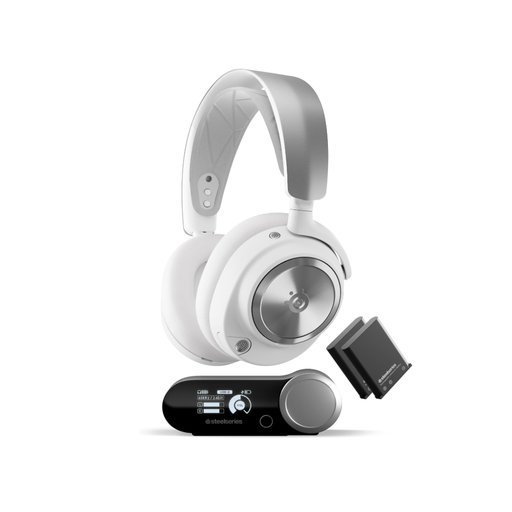
Why this product suits the profile: This system is designed for PC and console gamers, combining a base station with replaceable batteries and Bluetooth.
Bluetooth is not the only gaming connection mentioned: the product description also specifies a dedicated wireless base station and Multi-System Connect.
Two replaceable batteries, active noise cancellation, transparency mode and compatibility with PS4, PS5, PC, Switch and other systems according to the supplier’s specifications.
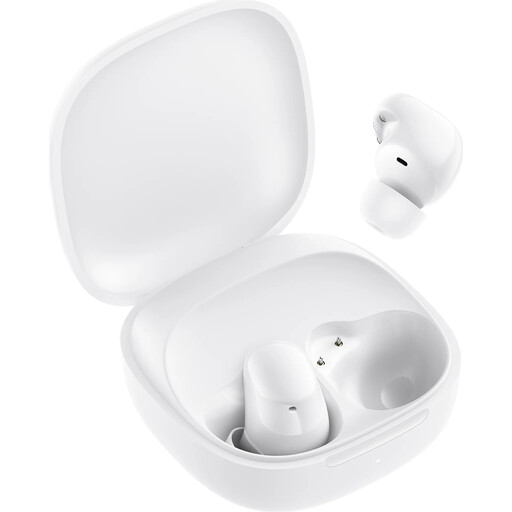
Why this product suits the profile: These compact true-wireless earbuds fit easily into pockets and are designed for everyday use, commuting and light exercise.
The product details list the conditions separately: up to 36 hours with the charging case, plus up to 3 hours of playback after 10 minutes of fast charging.
Bluetooth 5.4, 10-mm drivers, a USB-C charging case and AI-based noise reduction for phone calls according to the product description.
We have put together a complete, regularly updated list of products that fully meet these strict selection criteria and the safety regulations applicable in the EU.
Activate Bluetooth on your smartphone, switch on the headphones and open pairing mode. Then select the product name from the list of available devices. With true-wireless earbuds, pairing often starts automatically when you open the charging case. For multipoint, both devices must be paired one after the other.
Battery life depends on the battery, charging cycles, temperature, volume and care. With many models, the integrated battery cannot be replaced by the user. Charge the headphones with a suitable USB-C charger, avoid excessive heat and keep the charging case or headphones dry. If battery life has declined significantly, replacing the product may be more economical than repairing it.
Many models have an integrated microphone. For regular calls, you should look at the microphone position, multipoint functionality and details of voice noise reduction. Suitability also depends on wind, traffic noise, the distance from your smartphone and the Bluetooth connection in question. For important work calls, first test the voice quality in the environment where you usually take calls.